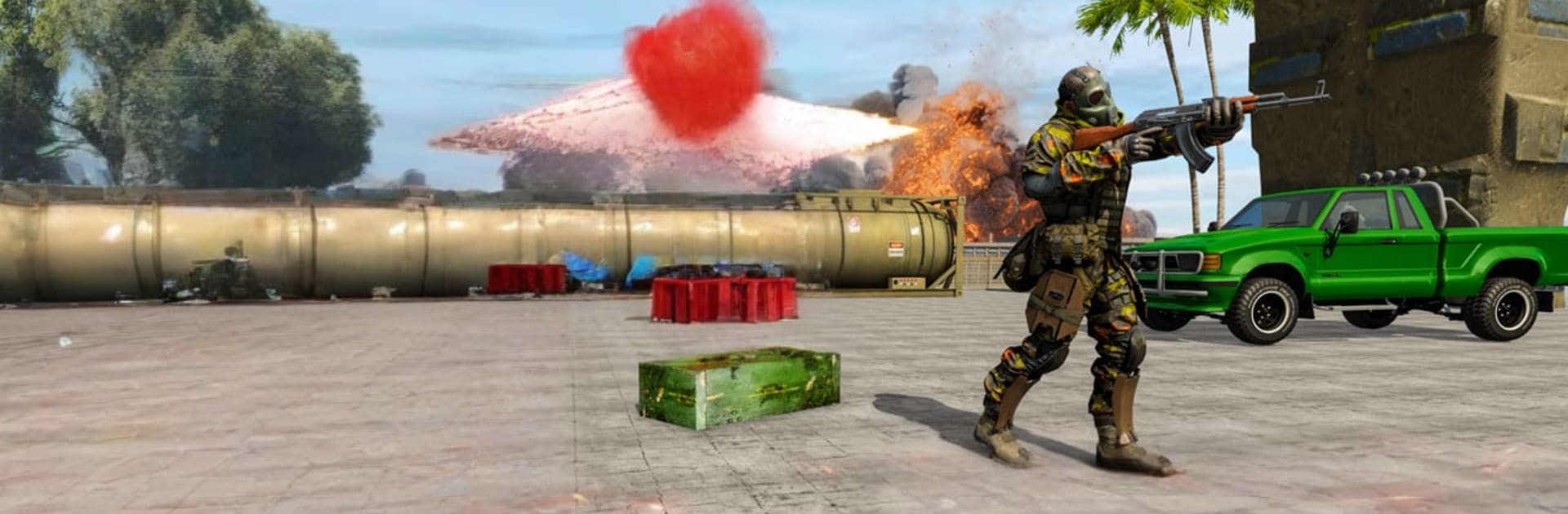
FPS Gun Shooting: Offline Game

FPS Gun Shooting: Offline Game

Action

| TeeToo

Play on PC with BlueStacks or from our cloud

  • Overview
  • Game Features
  • How to Play

Page Modified On: August 24, 2026

Play FPS Gun Shooting: Offline Game on PC or Mac

Explore a whole new adventure with FPS Gun Shooting: Offline Game, a Action game created by TeeToo. Experience great gameplay with BlueStacks, the most popular gaming platform to play Android games on your PC or Mac.

About the Game

FPS Gun Shooting: Offline Game is a fast, no-fuss first-person shooter built for quick bursts of Action. Step into the boots of an elite commando, take on secret objectives, and clear hostile zones without needing a connection. Want a bigger view and steadier aim? It also plays nicely on BlueStacks.

Game Features

  • Offline Missions: Jump into compact, focused operations you can play anytime, with objectives ranging from stealthy takedowns to full-on assaults and last-stand defenses.
  • A Full Armory: Try out everything from pistols and SMGs to shotguns, assault rifles, and long-range sniper setups, then unlock more firepower as you progress.
  • Snappy, Intuitive Controls: Smooth aiming and responsive shooting keep the action tight, so lining up that headshot feels quick and natural.
  • Smarter Enemies: Expect opponents that push, flank, and hold angles—forcing you to switch tactics instead of just rushing in.
  • Diverse Battlefields: Fight through warehouses, desert checkpoints, and fortified compounds, each designed to favor different weapons and approaches.
  • Story-Driven Ops: Tackle secret commando assignments that stitch missions together with clear goals, from breaching gates to securing intel and rescuing hostages.
  • Siege and Stealth Moments: Breach rooms, hold choke points, or sneak around patrols—missions mix high-pressure firefights with quieter, methodical plays.
  • Powerful Feedback and Audio: Crisp gun sounds, punchy impacts, and explosive effects sell every trigger pull and make firefights feel weighty.
  • Meaningful Unlocks: Earn in-game currency to pick up new guns and upgrade your loadouts, rewarding smart play and steady aim.

Ready to top the leaderboard? We bet you do. Let precise controls and sharp visuals optimized on BlueStacks lead you to victory.


Game Features

Enhancements

  • Macros
  • Multi Instance
  • Multi Instance Sync
  • Eco Mode
  • Enhancements
Macros

Macros

Skip the boring parts of a game. Play FPS Gun Shooting: Offline Game with Macros and get the edge. Simply record a sequence of commands and execute them at any moment.
Multi Instance

Multi Instance

Why limit to one game on your phone when you can play many on your PC? Open multiple instances of FPS Gun Shooting: Offline Game at once with Multi-Instance. Leverage the power of different accounts by doing more.
Multi Instance Sync

Multi Instance Sync

Get the best out of FPS Gun Shooting: Offline Game with Multi-Instance Sync. Play the game from different accounts and build your own empire. Use Multi-instance sync to repeat the action in the main BlueStacks instance on all other instances.
Eco Mode

Eco Mode

Find the rarest heroes by making multiple summons in FPS Gun Shooting: Offline Game. And while you are at it, reduce your PC’s resource consumption with the Eco Mode. Farm efficiently. Get the best results.
Read More

How to Download and Play FPS Gun Shooting: Offline Game on PC or Mac

  • Download and install BlueStacks on your PC or Mac

  • Complete Google sign-in to access the Play Store, or do it later

  • Look for FPS Gun Shooting: Offline Game in the search bar at the top right corner

  • Click to install FPS Gun Shooting: Offline Game from the search results

  • Complete Google sign-in (if you skipped step 2) to install FPS Gun Shooting: Offline Game

  • Click the FPS Gun Shooting: Offline Game icon on the home screen to start playing

video
Watch Video

Minimum System Requirements

With BlueStacks 5, you can get started on a PC that fulfills the following requirements.

  • Operating System

    Microsoft Windows 7 or above, macOS 11 (Big Sur) or above

  • Processor

    Intel, AMD or Apple Silicon Processor

  • RAM

    at least 4GB

  • HDD

    10GB Free Disk Space

Note:

* You must be an Administrator on your PC. Up to date graphics drivers from Microsoft or the chipset vendor.

FPS Gun Shooting: Offline Game - FAQs

  • How to play FPS Gun Shooting: Offline Game on Windows PC & Mac?

    Play FPS Gun Shooting: Offline Game on your PC or Mac by following these simple steps.

    • Click on 'Play FPS Gun Shooting: Offline Game on PC’ to download BlueStacks
    • Install it and log-in to Google Play Store
    • Launch and play the game.
  • Why is BlueStacks the fastest and safest platform to play games on PC?

    BlueStacks respects your privacy and is always safe and secure to use. It does not carry any malware, spyware, or any sort of additional software that could harm your PC.

    It is engineered to optimize speed and performance for a seamless gaming experience.

  • What are FPS Gun Shooting: Offline Game PC requirements?

    Minimum requirement to run FPS Gun Shooting: Offline Game on your PC

    • OS: Microsoft Windows 7 or above MacOS 11 (Big Sur) or above
    • Processor: Intel, AMD or Apple Silicon Processor
    • RAM: Your PC must have at least 4GB of RAM. (Note that having 4GB or more disk space is not a substitute for RAM)
    • HDD: 10GB Free Disk Space.
    • You must be an Administrator on your PC.