GAROU: MotW ACA NEOGEO

GAROU: MotW ACA NEOGEO

Action

| SNK CORPORATION

Play on PC with BlueStacks or from our cloud

  • Overview
  • Game Features
  • How to Play

Page Modified On: November 03, 2025

Play GAROU: MotW ACA NEOGEO on PC or Mac

GAROU: MotW ACA NEOGEO brings the Action genre to life, and throws up exciting challenges for gamers. Developed by SNK CORPORATION, this Android game is best experienced on BlueStacks, the World’s #1 app player for PC and Mac users.

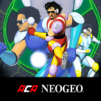
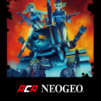
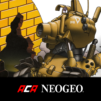
GAROU: Mark of the Wolves on the ACA NEOGEO line feels like a love letter to late 90s SNK fighters. It is the next step of Fatal Fury with a fresh roster led by Rock Howard, and fights have that clean, weighty rhythm where spacing and timing actually matter. The game is all about sharp fundamentals and a few smart systems that change how rounds flow. Just Defend rewards last‑second blocks with a tiny health nudge and advantage, T.O.P. lets players pick a segment of the life bar for a damage and regen boost, and the Breaking mechanic cracks open combos if the timing is right. Hits look crisp, sprites animate beautifully, and every character has a style that stands out without getting messy.

On PC through BlueStacks, it plays smooth with keyboard or a plugged‑in pad, and the classic options are there to make it feel like an arcade board. Think screen filters, scanlines, original aspect ratio, and difficulty tweaks for the CPU. Quick save and load are super handy for practicing execution or trying out routes without restarting whole runs, and input mapping means the virtual pad never gets in the way. There are online rankings to chase if someone enjoys score runs, and the package keeps that old school edge without feeling unfair. It still has that SNK challenge, but it gives enough tools to learn, experiment, and actually see progress instead of getting stuck on a wall forever.

Get ready for a buttery smooth, high-performance gaming action only on BlueStacks.

Game Features

Enhancements

  • Macros
  • Multi Instance
  • Multi Instance Sync
  • Eco Mode
  • Enhancements
Macros

Macros

Skip the boring parts of a game. Play GAROU: MotW ACA NEOGEO with Macros and get the edge. Simply record a sequence of commands and execute them at any moment.
Multi Instance

Multi Instance

Why limit to one game on your phone when you can play many on your PC? Open multiple instances of GAROU: MotW ACA NEOGEO at once with Multi-Instance. Leverage the power of different accounts by doing more.
Multi Instance Sync

Multi Instance Sync

Get the best out of GAROU: MotW ACA NEOGEO with Multi-Instance Sync. Play the game from different accounts and build your own empire. Use Multi-instance sync to repeat the action in the main BlueStacks instance on all other instances.
Eco Mode

Eco Mode

Find the rarest heroes by making multiple summons in GAROU: MotW ACA NEOGEO. And while you are at it, reduce your PC’s resource consumption with the Eco Mode. Farm efficiently. Get the best results.
Read More

How to Download and Play GAROU: MotW ACA NEOGEO on PC or Mac

  • Download and install BlueStacks on your PC or Mac

  • Complete Google sign-in to access the Play Store, or do it later

  • Look for GAROU: MotW ACA NEOGEO in the search bar at the top right corner

  • Click to install GAROU: MotW ACA NEOGEO from the search results

  • Complete Google sign-in (if you skipped step 2) to install GAROU: MotW ACA NEOGEO

  • Click the GAROU: MotW ACA NEOGEO icon on the home screen to start playing

video
Watch Video

Minimum System Requirements

With BlueStacks 5, you can get started on a PC that fulfills the following requirements.

  • Operating System

    Microsoft Windows 7 or above, macOS 11 (Big Sur) or above

  • Processor

    Intel, AMD or Apple Silicon Processor

  • RAM

    at least 4GB

  • HDD

    10GB Free Disk Space

Note:

* You must be an Administrator on your PC. Up to date graphics drivers from Microsoft or the chipset vendor.

GAROU: MotW ACA NEOGEO - FAQs

  • How to play GAROU: MotW ACA NEOGEO on Windows PC & Mac?

    Play GAROU: MotW ACA NEOGEO on your PC or Mac by following these simple steps.

    • Click on 'Play GAROU: MotW ACA NEOGEO on PC’ to download BlueStacks
    • Install it and log-in to Google Play Store
    • Launch and play the game.
  • Why is BlueStacks the fastest and safest platform to play games on PC?

    BlueStacks respects your privacy and is always safe and secure to use. It does not carry any malware, spyware, or any sort of additional software that could harm your PC.

    It is engineered to optimize speed and performance for a seamless gaming experience.

  • What are GAROU: MotW ACA NEOGEO PC requirements?

    Minimum requirement to run GAROU: MotW ACA NEOGEO on your PC

    • OS: Microsoft Windows 7 or above MacOS 11 (Big Sur) or above
    • Processor: Intel, AMD or Apple Silicon Processor
    • RAM: Your PC must have at least 4GB of RAM. (Note that having 4GB or more disk space is not a substitute for RAM)
    • HDD: 10GB Free Disk Space.
    • You must be an Administrator on your PC.