GDS: Grand Drive Sandbox

GDS: Grand Drive Sandbox

Action

| Khadiev - Scary Horror Games 3D

Play on PC with BlueStacks or from our cloud

  • Overview
  • Game Features
  • How to Play

Page Modified On: August 17, 2026

Play GDS: Grand Drive Sandbox on PC or Mac

Explore a whole new adventure with GDS: Grand Drive Sandbox, a Action game created by Khadiev – Scary Horror Games 3D. Experience great gameplay with BlueStacks, the most popular gaming platform to play Android games on your PC or Mac.

About the Game

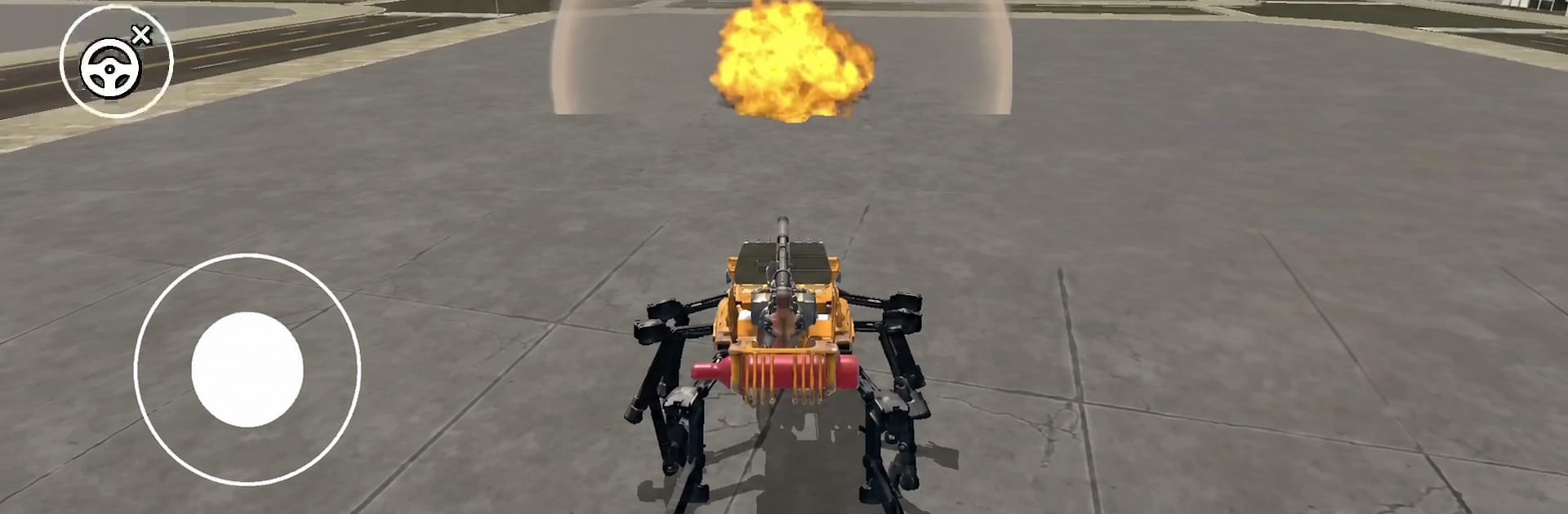
GDS: Grand Drive Sandbox drops you into a sprawling city where you call the shots and every second can spiral into something wild. It’s an Action sandbox built for pure freedom—roam, experiment, cause trouble, or just cruise while the world reacts in unpredictable ways. Prefer playing on a bigger screen? It runs smoothly on BlueStacks without getting in your way.

Game Features

  • Living city: Crowds and bystanders notice what you do—some panic, some posture, others pick a fight—so even small choices can snowball into chaos.
  • Big toybox of rides: Tear up streets in supercars, crawl over curbs in 4x4s, patrol in a cruiser, or go heavy with a tank. Every vehicle feels distinct and the map gives them room to breathe.
  • Air and armor: Thread a helicopter between towers, sweep the skyline in a plane, or rumble through blockades with something that laughs at road rules.
  • Physics playground: Build momentum, stack ramps, and try nonsense stunts—roof-to-car drops, bike-to-truck hops, and other “did that actually work?” moments.
  • Flexible combat: A wide arsenal lets you stage shootouts, scatter crowds, or stress-test scenery when you’re in a loud mood.
  • Make your own goals: No quest list. Set personal challenges, host races, go stealthy, or turn a quiet street into a headline.
  • Hidden corners everywhere: Rooftops, tunnels, back lots, and forgotten buildings reward curiosity with shortcuts and new routes.
  • Switch the vibe anytime: Chill exploration one minute, full-blown role‑play mayhem the next—the city is built to keep up with whatever you try.

Ready to top the leaderboard? We bet you do. Let precise controls and sharp visuals optimized on BlueStacks lead you to victory.


Game Features

Enhancements

  • Macros
  • Multi Instance
  • Multi Instance Sync
  • Eco Mode
  • Enhancements
Macros

Macros

Skip the boring parts of a game. Play GDS: Grand Drive Sandbox with Macros and get the edge. Simply record a sequence of commands and execute them at any moment.
Multi Instance

Multi Instance

Why limit to one game on your phone when you can play many on your PC? Open multiple instances of GDS: Grand Drive Sandbox at once with Multi-Instance. Leverage the power of different accounts by doing more.
Multi Instance Sync

Multi Instance Sync

Get the best out of GDS: Grand Drive Sandbox with Multi-Instance Sync. Play the game from different accounts and build your own empire. Use Multi-instance sync to repeat the action in the main BlueStacks instance on all other instances.
Eco Mode

Eco Mode

Find the rarest heroes by making multiple summons in GDS: Grand Drive Sandbox. And while you are at it, reduce your PC’s resource consumption with the Eco Mode. Farm efficiently. Get the best results.
Read More

How to Download and Play GDS: Grand Drive Sandbox on PC or Mac

  • Download and install BlueStacks on your PC or Mac

  • Complete Google sign-in to access the Play Store, or do it later

  • Look for GDS: Grand Drive Sandbox in the search bar at the top right corner

  • Click to install GDS: Grand Drive Sandbox from the search results

  • Complete Google sign-in (if you skipped step 2) to install GDS: Grand Drive Sandbox

  • Click the GDS: Grand Drive Sandbox icon on the home screen to start playing

video
Watch Video

Minimum System Requirements

With BlueStacks 5, you can get started on a PC that fulfills the following requirements.

  • Operating System

    Microsoft Windows 7 or above, macOS 11 (Big Sur) or above

  • Processor

    Intel, AMD or Apple Silicon Processor

  • RAM

    at least 4GB

  • HDD

    10GB Free Disk Space

Note:

* You must be an Administrator on your PC. Up to date graphics drivers from Microsoft or the chipset vendor.

GDS: Grand Drive Sandbox - FAQs

  • How to play GDS: Grand Drive Sandbox on Windows PC & Mac?

    Play GDS: Grand Drive Sandbox on your PC or Mac by following these simple steps.

    • Click on 'Play GDS: Grand Drive Sandbox on PC’ to download BlueStacks
    • Install it and log-in to Google Play Store
    • Launch and play the game.
  • Why is BlueStacks the fastest and safest platform to play games on PC?

    BlueStacks respects your privacy and is always safe and secure to use. It does not carry any malware, spyware, or any sort of additional software that could harm your PC.

    It is engineered to optimize speed and performance for a seamless gaming experience.

  • What are GDS: Grand Drive Sandbox PC requirements?

    Minimum requirement to run GDS: Grand Drive Sandbox on your PC

    • OS: Microsoft Windows 7 or above MacOS 11 (Big Sur) or above
    • Processor: Intel, AMD or Apple Silicon Processor
    • RAM: Your PC must have at least 4GB of RAM. (Note that having 4GB or more disk space is not a substitute for RAM)
    • HDD: 10GB Free Disk Space.
    • You must be an Administrator on your PC.