Grau Favela 2: Brasil

Grau Favela 2: Brasil

Action

| Pio Games

Play on PC with BlueStacks or from our cloud

  • Overview
  • Game Features
  • How to Play

Page Modified On: November 12, 2026

Play Grau Favela 2: Brasil on PC or Mac

Grau Favela 2: Brasil brings the Action genre to life, and throws up exciting challenges for gamers. Developed by Pio Games, this Android game is best experienced on BlueStacks, the World’s #1 app player for PC and Mac users.

About the Game

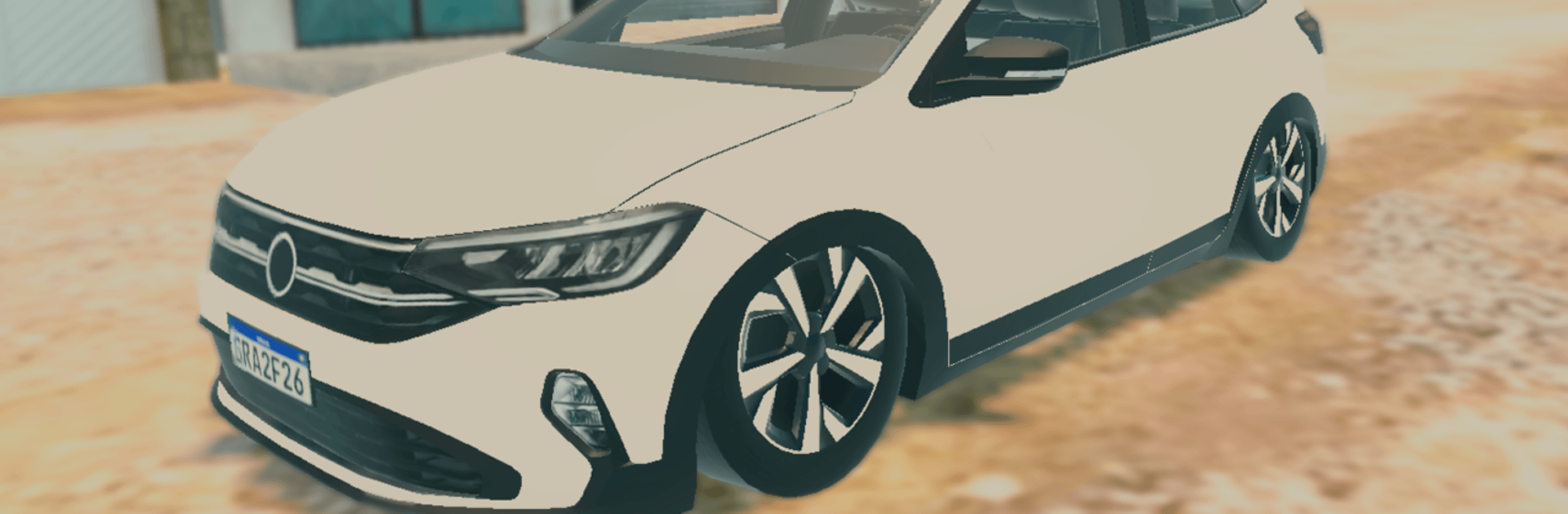
Grau Favela 2: Brasil drops you into lively Brazilian streets where cars, bikes, and pure attitude set the tone. This open-world Action game is all about roaming the city, pulling clean stunts, tweaking your ride, and staying cool when the cops roll by. It’s part chill cruise, part stunt show, part cat-and-mouse chase—do your thing and make the streets yours.

Game Features

  • Authentic Brazilian Map: Explore a city inspired by Brazil, from tight alleys to wide avenues, with plenty of spots to cruise, meet up, and show off.
  • Free-Roam Driving: Hop in a car or jump on a motorcycle and take the long way around—no rails, no rush, just your route and your pace.
  • Stunt-Ready Motorcycles: Pop wheelies, string together tricks, and hold balance for as long as you dare—style points totally encouraged.
  • Police Reactions: Get reckless near a patrol and they’ll notice; either outrun the attention or play it cool until things calm down.
  • Air-Suspension Cars: Raise it, slam it, and set your stance just right with adjustable air suspension for that perfect parking-lot look.
  • Workshop Tuning: Head to the garage to personalize your build—swap parts, tweak visuals, and make your ride feel like yours.
  • Character Clothing: Change up your outfit to match your bike, your car, or just your mood.
  • Street Vibes, Smooth Controls: Easy-to-grasp handling makes cruising, drifting, and pulling wheelies feel natural and satisfying.
  • BlueStacks Friendly: Looks sharp and plays smooth on PC with BlueStacks if you want a bigger screen and steady performance.

Start playing Grau Favela 2: Brasil on BlueStacks and get a smoother, more comfortable PC or Mac setup.


Game Features

Enhancements

  • Macros
  • Multi Instance
  • Multi Instance Sync
  • Eco Mode
  • Enhancements
Macros

Macros

Skip the boring parts of a game. Play Grau Favela 2: Brasil with Macros and get the edge. Simply record a sequence of commands and execute them at any moment.
Multi Instance

Multi Instance

Why limit to one game on your phone when you can play many on your PC? Open multiple instances of Grau Favela 2: Brasil at once with Multi-Instance. Leverage the power of different accounts by doing more.
Multi Instance Sync

Multi Instance Sync

Get the best out of Grau Favela 2: Brasil with Multi-Instance Sync. Play the game from different accounts and build your own empire. Use Multi-instance sync to repeat the action in the main BlueStacks instance on all other instances.
Eco Mode

Eco Mode

Find the rarest heroes by making multiple summons in Grau Favela 2: Brasil. And while you are at it, reduce your PC’s resource consumption with the Eco Mode. Farm efficiently. Get the best results.
Read More

How to Download and Play Grau Favela 2: Brasil on PC or Mac

  • Download and install BlueStacks on your PC or Mac

  • Complete Google sign-in to access the Play Store, or do it later

  • Look for Grau Favela 2: Brasil in the search bar at the top right corner

  • Click to install Grau Favela 2: Brasil from the search results

  • Complete Google sign-in (if you skipped step 2) to install Grau Favela 2: Brasil

  • Click the Grau Favela 2: Brasil icon on the home screen to start playing

video
Watch Video

Minimum System Requirements

With BlueStacks 5, you can get started on a PC that fulfills the following requirements.

  • Operating System

    Microsoft Windows 7 or above, macOS 11 (Big Sur) or above

  • Processor

    Intel, AMD or Apple Silicon Processor

  • RAM

    at least 4GB

  • HDD

    10GB Free Disk Space

Note:

* You must be an Administrator on your PC. Up to date graphics drivers from Microsoft or the chipset vendor.

Grau Favela 2: Brasil - FAQs

  • How to play Grau Favela 2: Brasil on Windows PC & Mac?

    Play Grau Favela 2: Brasil on your PC or Mac by following these simple steps.

    • Click on 'Play Grau Favela 2: Brasil on PC’ to download BlueStacks
    • Install it and log-in to Google Play Store
    • Launch and play the game.
  • Why is BlueStacks the fastest and safest platform to play games on PC?

    BlueStacks respects your privacy and is always safe and secure to use. It does not carry any malware, spyware, or any sort of additional software that could harm your PC.

    It is engineered to optimize speed and performance for a seamless gaming experience.

  • What are Grau Favela 2: Brasil PC requirements?

    Minimum requirement to run Grau Favela 2: Brasil on your PC

    • OS: Microsoft Windows 7 or above MacOS 11 (Big Sur) or above
    • Processor: Intel, AMD or Apple Silicon Processor
    • RAM: Your PC must have at least 4GB of RAM. (Note that having 4GB or more disk space is not a substitute for RAM)
    • HDD: 10GB Free Disk Space.
    • You must be an Administrator on your PC.