Gun Club 2
Gun Club 2

Gun Club 2

Action

| The Binary Mill

Play on PC with BlueStacks or from our cloud

  • Overview
  • Game Features
  • How to Play

Page Modified On: August 21, 2026

Play Gun Club 2 on PC or Mac

Bring your A-game to Gun Club 2, the Action game sensation from The Binary Mill. Give your gameplay the much-needed boost with precise game controls, high FPS graphics, and top-tier features on your PC or Mac with BlueStacks.

About the Game

Gun Club 2 turns your screen into a fully stocked firing range where every click, rack, and reload feels hands-on. This is an Action experience built around authenticity and tinkering—less scoreboard, more “how does this thing actually work?” Prefer a bigger view while you test-fire? It plays nicely on BlueStacks without getting in the way.

Game Features

  • Massive Armory: Explore a huge catalog spanning modern rifles, classic sidearms, shotguns, launchers, heavy guns, and more—well over two hundred pieces to handle.
  • Full Interactivity: Work the safeties, charge handles, slides, and bolts yourself; watch shells eject, magazines empty, and parts move exactly as they should.
  • Realistic Feedback: Feel the kick through detailed recoil animations, muzzle flashes, smoke, and timed action cycles that make each shot look and sound right.
  • True-to-Life Audio: Every clack, click, and blast comes from authentic recordings, so even dry-firing and reloads sound satisfyingly real.
  • Inspect Mode: Zoom in, rotate, and check both sides of each weapon up close; gauges, counters, and ammo indicators update in real time as you operate them.
  • Fire Mode Control: Swap between semi-auto and full-auto where applicable to see how different settings change behavior and rhythm.
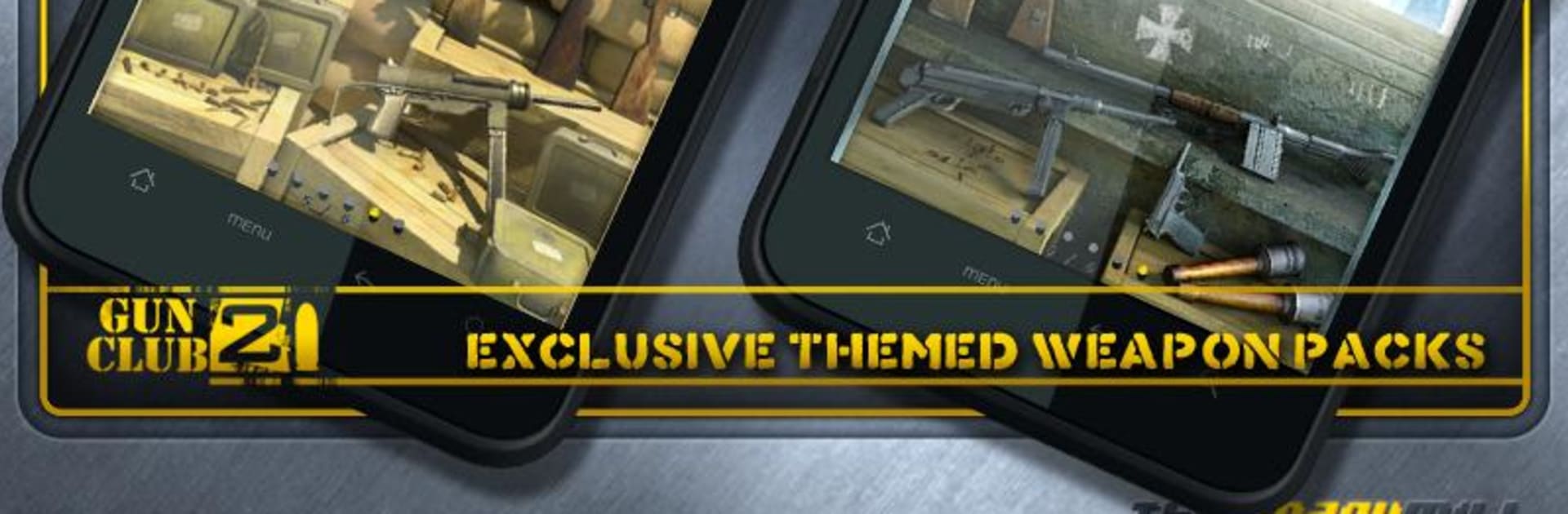
  • Themed Collections: Try curated packs that spotlight specific eras and roles—think Navy SEALS, SAS, Urban Warfare, Pirate-era arms, WWII sets, and more.
  • New Additions: Fresh hardware keeps rolling in, including standouts like the M1897 Trench Gun and the AR 70/90, plus packs such as Pacific Theatre, Cartel, and Marksman.
  • Heavy Metal: Beyond small arms, experiment with serious hardware—miniguns, howitzers, and other big iron that you won’t find in a typical range.
  • BlueStacks Friendly: If you like testing gear on a larger display with steady controls, the game runs smoothly on BlueStacks.

Start playing Gun Club 2 on BlueStacks and get a smoother, more comfortable PC or Mac setup.

Game Features

Enhancements

  • Macros
  • Multi Instance
  • Multi Instance Sync
  • Eco Mode
  • Enhancements
Macros

Macros

Skip the boring parts of a game. Play Gun Club 2 with Macros and get the edge. Simply record a sequence of commands and execute them at any moment.
Multi Instance

Multi Instance

Why limit to one game on your phone when you can play many on your PC? Open multiple instances of Gun Club 2 at once with Multi-Instance. Leverage the power of different accounts by doing more.
Multi Instance Sync

Multi Instance Sync

Get the best out of Gun Club 2 with Multi-Instance Sync. Play the game from different accounts and build your own empire. Use Multi-instance sync to repeat the action in the main BlueStacks instance on all other instances.
Eco Mode

Eco Mode

Find the rarest heroes by making multiple summons in Gun Club 2. And while you are at it, reduce your PC’s resource consumption with the Eco Mode. Farm efficiently. Get the best results.
Read More

How to Download and Play Gun Club 2 on PC or Mac

  • Download and install BlueStacks on your PC or Mac

  • Complete Google sign-in to access the Play Store, or do it later

  • Look for Gun Club 2 in the search bar at the top right corner

  • Click to install Gun Club 2 from the search results

  • Complete Google sign-in (if you skipped step 2) to install Gun Club 2

  • Click the Gun Club 2 icon on the home screen to start playing

video
Watch Video

Minimum System Requirements

With BlueStacks 5, you can get started on a PC that fulfills the following requirements.

  • Operating System

    Microsoft Windows 7 or above, macOS 11 (Big Sur) or above

  • Processor

    Intel, AMD or Apple Silicon Processor

  • RAM

    at least 4GB

  • HDD

    10GB Free Disk Space

Note:

* You must be an Administrator on your PC. Up to date graphics drivers from Microsoft or the chipset vendor.

Gun Club 2 - FAQs

  • How to play Gun Club 2 on Windows PC & Mac?

    Play Gun Club 2 on your PC or Mac by following these simple steps.

    • Click on 'Play Gun Club 2 on PC’ to download BlueStacks
    • Install it and log-in to Google Play Store
    • Launch and play the game.
  • Why is BlueStacks the fastest and safest platform to play games on PC?

    BlueStacks respects your privacy and is always safe and secure to use. It does not carry any malware, spyware, or any sort of additional software that could harm your PC.

    It is engineered to optimize speed and performance for a seamless gaming experience.

  • What are Gun Club 2 PC requirements?

    Minimum requirement to run Gun Club 2 on your PC

    • OS: Microsoft Windows 7 or above MacOS 11 (Big Sur) or above
    • Processor: Intel, AMD or Apple Silicon Processor
    • RAM: Your PC must have at least 4GB of RAM. (Note that having 4GB or more disk space is not a substitute for RAM)
    • HDD: 10GB Free Disk Space.
    • You must be an Administrator on your PC.