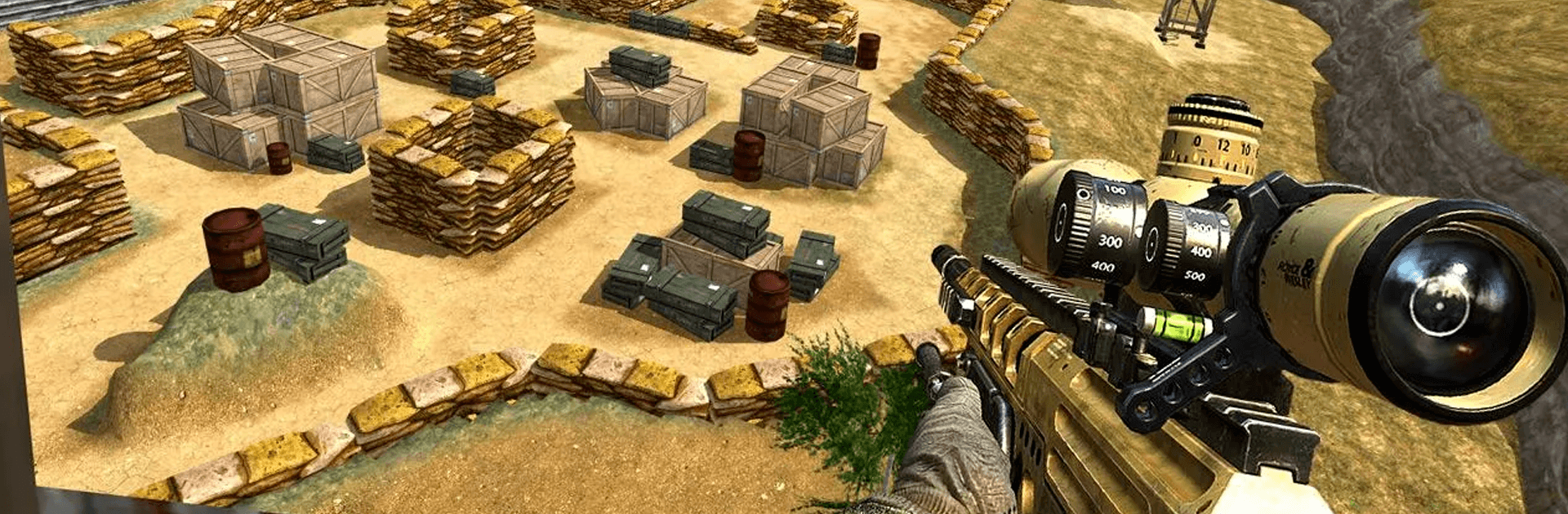
Impossible Mission Swat Sniper

Impossible Mission Swat Sniper

Action

| TerraNova Interactive

Play on PC with BlueStacks or from our cloud

  • Overview
  • Game Features
  • How to Play

Page Modified On: September 25, 2026

Play Impossible Mission Swat Sniper on PC or Mac

Bring your A-game to Impossible Mission Swat Sniper, the Action game sensation from TerraNova Interactive. Give your gameplay the much-needed boost with precise game controls, high FPS graphics, and top-tier features on your PC or Mac with BlueStacks.

About the Game

Impossible Mission Swat Sniper drops you into a tense, city-wide hunt where every shot matters. This Action experience blends quiet stealth with razor‑sharp precision, pushing you to plan, wait, and strike before anyone knows you were there. Prefer playing on a bigger screen with tighter aim? It also runs smoothly on BlueStacks.

Game Features

  • Stealth-first approach: Study patrols, track targets, and move carefully—staying unseen is often the difference between a clean exit and chaos.
  • Smart enemy behavior: Enemies react to noise, movement, and missed shots, turning routine takedowns into tense cat-and-mouse moments.
  • Precision optics: Dial in your scope, line up long shots, and use high zoom to pick off threats from rooftops, alleys, and crowded streets.
  • Varied mission setups: From rooftop overwatch to convoy stops and high-risk intersections, each scenario asks for a different angle and timing.
  • Meaningful weapon upgrades: Unlock new rifles and improve optics, stability, and firepower to handle armored targets and longer distances.
  • Vehicle takedowns: Disable hostile vehicles or trigger explosive chain reactions when the situation calls for something loud and final.
  • Immersive 3D city: Crisp visuals, punchy effects, and smooth controls make every silent breath and trigger pull feel weighty.
  • Play anywhere, anytime: Offline support means missions are ready whenever you are—no connection needed.
  • Timed shots and moving targets: Tight windows, shifting angles, and fast escapes keep the pressure high and your focus sharper than ever.

Start your journey now. Download the game on BlueStacks, invite your friends, and march on a new adventure.


Game Features

Enhancements

  • Macros
  • Multi Instance
  • Multi Instance Sync
  • Eco Mode
  • Enhancements
Macros

Macros

Skip the boring parts of a game. Play Impossible Mission Swat Sniper with Macros and get the edge. Simply record a sequence of commands and execute them at any moment.
Multi Instance

Multi Instance

Why limit to one game on your phone when you can play many on your PC? Open multiple instances of Impossible Mission Swat Sniper at once with Multi-Instance. Leverage the power of different accounts by doing more.
Multi Instance Sync

Multi Instance Sync

Get the best out of Impossible Mission Swat Sniper with Multi-Instance Sync. Play the game from different accounts and build your own empire. Use Multi-instance sync to repeat the action in the main BlueStacks instance on all other instances.
Eco Mode

Eco Mode

Find the rarest heroes by making multiple summons in Impossible Mission Swat Sniper. And while you are at it, reduce your PC’s resource consumption with the Eco Mode. Farm efficiently. Get the best results.
Read More

How to Download and Play Impossible Mission Swat Sniper on PC or Mac

  • Download and install BlueStacks on your PC or Mac

  • Complete Google sign-in to access the Play Store, or do it later

  • Look for Impossible Mission Swat Sniper in the search bar at the top right corner

  • Click to install Impossible Mission Swat Sniper from the search results

  • Complete Google sign-in (if you skipped step 2) to install Impossible Mission Swat Sniper

  • Click the Impossible Mission Swat Sniper icon on the home screen to start playing

video
Watch Video

Minimum System Requirements

With BlueStacks 5, you can get started on a PC that fulfills the following requirements.

  • Operating System

    Microsoft Windows 7 or above, macOS 11 (Big Sur) or above

  • Processor

    Intel, AMD or Apple Silicon Processor

  • RAM

    at least 4GB

  • HDD

    10GB Free Disk Space

Note:

* You must be an Administrator on your PC. Up to date graphics drivers from Microsoft or the chipset vendor.

Impossible Mission Swat Sniper - FAQs

  • How to play Impossible Mission Swat Sniper on Windows PC & Mac?

    Play Impossible Mission Swat Sniper on your PC or Mac by following these simple steps.

    • Click on 'Play Impossible Mission Swat Sniper on PC’ to download BlueStacks
    • Install it and log-in to Google Play Store
    • Launch and play the game.
  • Why is BlueStacks the fastest and safest platform to play games on PC?

    BlueStacks respects your privacy and is always safe and secure to use. It does not carry any malware, spyware, or any sort of additional software that could harm your PC.

    It is engineered to optimize speed and performance for a seamless gaming experience.

  • What are Impossible Mission Swat Sniper PC requirements?

    Minimum requirement to run Impossible Mission Swat Sniper on your PC

    • OS: Microsoft Windows 7 or above MacOS 11 (Big Sur) or above
    • Processor: Intel, AMD or Apple Silicon Processor
    • RAM: Your PC must have at least 4GB of RAM. (Note that having 4GB or more disk space is not a substitute for RAM)
    • HDD: 10GB Free Disk Space.
    • You must be an Administrator on your PC.