Kickshot: Recoil Gun Duel

Kickshot: Recoil Gun Duel

Action

| Funny Games and Apps Studio

Play on PC with BlueStacks or from our cloud

  • Overview
  • Game Features
  • How to Play

Page Modified On: August 20, 2026

Play Kickshot: Recoil Gun Duel on PC or Mac

Bring your A-game to Kickshot: Recoil Gun Duel, the Action game sensation from Funny Games and Apps Studio. Give your gameplay the much-needed boost with precise game controls, high FPS graphics, and top-tier features on your PC or Mac with BlueStacks.

About the Game

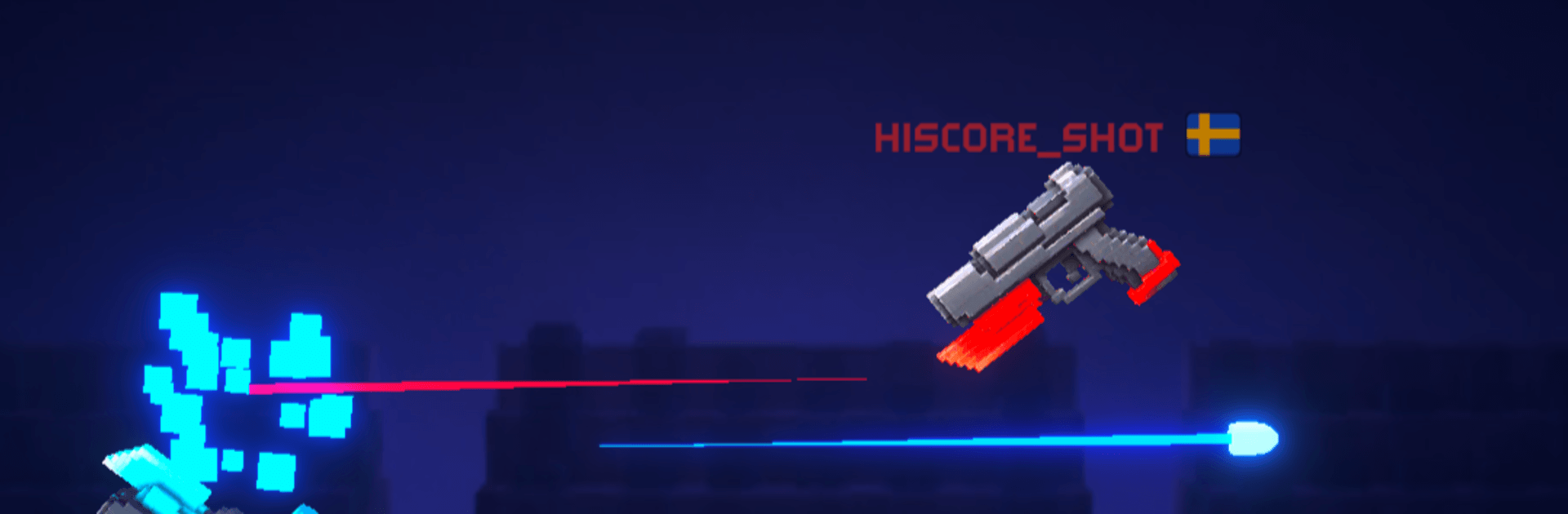
Kickshot: Recoil Gun Duel is an Action shooter with a wicked twist: your shots don’t just damage enemies—they launch you. Every tap turns recoil into movement, letting you skim across walls, flip through danger, and line up outrageous angles. Quick, skill-first duels make each level a tight little physics puzzle with a stylish slow-mo payoff when you land the final hit.

Game Features

  • Recoil Movement: Fire to move as the kick shoves you across the arena—bounce off walls, pivot midair, and thread through danger.
  • One-Thumb Precision: Simple taps with depth to spare; it’s all timing, angles, and control—no aim assists doing the work for you.
  • Cinematic Last Shots: Nail the finisher and watch the action drop into slick slow motion so you can savor the win.
  • Hand-Built Stages: Push through hundreds of compact arenas with fresh layouts and hazards that steadily raise the challenge.
  • Boss Showdowns: Square off against crafty foes that pressure your reflexes, spacing, and shot planning.
  • Guns With Personality: Unlock pistols, revolvers, SMGs, and more—each with distinct kick, spread, and rhythm to master.
  • Make It Yours: Customize your gunslinger’s look and weapon colors to show some style.
  • Fast, Snackable Rounds: Most duels wrap in under a minute—great for quick breaks or long streaks when you’ve got time.
  • Offline Play: No connection needed, so you can keep practicing anywhere, even when Wi-Fi’s out.
  • Plays Great on PC: Prefer a bigger screen? Kickshot: Recoil Gun Duel runs smoothly on BlueStacks.

Ready to top the leaderboard? We bet you do. Let precise controls and sharp visuals optimized on BlueStacks lead you to victory.


Game Features

Enhancements

  • Macros
  • Multi Instance
  • Multi Instance Sync
  • Eco Mode
  • Enhancements
Macros

Macros

Skip the boring parts of a game. Play Kickshot: Recoil Gun Duel with Macros and get the edge. Simply record a sequence of commands and execute them at any moment.
Multi Instance

Multi Instance

Why limit to one game on your phone when you can play many on your PC? Open multiple instances of Kickshot: Recoil Gun Duel at once with Multi-Instance. Leverage the power of different accounts by doing more.
Multi Instance Sync

Multi Instance Sync

Get the best out of Kickshot: Recoil Gun Duel with Multi-Instance Sync. Play the game from different accounts and build your own empire. Use Multi-instance sync to repeat the action in the main BlueStacks instance on all other instances.
Eco Mode

Eco Mode

Find the rarest heroes by making multiple summons in Kickshot: Recoil Gun Duel. And while you are at it, reduce your PC’s resource consumption with the Eco Mode. Farm efficiently. Get the best results.
Read More

How to Download and Play Kickshot: Recoil Gun Duel on PC or Mac

  • Download and install BlueStacks on your PC or Mac

  • Complete Google sign-in to access the Play Store, or do it later

  • Look for Kickshot: Recoil Gun Duel in the search bar at the top right corner

  • Click to install Kickshot: Recoil Gun Duel from the search results

  • Complete Google sign-in (if you skipped step 2) to install Kickshot: Recoil Gun Duel

  • Click the Kickshot: Recoil Gun Duel icon on the home screen to start playing

video
Watch Video

Minimum System Requirements

With BlueStacks 5, you can get started on a PC that fulfills the following requirements.

  • Operating System

    Microsoft Windows 7 or above, macOS 11 (Big Sur) or above

  • Processor

    Intel, AMD or Apple Silicon Processor

  • RAM

    at least 4GB

  • HDD

    10GB Free Disk Space

Note:

* You must be an Administrator on your PC. Up to date graphics drivers from Microsoft or the chipset vendor.

Kickshot: Recoil Gun Duel - FAQs

  • How to play Kickshot: Recoil Gun Duel on Windows PC & Mac?

    Play Kickshot: Recoil Gun Duel on your PC or Mac by following these simple steps.

    • Click on 'Play Kickshot: Recoil Gun Duel on PC’ to download BlueStacks
    • Install it and log-in to Google Play Store
    • Launch and play the game.
  • Why is BlueStacks the fastest and safest platform to play games on PC?

    BlueStacks respects your privacy and is always safe and secure to use. It does not carry any malware, spyware, or any sort of additional software that could harm your PC.

    It is engineered to optimize speed and performance for a seamless gaming experience.

  • What are Kickshot: Recoil Gun Duel PC requirements?

    Minimum requirement to run Kickshot: Recoil Gun Duel on your PC

    • OS: Microsoft Windows 7 or above MacOS 11 (Big Sur) or above
    • Processor: Intel, AMD or Apple Silicon Processor
    • RAM: Your PC must have at least 4GB of RAM. (Note that having 4GB or more disk space is not a substitute for RAM)
    • HDD: 10GB Free Disk Space.
    • You must be an Administrator on your PC.