Labyrinth Legend II
Labyrinth Legend II

Labyrinth Legend II

Action

| シノビゲームズ

Play on PC with BlueStacks or from our cloud

  • Overview
  • Game Features
  • How to Play

Page Modified On: April 24, 2026

Play Labyrinth Legend II on PC or Mac

From the innovators and creators at シノビゲームズ, Labyrinth Legend II is another fun addition to the World of Action games. Go beyond your mobile screen and play it bigger and better on your PC or Mac. An immersive experience awaits you.

About the Game

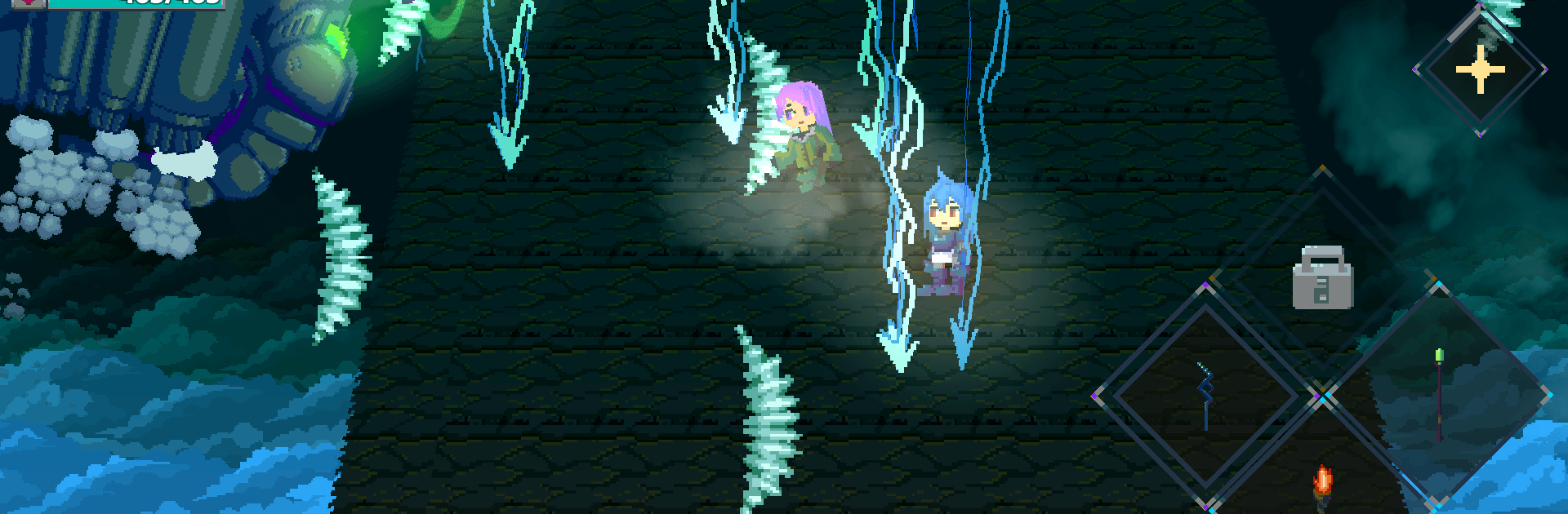
Labyrinth Legend II is a snappy, pick-up-and-play Action RPG from シノビゲームズ that’s all about fast combat, smart gear choices, and runs that never look the same twice. You’ll dash through shifting dungeons, swap between weapons and skills on the fly, and test your reflexes against enemies that hit hard. Chasing rare loot? Craving a clean boss takedown? This one rewards practice and a little stubbornness.

Game Features

  • Ever-changing dungeons: Each run shuffles the layout, rooms, and surprises, so you’re always reacting to something new—fresh routes, sneaky traps, and different enemy mixes.
  • Skill-first combat: Read attack patterns, time your dodges, and punish openings. Bosses are ruthless, but if your timing’s on point, you can squeak by without a scratch.
  • Weapons and skills your way: Swords, ranged options, quirky tools—mix them with active skills to build a style that fits how you like to fight.
  • Gear that shows: Armor isn’t just numbers. What you equip changes how your character looks, so you can dress sharp while staying deadly.
  • Helpers and hazards: Dungeons throw unique mechanics at you, but you don’t have to face them alone—recruit helper NPCs and push deeper to snag rare treasures.
  • Quick runs, real depth: Jump in for a short session, then stick around to upgrade your character, experiment with loadouts, and tackle tougher floors.
  • Pixel art with personality: A nostalgic, hand-crafted look brings out expressive NPCs, oddball monsters, and a mysterious fantasy world that feels alive.
  • Optional PC play: Prefer a bigger screen and steady controls? You can play Labyrinth Legend II on BlueStacks without changing how the Action feels.

Slay your opponents with your epic moves. Play it your way on BlueStacks and dominate the battlefield.


Game Features

Enhancements

  • Macros
  • Multi Instance
  • Multi Instance Sync
  • Eco Mode
  • Enhancements
Macros

Macros

Skip the boring parts of a game. Play Labyrinth Legend II with Macros and get the edge. Simply record a sequence of commands and execute them at any moment.
Multi Instance

Multi Instance

Why limit to one game on your phone when you can play many on your PC? Open multiple instances of Labyrinth Legend II at once with Multi-Instance. Leverage the power of different accounts by doing more.
Multi Instance Sync

Multi Instance Sync

Get the best out of Labyrinth Legend II with Multi-Instance Sync. Play the game from different accounts and build your own empire. Use Multi-instance sync to repeat the action in the main BlueStacks instance on all other instances.
Eco Mode

Eco Mode

Find the rarest heroes by making multiple summons in Labyrinth Legend II. And while you are at it, reduce your PC’s resource consumption with the Eco Mode. Farm efficiently. Get the best results.
Read More

How to Download and Play Labyrinth Legend II on PC or Mac

  • Download and install BlueStacks on your PC or Mac

  • Complete Google sign-in to access the Play Store, or do it later

  • Look for Labyrinth Legend II in the search bar at the top right corner

  • Click to install Labyrinth Legend II from the search results

  • Complete Google sign-in (if you skipped step 2) to install Labyrinth Legend II

  • Click the Labyrinth Legend II icon on the home screen to start playing

video
Watch Video

Minimum System Requirements

With BlueStacks 5, you can get started on a PC that fulfills the following requirements.

  • Operating System

    Microsoft Windows 7 or above, macOS 11 (Big Sur) or above

  • Processor

    Intel, AMD or Apple Silicon Processor

  • RAM

    at least 4GB

  • HDD

    10GB Free Disk Space

Note:

* You must be an Administrator on your PC. Up to date graphics drivers from Microsoft or the chipset vendor.

Labyrinth Legend II - FAQs

  • How to play Labyrinth Legend II on Windows PC & Mac?

    Play Labyrinth Legend II on your PC or Mac by following these simple steps.

    • Click on 'Play Labyrinth Legend II on PC’ to download BlueStacks
    • Install it and log-in to Google Play Store
    • Launch and play the game.
  • Why is BlueStacks the fastest and safest platform to play games on PC?

    BlueStacks respects your privacy and is always safe and secure to use. It does not carry any malware, spyware, or any sort of additional software that could harm your PC.

    It is engineered to optimize speed and performance for a seamless gaming experience.

  • What are Labyrinth Legend II PC requirements?

    Minimum requirement to run Labyrinth Legend II on your PC

    • OS: Microsoft Windows 7 or above MacOS 11 (Big Sur) or above
    • Processor: Intel, AMD or Apple Silicon Processor
    • RAM: Your PC must have at least 4GB of RAM. (Note that having 4GB or more disk space is not a substitute for RAM)
    • HDD: 10GB Free Disk Space.
    • You must be an Administrator on your PC.