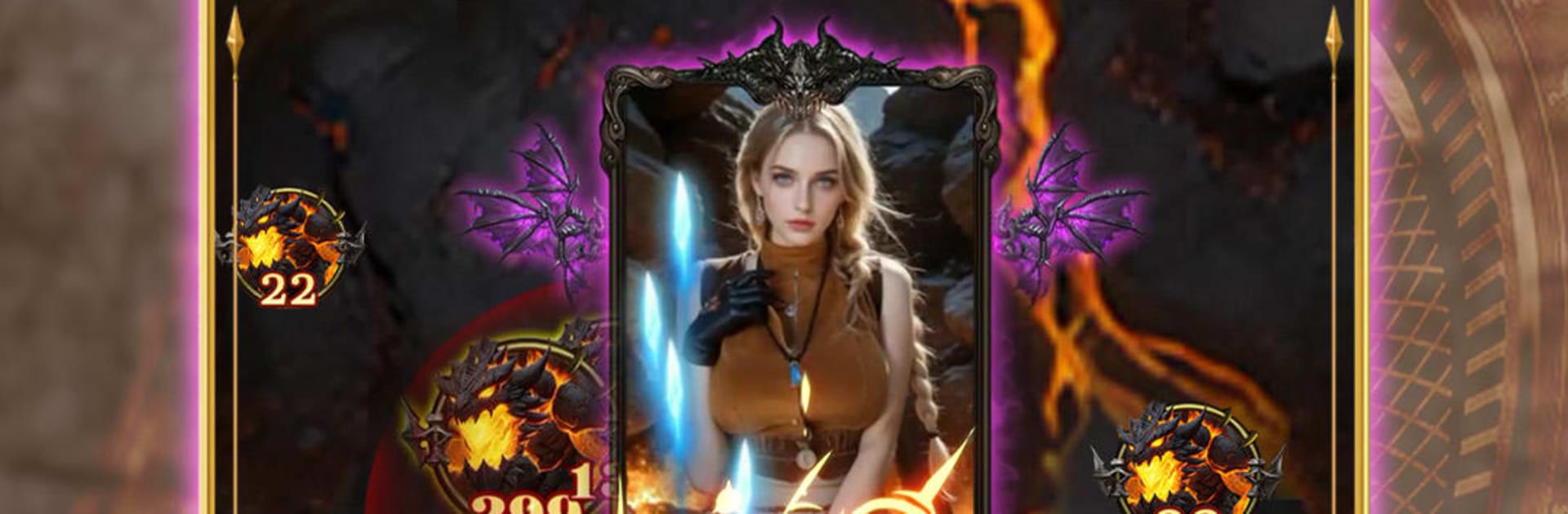
Magic Armor Purifier

Magic Armor Purifier

Action

| MGA SOFTWARE

Play on PC with BlueStacks or from our cloud

  • Overview
  • Game Features
  • How to Play

Page Modified On: May 11, 2026

Play Magic Armor Purifier on PC or Mac

Explore a whole new adventure with Magic Armor Purifier, a Action game created by MGA SOFTWARE. Experience great gameplay with BlueStacks, the most popular gaming platform to play Android games on your PC or Mac.

About the Game

Magic Armor Purifier is a fast, pattern-dodging Action game from MGA SOFTWARE where your bullets don’t just break things—they set them free. You’re a summoned Purifier tasked with cleansing corrupted armor and rescuing the powerful beings trapped inside it. Expect tight, arcade-style runs packed with swirling projectiles, quick reads, and that sweet rhythm of slipping through danger by a pixel.

Prefer a bigger screen? You can play it comfortably on PC with BlueStacks.

Game Features

  • Purify, Don’t Destroy: Every shot channels pure mana to crack cursed armor and release trapped souls. Enemies aren’t trophies—they’re rescues waiting to happen.
  • Bullet Ballet Combat: Navigate dense patterns, thread needles at high speed, and answer chaos with clean, deliberate movement.
  • Standout Boss Encounters: Face fallen legends with distinct looks, attack rhythms, and surprises that force you to adapt, not just spam fire.
  • Skills and Ultimates: Grow your Purifier’s toolkit with varied abilities and a powerful finisher for those “okay, now” moments.
  • Strategy Meets Reflex: Read patterns, set up safe lanes, and punish openings. Smart positioning is just as important as quick hands.
  • Aethera’s Fallen Beauty: Angels, demons, and once-noble guardians have slipped into shadow. Cleanse the armor, watch the corruption fade, and see the world breathe again.
  • Snappy Controls, Real Mastery: Simple inputs keep the focus on timing and precision, making each successful run feel earned.

Make your gaming sessions memorable with precise controls that give you an edge in close combats and visuals that pop up, bringing every character to life.


Game Features

Enhancements

  • Macros
  • Multi Instance
  • Multi Instance Sync
  • Eco Mode
  • Enhancements
Macros

Macros

Skip the boring parts of a game. Play Magic Armor Purifier with Macros and get the edge. Simply record a sequence of commands and execute them at any moment.
Multi Instance

Multi Instance

Why limit to one game on your phone when you can play many on your PC? Open multiple instances of Magic Armor Purifier at once with Multi-Instance. Leverage the power of different accounts by doing more.
Multi Instance Sync

Multi Instance Sync

Get the best out of Magic Armor Purifier with Multi-Instance Sync. Play the game from different accounts and build your own empire. Use Multi-instance sync to repeat the action in the main BlueStacks instance on all other instances.
Eco Mode

Eco Mode

Find the rarest heroes by making multiple summons in Magic Armor Purifier. And while you are at it, reduce your PC’s resource consumption with the Eco Mode. Farm efficiently. Get the best results.
Read More

How to Download and Play Magic Armor Purifier on PC or Mac

  • Download and install BlueStacks on your PC or Mac

  • Complete Google sign-in to access the Play Store, or do it later

  • Look for Magic Armor Purifier in the search bar at the top right corner

  • Click to install Magic Armor Purifier from the search results

  • Complete Google sign-in (if you skipped step 2) to install Magic Armor Purifier

  • Click the Magic Armor Purifier icon on the home screen to start playing

video
Watch Video

Minimum System Requirements

With BlueStacks 5, you can get started on a PC that fulfills the following requirements.

  • Operating System

    Microsoft Windows 7 or above, macOS 11 (Big Sur) or above

  • Processor

    Intel, AMD or Apple Silicon Processor

  • RAM

    at least 4GB

  • HDD

    10GB Free Disk Space

Note:

* You must be an Administrator on your PC. Up to date graphics drivers from Microsoft or the chipset vendor.

Magic Armor Purifier - FAQs

  • How to play Magic Armor Purifier on Windows PC & Mac?

    Play Magic Armor Purifier on your PC or Mac by following these simple steps.

    • Click on 'Play Magic Armor Purifier on PC’ to download BlueStacks
    • Install it and log-in to Google Play Store
    • Launch and play the game.
  • Why is BlueStacks the fastest and safest platform to play games on PC?

    BlueStacks respects your privacy and is always safe and secure to use. It does not carry any malware, spyware, or any sort of additional software that could harm your PC.

    It is engineered to optimize speed and performance for a seamless gaming experience.

  • What are Magic Armor Purifier PC requirements?

    Minimum requirement to run Magic Armor Purifier on your PC

    • OS: Microsoft Windows 7 or above MacOS 11 (Big Sur) or above
    • Processor: Intel, AMD or Apple Silicon Processor
    • RAM: Your PC must have at least 4GB of RAM. (Note that having 4GB or more disk space is not a substitute for RAM)
    • HDD: 10GB Free Disk Space.
    • You must be an Administrator on your PC.