Marvel Contest of Champions

Marvel Contest of Champions

Action

| Kabam Games, Inc.

Play on PC with BlueStacks or from our cloud

  • Overview
  • Tips & Tricks
  • Game Features
  • How to Play

Page Modified On: April 09, 2026

Play Marvel Contest of Champions on PC or Mac

Join millions to experience Marvel Contest of Champions, an exciting Action game from Kabam Games, Inc.. With BlueStacks App Player, you are always a step ahead of your opponent, ready to outplay them with faster gameplay and better control with the mouse and keyboard on your PC or Mac.

About the Game

Marvel Contest of Champions is a fast-hitting Action brawler where you collect your favorite Marvel characters and throw them into flashy 1v1 fights. Build squads, line up clever synergies, and punch your way through story quests and live events. It’s easy to pick up, but there’s plenty to master—perfect for quick matches or long sessions alike from Kabam Games, Inc.

Game Features

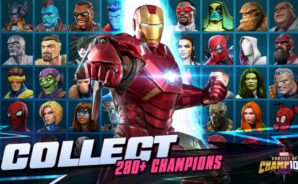
  • Build your dream roster: Recruit icons from the Avengers, X‑Men, Guardians of the Galaxy, Fantastic Four, and more. Rank them up, unlock abilities, and shape a team that fits your playstyle.

  • Team synergies that matter: Mix and match heroes and villains for stat boosts inspired by Marvel lore. Pair Black Panther with Storm, team Cyclops with Wolverine, or roll with a full Guardians squad to gain extra perks.

  • Fluid, mobile-first combat: Tap, swipe, block, and unleash devastating special attacks with controls that feel snappy and responsive. Short bouts or marathon grinds—both feel great.

  • Story quests across Marvel locales: Fight through branching maps and encounter boss battles in places like Avengers Tower, Oscorp, Wakanda, the Savage Land, Asgard, the Kyln, and the S.H.I.E.L.D. Helicarrier.

  • Face legendary threats: Challenge infamous villains—yes, Kang and Thanos make an appearance—and contend with a looming cosmic menace in classic comic-book fashion.

  • Alliances with real impact: Join friends to form an Alliance, plan strategies, and keep each other’s Champions in top shape. Push for rankings in Alliance Events and go head-to-head in Alliance Wars for exclusive rewards.

  • Progress that feels powerful: Stronger Champions bring sharper stats, new abilities, and show-stopping specials. Smart roster management can turn a good team into a terrifying one.

  • Play where you like: Prefer a bigger screen? Marvel Contest of Champions also runs smoothly on PC with BlueStacks, while keeping your touch-friendly feel intact.

Ready to top the leaderboard? We bet you do. Let precise controls and sharp visuals optimized on BlueStacks lead you to victory.

Game Features

Enhancements

  • Macros
  • Multi Instance
  • Multi Instance Sync
  • Eco Mode
  • Enhancements
Macros

Macros

Skip the boring parts of a game. Play Marvel Contest of Champions with Macros and get the edge. Simply record a sequence of commands and execute them at any moment.
Multi Instance

Multi Instance

Why limit to one game on your phone when you can play many on your PC? Open multiple instances of Marvel Contest of Champions at once with Multi-Instance. Leverage the power of different accounts by doing more.
Multi Instance Sync

Multi Instance Sync

Get the best out of Marvel Contest of Champions with Multi-Instance Sync. Play the game from different accounts and build your own empire. Use Multi-instance sync to repeat the action in the main BlueStacks instance on all other instances.
Eco Mode

Eco Mode

Find the rarest heroes by making multiple summons in Marvel Contest of Champions. And while you are at it, reduce your PC’s resource consumption with the Eco Mode. Farm efficiently. Get the best results.
Read More

How to Download and Play Marvel Contest of Champions on PC or Mac

  • Download and install BlueStacks on your PC or Mac

  • Complete Google sign-in to access the Play Store, or do it later

  • Look for Marvel Contest of Champions in the search bar at the top right corner

  • Click to install Marvel Contest of Champions from the search results

  • Complete Google sign-in (if you skipped step 2) to install Marvel Contest of Champions

  • Click the Marvel Contest of Champions icon on the home screen to start playing

video
Watch Video

Minimum System Requirements

With BlueStacks 5, you can get started on a PC that fulfills the following requirements.

  • Operating System

    Microsoft Windows 7 or above, macOS 11 (Big Sur) or above

  • Processor

    Intel, AMD or Apple Silicon Processor

  • RAM

    at least 4GB

  • HDD

    10GB Free Disk Space

Note:

* You must be an Administrator on your PC. Up to date graphics drivers from Microsoft or the chipset vendor.

Marvel Contest of Champions - FAQs

  • How to play Marvel Contest of Champions on Windows PC & Mac?

    Play Marvel Contest of Champions on your PC or Mac by following these simple steps.

    • Click on 'Play Marvel Contest of Champions on PC’ to download BlueStacks
    • Install it and log-in to Google Play Store
    • Launch and play the game.
  • Why is BlueStacks the fastest and safest platform to play games on PC?

    BlueStacks respects your privacy and is always safe and secure to use. It does not carry any malware, spyware, or any sort of additional software that could harm your PC.

    It is engineered to optimize speed and performance for a seamless gaming experience.

  • What are Marvel Contest of Champions PC requirements?

    Minimum requirement to run Marvel Contest of Champions on your PC

    • OS: Microsoft Windows 7 or above MacOS 11 (Big Sur) or above
    • Processor: Intel, AMD or Apple Silicon Processor
    • RAM: Your PC must have at least 4GB of RAM. (Note that having 4GB or more disk space is not a substitute for RAM)
    • HDD: 10GB Free Disk Space.
    • You must be an Administrator on your PC.