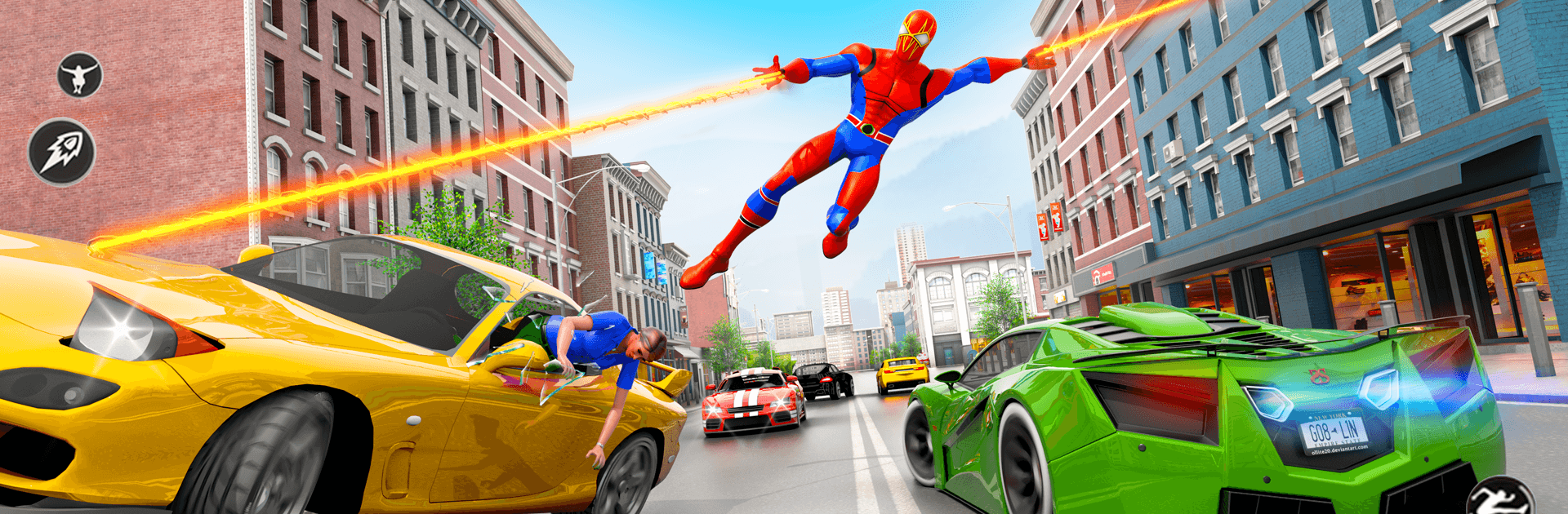
Marvel's Spider-man Game

Marvel's Spider-man Game

Action

| Game Knight.

Play on PC with BlueStacks or from our cloud

  • Overview
  • Game Features
  • How to Play

Page Modified On: August 15, 2026

Play Marvel's Spider-man Game on PC or Mac

Marvel’s Spider-man Game brings the Action genre to life, and throws up exciting challenges for gamers. Developed by Game Knight., this Android game is best experienced on BlueStacks, the World’s #1 app player for PC and Mac users.

About the Game

Marvel’s Spider-man Game hands you the mask and lets you feel what it’s like to keep a buzzing city safe. It’s a fast, city-spanning Action experience where you swing, scrap, and solve problems on the fly, from dizzying rooftops to crowded streets below. Expect quick-hit missions, fluid movement, and that satisfying snap of a perfect web-sling.

Game Features

  • Web-Slinging Momentum: Thread between skyscrapers, ride the arc of each swing, and chain boosts to cross the skyline without touching the ground.
  • Wall-Climbing Freedom: Scale glass towers, cling to ceilings, and use vertical routes to outsmart patrols or line up surprise takedowns.
  • Punchy Combat: Mix light and heavy hits, launch enemies into the air, and finish with web-assisted slams; stun brawlers, pin agile foes, and keep combos flowing.
  • Powers That Matter: Lean on super strength for crowd control, use sticky shots to disarm troublemakers, and yank shields or weapons from villains mid-fight.
  • City on Edge: Respond to street crimes, protect civilians, and clear hot zones before chaos spreads; every block feels like it could use a hero.
  • Missions with Stakes: Tackle bite-sized objectives, multi-stage set pieces, and tense boss encounters that push your timing and awareness.
  • Upgrades and Moves: Earn rewards to unlock new abilities, tighter dodges, and web tricks that open fresh approaches to familiar challenges.
  • Challenges and Chases: Race against the clock through aerial routes, pull off acrobatic rescues, and sprint across rooftops to cut off escaping foes.
  • Plays Great on Big Screens: Prefer an expanded view and crisp controls? It runs smoothly on BlueStacks with handy keymapping for clean, accurate swings.

Start your journey now. Download the game on BlueStacks, invite your friends, and march on a new adventure.


Game Features

Enhancements

  • Macros
  • Multi Instance
  • Multi Instance Sync
  • Eco Mode
  • Enhancements
Macros

Macros

Skip the boring parts of a game. Play Marvel's Spider-man Game with Macros and get the edge. Simply record a sequence of commands and execute them at any moment.
Multi Instance

Multi Instance

Why limit to one game on your phone when you can play many on your PC? Open multiple instances of Marvel's Spider-man Game at once with Multi-Instance. Leverage the power of different accounts by doing more.
Multi Instance Sync

Multi Instance Sync

Get the best out of Marvel's Spider-man Game with Multi-Instance Sync. Play the game from different accounts and build your own empire. Use Multi-instance sync to repeat the action in the main BlueStacks instance on all other instances.
Eco Mode

Eco Mode

Find the rarest heroes by making multiple summons in Marvel's Spider-man Game. And while you are at it, reduce your PC’s resource consumption with the Eco Mode. Farm efficiently. Get the best results.
Read More

How to Download and Play Marvel's Spider-man Game on PC or Mac

  • Download and install BlueStacks on your PC or Mac

  • Complete Google sign-in to access the Play Store, or do it later

  • Look for Marvel's Spider-man Game in the search bar at the top right corner

  • Click to install Marvel's Spider-man Game from the search results

  • Complete Google sign-in (if you skipped step 2) to install Marvel's Spider-man Game

  • Click the Marvel's Spider-man Game icon on the home screen to start playing

video
Watch Video

Minimum System Requirements

With BlueStacks 5, you can get started on a PC that fulfills the following requirements.

  • Operating System

    Microsoft Windows 7 or above, macOS 11 (Big Sur) or above

  • Processor

    Intel, AMD or Apple Silicon Processor

  • RAM

    at least 4GB

  • HDD

    10GB Free Disk Space

Note:

* You must be an Administrator on your PC. Up to date graphics drivers from Microsoft or the chipset vendor.

Marvel's Spider-man Game - FAQs

  • How to play Marvel's Spider-man Game on Windows PC & Mac?

    Play Marvel's Spider-man Game on your PC or Mac by following these simple steps.

    • Click on 'Play Marvel's Spider-man Game on PC’ to download BlueStacks
    • Install it and log-in to Google Play Store
    • Launch and play the game.
  • Why is BlueStacks the fastest and safest platform to play games on PC?

    BlueStacks respects your privacy and is always safe and secure to use. It does not carry any malware, spyware, or any sort of additional software that could harm your PC.

    It is engineered to optimize speed and performance for a seamless gaming experience.

  • What are Marvel's Spider-man Game PC requirements?

    Minimum requirement to run Marvel's Spider-man Game on your PC

    • OS: Microsoft Windows 7 or above MacOS 11 (Big Sur) or above
    • Processor: Intel, AMD or Apple Silicon Processor
    • RAM: Your PC must have at least 4GB of RAM. (Note that having 4GB or more disk space is not a substitute for RAM)
    • HDD: 10GB Free Disk Space.
    • You must be an Administrator on your PC.