Speed Hero: Flying Spider Hero

Speed Hero: Flying Spider Hero

Arcade

| Zaib Engineering

Play on PC with BlueStacks or from our cloud

  • Overview
  • Game Features
  • How to Play

Page Modified On: August 10, 2026

Play Speed Hero: Flying Spider Hero on PC or Mac

Bring your A-game to Speed Hero: Flying Spider Hero, the Arcade game sensation from Zaib Engineering. Give your gameplay the much-needed boost with precise game controls, high FPS graphics, and top-tier features on your PC or Mac with BlueStacks.

About the Game

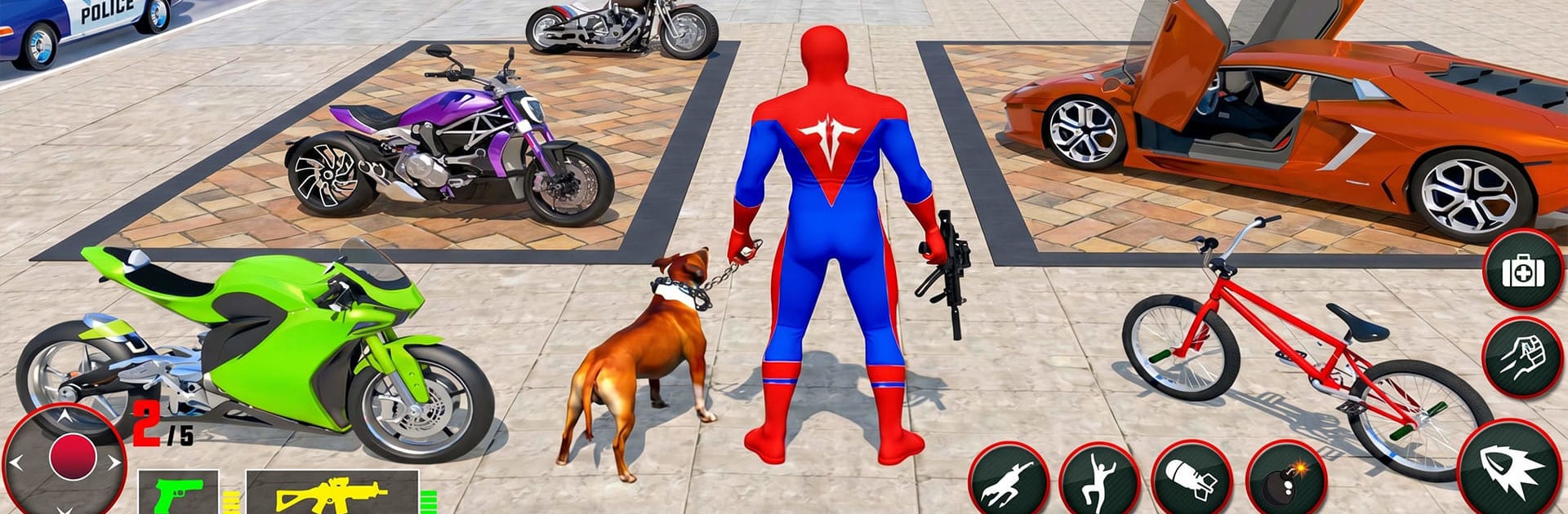
Speed Hero: Flying Spider Hero turns the city into your personal playground. You’re a high-speed hero with a knack for swinging between skyscrapers, soaring past traffic, and shutting down trouble before it gets out of hand. It’s an Arcade-style open world built for quick thrills—jump in, race through a few blocks, clear a mission, and keep moving. Prefer playing on a bigger screen? It feels great on BlueStacks, too.

Game Features

  • Fluid Swinging: Latch onto high-rises, build momentum, and chain clean arcs from roof to roof. It’s all about timing and flow.
  • Supercharged Speed: Sprint, leap, and close the gap on fleeing criminals in a flash. Chases feel fast and punchy.
  • Open-City Sandbox: Rooftops, alleys, and wide avenues give you plenty of routes to experiment with—explore at your pace or respond to trouble as it pops up.
  • Crime-Fighting Action: Step in when things go sideways. Break up gang activity, protect civilians, and keep the streets in check.
  • Missions with Bite: Short, focused challenges—from tight pursuits to rescue runs—reward sharp reflexes and clean execution.
  • Smooth, Snappy Controls: Easy to pick up, with room to refine your swings, landings, and combat timing as you get better.
  • Fly, Swing, Fight: Mix aerial movement with up-close takedowns. One moment you’re gliding over the skyline; the next, you’re dropping into a brawl.
  • Earnable Rewards: Complete objectives and stack up goodies as you prove you’re the city’s go-to hero.

Start your journey now. Download the game on BlueStacks, invite your friends, and march on a new adventure.


Game Features

Enhancements

  • Macros
  • Multi Instance
  • Multi Instance Sync
  • Script
  • Enhancements
Macros

Macros

Automate the predictable in Speed Hero: Flying Spider Hero and transform your gameplay with Macros. Get access to inventive Macros in the BlueStacks Macro Community
Multi Instance

Multi Instance

Play Speed Hero: Flying Spider Hero on one window. And chat with your friend on the other. Press CTRL + Shift + 8 to open the Multi-Instance Manager. And start creating fresh instances or clone an existing one.
Multi Instance Sync

Multi Instance Sync

Play Speed Hero: Flying Spider Hero with the power of Multi-Instance Sync. Replicate what you are doing on the main instance on all other instances. Level up faster, play more.
Script

Script

Script your way to gaming glory in Speed Hero: Flying Spider Hero with BlueStacks Script. Write and run a set of commands to automate repeated tasks. Trigger the command by assigning it to any key.
Read More

How to Download and Play Speed Hero: Flying Spider Hero on PC or Mac

  • Download and install BlueStacks on your PC or Mac

  • Complete Google sign-in to access the Play Store, or do it later

  • Look for Speed Hero: Flying Spider Hero in the search bar at the top right corner

  • Click to install Speed Hero: Flying Spider Hero from the search results

  • Complete Google sign-in (if you skipped step 2) to install Speed Hero: Flying Spider Hero

  • Click the Speed Hero: Flying Spider Hero icon on the home screen to start playing

video
Watch Video

Minimum System Requirements

With BlueStacks 5, you can get started on a PC that fulfills the following requirements.

  • Operating System

    Microsoft Windows 7 or above, macOS 11 (Big Sur) or above

  • Processor

    Intel, AMD or Apple Silicon Processor

  • RAM

    at least 4GB

  • HDD

    10GB Free Disk Space

Note:

* You must be an Administrator on your PC. Up to date graphics drivers from Microsoft or the chipset vendor.

Speed Hero: Flying Spider Hero - FAQs

  • How to play Speed Hero: Flying Spider Hero on Windows PC & Mac?

    Play Speed Hero: Flying Spider Hero on your PC or Mac by following these simple steps.

    • Click on 'Play Speed Hero: Flying Spider Hero on PC’ to download BlueStacks
    • Install it and log-in to Google Play Store
    • Launch and play the game.
  • Why is BlueStacks the fastest and safest platform to play games on PC?

    BlueStacks respects your privacy and is always safe and secure to use. It does not carry any malware, spyware, or any sort of additional software that could harm your PC.

    It is engineered to optimize speed and performance for a seamless gaming experience.

  • What are Speed Hero: Flying Spider Hero PC requirements?

    Minimum requirement to run Speed Hero: Flying Spider Hero on your PC

    • OS: Microsoft Windows 7 or above MacOS 11 (Big Sur) or above
    • Processor: Intel, AMD or Apple Silicon Processor
    • RAM: Your PC must have at least 4GB of RAM. (Note that having 4GB or more disk space is not a substitute for RAM)
    • HDD: 10GB Free Disk Space.
    • You must be an Administrator on your PC.