
MECCHA CHAMELEON
MECCHA CHAMELEON

MECCHA CHAMELEON

Action

| W& CO

Play on PC with BlueStacks or from our cloud

  • Overview
  • Game Features
  • How to Play

Page Modified On: July 07, 2026

Play MECCHA CHAMELEON on PC or Mac

MECCHA CHAMELEON brings the Action genre to life, and throws up exciting challenges for gamers. Developed by W& CO, this Android game is best experienced on BlueStacks, the World’s #1 app player for PC and Mac users.

About the Game

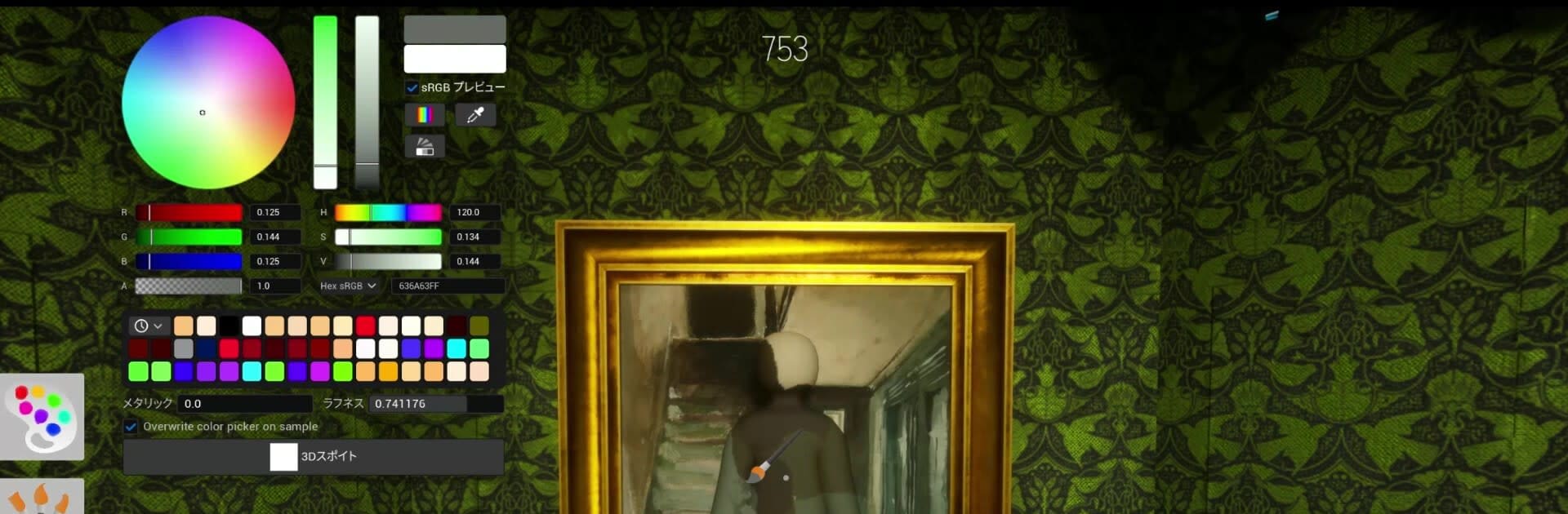
MECCHA CHAMELEON is a fast, chaotic Action take on hide-and-seek where you literally repaint yourself to match the room. One round you’re a sneaky Hider blending into the background; the next, a sharp-eyed Seeker racing the clock to spot fakes. It’s simple to pick up, big on laughs, and perfect for quick sessions with friends or a lobby full of new faces.

Game Features

  • Chameleon Camouflage: Grab paint and turn your blank little body into part of the scenery. Match walls, floors, or props, then hold the perfect pose to sell the illusion. If you’re crafty, you’re invisible.
  • High-Stakes Hide-and-Seek: Two teams, one timer. Hiders survive until time’s up; Seekers win by finding everyone first. Rounds are short, tense, and often end in ridiculous last-second chases.
  • Poses That Fool the Eye: It’s not just color—your stance matters. Strike a convincing pose to blend in like a lamp, a crate, or whatever the room gives you. The right angle can make or break your disguise.
  • Play With Friends or Anyone: Spin up a private room for your crew, or leave it open so others can jump in. It’s great for casual sessions and just as fun for bigger groups.
  • Streamer-Friendly Hosting: Want viewers to join? Hosting is straightforward, and people can drop in without a fuss when your room isn’t locked.
  • Scales to Your Setup: The max player count depends on the host’s connection, so you can keep things smooth or go a bit wild—it’s your call.
  • PC Play with BlueStacks: Prefer a bigger screen and comfy desk setup? Run the Android game on your PC with BlueStacks and keep the action clear and snappy.

Start your journey now. Download the game on BlueStacks, invite your friends, and march on a new adventure.


Game Features

Enhancements

  • Macros
  • Multi Instance
  • Multi Instance Sync
  • Eco Mode
  • Enhancements
Macros

Macros

Skip the boring parts of a game. Play MECCHA CHAMELEON with Macros and get the edge. Simply record a sequence of commands and execute them at any moment.
Multi Instance

Multi Instance

Why limit to one game on your phone when you can play many on your PC? Open multiple instances of MECCHA CHAMELEON at once with Multi-Instance. Leverage the power of different accounts by doing more.
Multi Instance Sync

Multi Instance Sync

Get the best out of MECCHA CHAMELEON with Multi-Instance Sync. Play the game from different accounts and build your own empire. Use Multi-instance sync to repeat the action in the main BlueStacks instance on all other instances.
Eco Mode

Eco Mode

Find the rarest heroes by making multiple summons in MECCHA CHAMELEON. And while you are at it, reduce your PC’s resource consumption with the Eco Mode. Farm efficiently. Get the best results.
Read More

How to Download and Play MECCHA CHAMELEON on PC or Mac

  • Download and install BlueStacks on your PC or Mac

  • Complete Google sign-in to access the Play Store, or do it later

  • Look for MECCHA CHAMELEON in the search bar at the top right corner

  • Click to install MECCHA CHAMELEON from the search results

  • Complete Google sign-in (if you skipped step 2) to install MECCHA CHAMELEON

  • Click the MECCHA CHAMELEON icon on the home screen to start playing

video
Watch Video

Minimum System Requirements

With BlueStacks 5, you can get started on a PC that fulfills the following requirements.

  • Operating System

    Microsoft Windows 7 or above, macOS 11 (Big Sur) or above

  • Processor

    Intel, AMD or Apple Silicon Processor

  • RAM

    at least 4GB

  • HDD

    10GB Free Disk Space

Note:

* You must be an Administrator on your PC. Up to date graphics drivers from Microsoft or the chipset vendor.

MECCHA CHAMELEON - FAQs

  • How to play MECCHA CHAMELEON on Windows PC & Mac?

    Play MECCHA CHAMELEON on your PC or Mac by following these simple steps.

    • Click on 'Play MECCHA CHAMELEON on PC’ to download BlueStacks
    • Install it and log-in to Google Play Store
    • Launch and play the game.
  • Why is BlueStacks the fastest and safest platform to play games on PC?

    BlueStacks respects your privacy and is always safe and secure to use. It does not carry any malware, spyware, or any sort of additional software that could harm your PC.

    It is engineered to optimize speed and performance for a seamless gaming experience.

  • What are MECCHA CHAMELEON PC requirements?

    Minimum requirement to run MECCHA CHAMELEON on your PC

    • OS: Microsoft Windows 7 or above MacOS 11 (Big Sur) or above
    • Processor: Intel, AMD or Apple Silicon Processor
    • RAM: Your PC must have at least 4GB of RAM. (Note that having 4GB or more disk space is not a substitute for RAM)
    • HDD: 10GB Free Disk Space.
    • You must be an Administrator on your PC.







