Nether Craft: Archer RPG

Nether Craft: Archer RPG

Action

| GrassBlock Studio

Play on PC with BlueStacks or from our cloud

  • Overview
  • Game Features
  • How to Play

Page Modified On: April 24, 2026

Play Nether Craft: Archer RPG on PC or Mac

Step into the World of Nether Craft: Archer RPG, a thrilling Action game from the house of GrassBlock Studio. Play this Android game on BlueStacks App Player and experience immersive gaming on PC or Mac.

About the Game

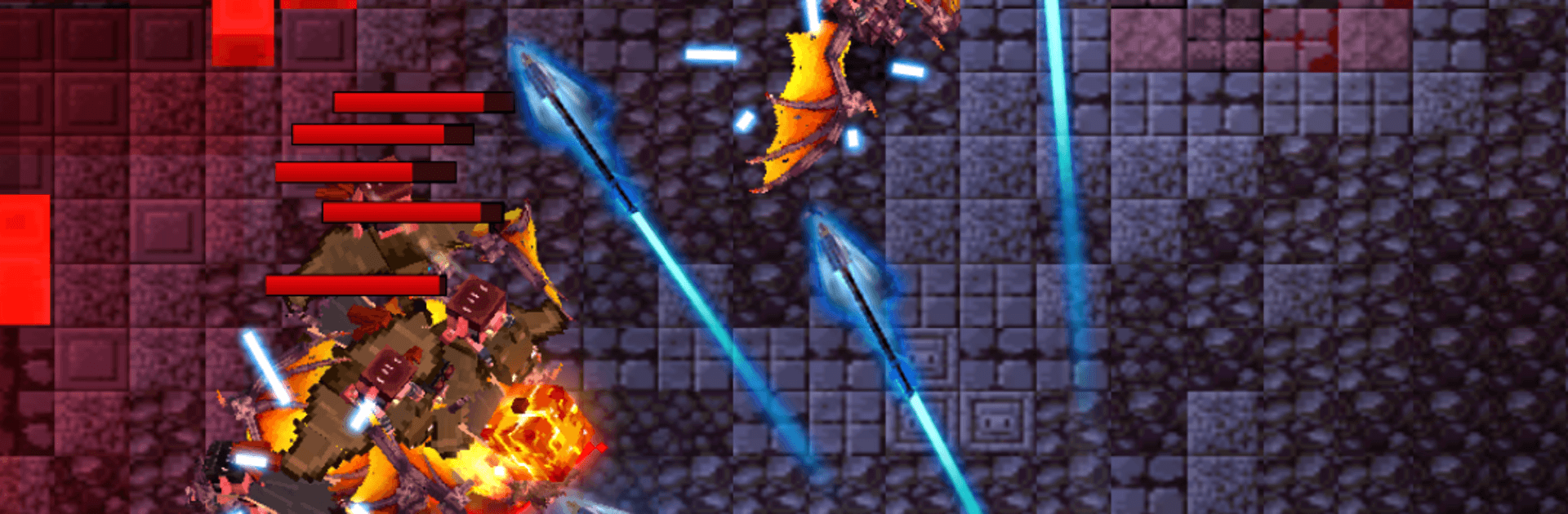
Nether Craft: Archer RPG is a fast, skill-first Action roguelike where a lone archer fights through a hostile underworld with nothing but a bow and quick reflexes. Every run mixes new rooms, enemies, and upgrades, so you’re always adapting on the fly. It’s snappy, tense, and super satisfying when a well-placed shot saves you at the last second. Built by GrassBlock Studio.

Game Features

  • Precision Archery Combat: Drag to move, release to fire, and weave through swarms of projectiles. Positioning matters, timing matters, and yes—the bosses hit hard.
  • Smooth Mobile Controls: Designed for quick reads and clean shots, whether you’re dodging a screen-full of hazards or threading an arrow through a tiny gap.
  • Craft Your Arsenal: Gather rare drops to forge bows, quivers, and armor that fit your style, then socket Nether Crystals to unlock powerful bonuses.
  • Permanent Progress: Grow stronger between runs with base stat boosts and a chunky talent grid that sticks, even when a dungeon wipes you out.
  • Wild Skill Combos: Pick from randomized abilities mid-run—think bouncing shots, multi-arrow bursts, storm-like barrages, or shadowy decoys—and stack them into ridiculous builds.
  • Ever-Shifting Underworld: Explore glowing fungal groves, cracked volcanic ruins, and frostbitten caverns—procedural layouts keep routes and encounters unpredictable.
  • Big, Mean Bosses: Face towering foes with distinct patterns that test your dodge game and your nerves.
  • Secrets to Unearth: Find hidden rooms, oddball merchants, and ancient shrines that can completely change a run.
  • Progress While Away: Earn a trickle of gold and XP even when you’re offline, so the next attempt starts a bit stronger.
  • Endless Competition: Climb global boards in an endurance mode built for score chasers and stubborn survivors.
  • Daily Modifiers: Fresh twists and rule sets each day keep runs feeling new.
  • Play on PC with BlueStacks: Prefer a bigger screen or different controls? It plays nicely there too.

Start your journey now. Download the game on BlueStacks, invite your friends, and march on a new adventure.


Game Features

Enhancements

  • Macros
  • Multi Instance
  • Multi Instance Sync
  • Eco Mode
  • Enhancements
Macros

Macros

Skip the boring parts of a game. Play Nether Craft: Archer RPG with Macros and get the edge. Simply record a sequence of commands and execute them at any moment.
Multi Instance

Multi Instance

Why limit to one game on your phone when you can play many on your PC? Open multiple instances of Nether Craft: Archer RPG at once with Multi-Instance. Leverage the power of different accounts by doing more.
Multi Instance Sync

Multi Instance Sync

Get the best out of Nether Craft: Archer RPG with Multi-Instance Sync. Play the game from different accounts and build your own empire. Use Multi-instance sync to repeat the action in the main BlueStacks instance on all other instances.
Eco Mode

Eco Mode

Find the rarest heroes by making multiple summons in Nether Craft: Archer RPG. And while you are at it, reduce your PC’s resource consumption with the Eco Mode. Farm efficiently. Get the best results.
Read More

How to Download and Play Nether Craft: Archer RPG on PC or Mac

  • Download and install BlueStacks on your PC or Mac

  • Complete Google sign-in to access the Play Store, or do it later

  • Look for Nether Craft: Archer RPG in the search bar at the top right corner

  • Click to install Nether Craft: Archer RPG from the search results

  • Complete Google sign-in (if you skipped step 2) to install Nether Craft: Archer RPG

  • Click the Nether Craft: Archer RPG icon on the home screen to start playing

video
Watch Video

Minimum System Requirements

With BlueStacks 5, you can get started on a PC that fulfills the following requirements.

  • Operating System

    Microsoft Windows 7 or above, macOS 11 (Big Sur) or above

  • Processor

    Intel, AMD or Apple Silicon Processor

  • RAM

    at least 4GB

  • HDD

    10GB Free Disk Space

Note:

* You must be an Administrator on your PC. Up to date graphics drivers from Microsoft or the chipset vendor.

Nether Craft: Archer RPG - FAQs

  • How to play Nether Craft: Archer RPG on Windows PC & Mac?

    Play Nether Craft: Archer RPG on your PC or Mac by following these simple steps.

    • Click on 'Play Nether Craft: Archer RPG on PC’ to download BlueStacks
    • Install it and log-in to Google Play Store
    • Launch and play the game.
  • Why is BlueStacks the fastest and safest platform to play games on PC?

    BlueStacks respects your privacy and is always safe and secure to use. It does not carry any malware, spyware, or any sort of additional software that could harm your PC.

    It is engineered to optimize speed and performance for a seamless gaming experience.

  • What are Nether Craft: Archer RPG PC requirements?

    Minimum requirement to run Nether Craft: Archer RPG on your PC

    • OS: Microsoft Windows 7 or above MacOS 11 (Big Sur) or above
    • Processor: Intel, AMD or Apple Silicon Processor
    • RAM: Your PC must have at least 4GB of RAM. (Note that having 4GB or more disk space is not a substitute for RAM)
    • HDD: 10GB Free Disk Space.
    • You must be an Administrator on your PC.