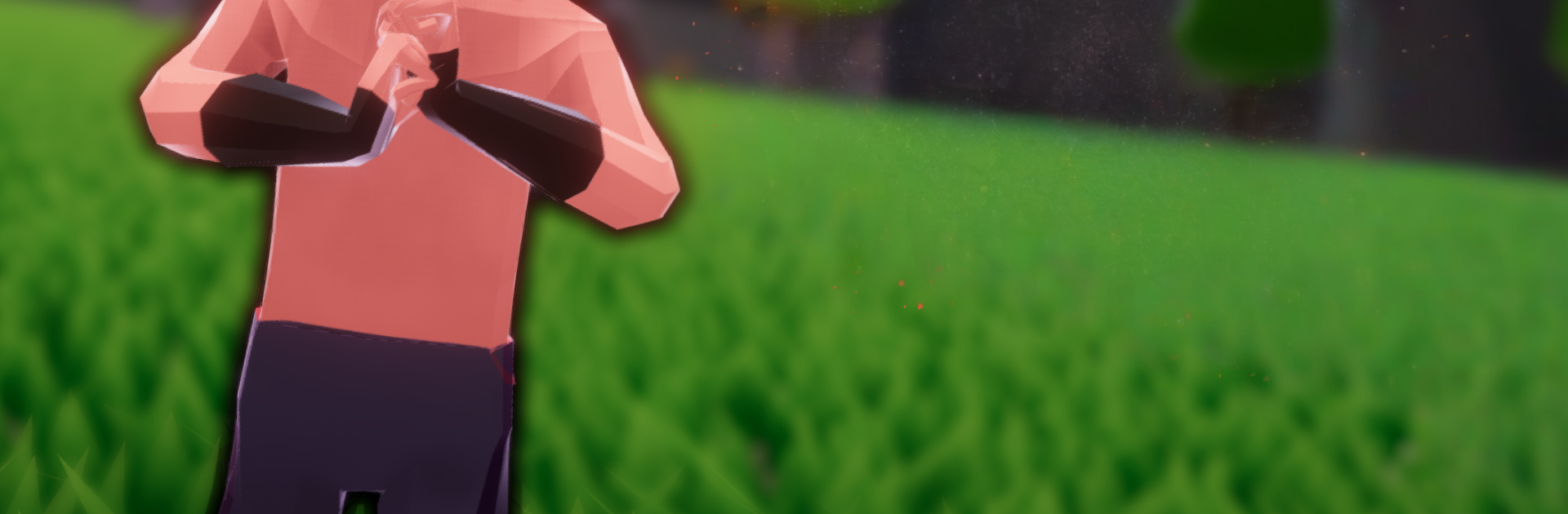
Ninja Remix - Make Handsigns!

Ninja Remix - Make Handsigns!

Action

| HesoyamGames

Play on PC with BlueStacks or from our cloud

  • Overview
  • Game Features
  • How to Play

Page Modified On: December 05, 2025

Play Ninja Remix - Make Handsigns! on PC or Mac

Ninja Remix – Make Handsigns! brings the Action genre to life, and throws up exciting challenges for gamers. Developed by HesoyamGames, this Android game is best experienced on BlueStacks, the World’s #1 app player for PC and Mac users.

About the Game

Ninja Remix – Make Handsigns! is an Action game from HesoyamGames that turns fast hand signs into flashy ninja techniques. You’ll swap between competitive fights, co-op runs, and a solo story while building a clan of distinct fighters that actually feel different to use. It’s quick, tactile, and surprisingly strategic—every gesture you make can change the outcome.

Game Features

  • Handsign Jutsu System: String together hand signs to trigger unique jutsu for offense, defense, and movement. Mix and match sequences to discover combos that suit your style.
  • PvP and Co-op: Throw down in tense 1v1 duels or squad up for missions. It’s all about timing, reads, and teamwork when the pressure kicks in.
  • Story Campaign: Work through handcrafted stages with varied goals, hidden paths, and challenges that push both skill and creativity.
  • Build a Clan: Name your clan and recruit ninjas with different looks and abilities. Put together squads geared for stealth, speed, or blunt-force power.
  • Parkour Movement: Wall-run, slide, roll, and dash across arenas. Pair mobility with jutsu to cross tricky layouts and set up big plays.
  • Phonk-Fueled Soundtrack: A gritty, beat-driven score matches menus, fights, and levels, giving each moment its own mood without getting in the way.
  • Subtle PC Option: Prefer a bigger screen and precise inputs? You can play on BlueStacks to keep your handsign rhythm clean and your view wide.

Slay your opponents with your epic moves. Play it your way on BlueStacks and dominate the battlefield.


Game Features

Enhancements

  • Macros
  • Multi Instance
  • Multi Instance Sync
  • Eco Mode
  • Enhancements
Macros

Macros

Skip the boring parts of a game. Play Ninja Remix - Make Handsigns! with Macros and get the edge. Simply record a sequence of commands and execute them at any moment.
Multi Instance

Multi Instance

Why limit to one game on your phone when you can play many on your PC? Open multiple instances of Ninja Remix - Make Handsigns! at once with Multi-Instance. Leverage the power of different accounts by doing more.
Multi Instance Sync

Multi Instance Sync

Get the best out of Ninja Remix - Make Handsigns! with Multi-Instance Sync. Play the game from different accounts and build your own empire. Use Multi-instance sync to repeat the action in the main BlueStacks instance on all other instances.
Eco Mode

Eco Mode

Find the rarest heroes by making multiple summons in Ninja Remix - Make Handsigns!. And while you are at it, reduce your PC’s resource consumption with the Eco Mode. Farm efficiently. Get the best results.
Read More

How to Download and Play Ninja Remix - Make Handsigns! on PC or Mac

  • Download and install BlueStacks on your PC or Mac

  • Complete Google sign-in to access the Play Store, or do it later

  • Look for Ninja Remix - Make Handsigns! in the search bar at the top right corner

  • Click to install Ninja Remix - Make Handsigns! from the search results

  • Complete Google sign-in (if you skipped step 2) to install Ninja Remix - Make Handsigns!

  • Click the Ninja Remix - Make Handsigns! icon on the home screen to start playing

video
Watch Video

Minimum System Requirements

With BlueStacks 5, you can get started on a PC that fulfills the following requirements.

  • Operating System

    Microsoft Windows 7 or above, macOS 11 (Big Sur) or above

  • Processor

    Intel, AMD or Apple Silicon Processor

  • RAM

    at least 4GB

  • HDD

    10GB Free Disk Space

Note:

* You must be an Administrator on your PC. Up to date graphics drivers from Microsoft or the chipset vendor.

Ninja Remix - Make Handsigns! - FAQs

  • How to play Ninja Remix - Make Handsigns! on Windows PC & Mac?

    Play Ninja Remix - Make Handsigns! on your PC or Mac by following these simple steps.

    • Click on 'Play Ninja Remix - Make Handsigns! on PC’ to download BlueStacks
    • Install it and log-in to Google Play Store
    • Launch and play the game.
  • Why is BlueStacks the fastest and safest platform to play games on PC?

    BlueStacks respects your privacy and is always safe and secure to use. It does not carry any malware, spyware, or any sort of additional software that could harm your PC.

    It is engineered to optimize speed and performance for a seamless gaming experience.

  • What are Ninja Remix - Make Handsigns! PC requirements?

    Minimum requirement to run Ninja Remix - Make Handsigns! on your PC

    • OS: Microsoft Windows 7 or above MacOS 11 (Big Sur) or above
    • Processor: Intel, AMD or Apple Silicon Processor
    • RAM: Your PC must have at least 4GB of RAM. (Note that having 4GB or more disk space is not a substitute for RAM)
    • HDD: 10GB Free Disk Space.
    • You must be an Administrator on your PC.