Obby Doodle: Draw and jump

Obby Doodle: Draw and jump

Action

| Kids Games LLC

Play on PC with BlueStacks or from our cloud

  • Overview
  • Game Features
  • How to Play

Page Modified On: October 08, 2026

Play Obby Doodle: Draw and jump on PC or Mac

Obby Doodle: Draw and jump by Kids Games LLC has plenty to keep you busy. BlueStacks lets you play it on PC or Mac with more screen space, better control, and fewer mobile limits.

About the Game

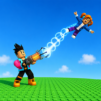
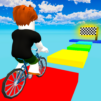
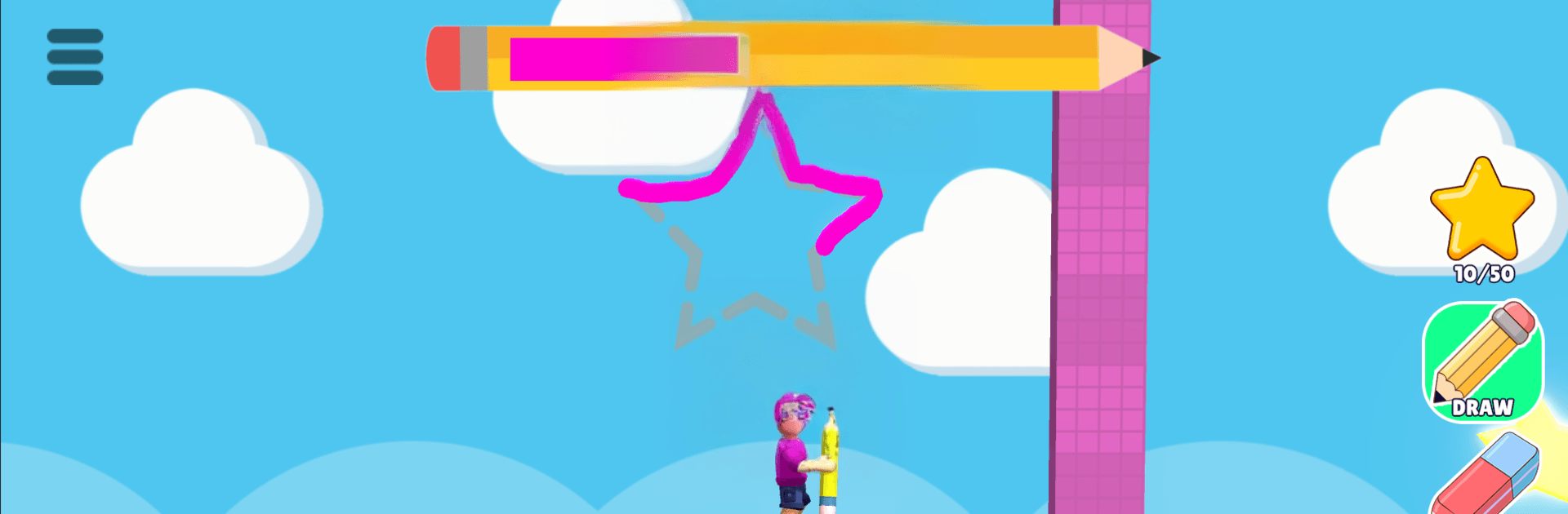
Obby Doodle: Draw and jump is a playful Action game where your sketchbook is just as important as your jumps. You’ll sprint, hop, and then literally draw the missing piece—bridges, trampolines, quick barricades—to outsmart tricky courses packed with surprises. It’s quick, creative, and surprisingly strategic; it also feels great on BlueStacks if you like your doodling and timing on a bigger screen.

Game Features

  • Sketch-to-solve challenges: Turn quick doodles into real objects—ramps, bridges, bouncy pads, and shields—to change the course in your favor.
  • Snappy movement and timing: Responsive running and jumping make tight gaps, moving platforms, and hazards feel fair yet demanding.
  • Ink management that matters: Collect ink, spend it wisely, and decide when a tiny line or a full-on contraption is worth it.
  • Levels that keep remixing ideas: Obstacles evolve, puzzles layer up, and new twists push both reflexes and creativity.
  • Bright 3D look and feel: Colorful stages, charming characters, smooth animations, and punchy audio keep the whole run lively.
  • Play solo or with friends: Team up to pull off clever solutions or race each other to the goal—both are chaotic in the best way.
  • Easy sketching, clean controls: Simple drawing tools and clear physics make your ideas click without fuss.

Ready to top the leaderboard? We bet you do. Let precise controls and sharp visuals optimized on BlueStacks lead you to victory.


Game Features

Enhancements

  • Macros
  • Multi Instance
  • Multi Instance Sync
  • Eco Mode
  • Enhancements
Macros

Macros

Skip the boring parts of a game. Play Obby Doodle: Draw and jump with Macros and get the edge. Simply record a sequence of commands and execute them at any moment.
Multi Instance

Multi Instance

Why limit to one game on your phone when you can play many on your PC? Open multiple instances of Obby Doodle: Draw and jump at once with Multi-Instance. Leverage the power of different accounts by doing more.
Multi Instance Sync

Multi Instance Sync

Get the best out of Obby Doodle: Draw and jump with Multi-Instance Sync. Play the game from different accounts and build your own empire. Use Multi-instance sync to repeat the action in the main BlueStacks instance on all other instances.
Eco Mode

Eco Mode

Find the rarest heroes by making multiple summons in Obby Doodle: Draw and jump. And while you are at it, reduce your PC’s resource consumption with the Eco Mode. Farm efficiently. Get the best results.
Read More

How to Download and Play Obby Doodle: Draw and jump on PC or Mac

  • Download and install BlueStacks on your PC or Mac

  • Complete Google sign-in to access the Play Store, or do it later

  • Look for Obby Doodle: Draw and jump in the search bar at the top right corner

  • Click to install Obby Doodle: Draw and jump from the search results

  • Complete Google sign-in (if you skipped step 2) to install Obby Doodle: Draw and jump

  • Click the Obby Doodle: Draw and jump icon on the home screen to start playing

video
Watch Video

Minimum System Requirements

With BlueStacks 5, you can get started on a PC that fulfills the following requirements.

  • Operating System

    Microsoft Windows 7 or above, macOS 11 (Big Sur) or above

  • Processor

    Intel, AMD or Apple Silicon Processor

  • RAM

    at least 4GB

  • HDD

    10GB Free Disk Space

Note:

* You must be an Administrator on your PC. Up to date graphics drivers from Microsoft or the chipset vendor.

Obby Doodle: Draw and jump - FAQs

  • How to play Obby Doodle: Draw and jump on Windows PC & Mac?

    Play Obby Doodle: Draw and jump on your PC or Mac by following these simple steps.

    • Click on 'Play Obby Doodle: Draw and jump on PC’ to download BlueStacks
    • Install it and log-in to Google Play Store
    • Launch and play the game.
  • Why is BlueStacks the fastest and safest platform to play games on PC?

    BlueStacks respects your privacy and is always safe and secure to use. It does not carry any malware, spyware, or any sort of additional software that could harm your PC.

    It is engineered to optimize speed and performance for a seamless gaming experience.

  • What are Obby Doodle: Draw and jump PC requirements?

    Minimum requirement to run Obby Doodle: Draw and jump on your PC

    • OS: Microsoft Windows 7 or above MacOS 11 (Big Sur) or above
    • Processor: Intel, AMD or Apple Silicon Processor
    • RAM: Your PC must have at least 4GB of RAM. (Note that having 4GB or more disk space is not a substitute for RAM)
    • HDD: 10GB Free Disk Space.
    • You must be an Administrator on your PC.