OLYMPUSWAR : Chain Of Warrior

OLYMPUSWAR : Chain Of Warrior

Action

| Juituvu

Play on PC with BlueStacks or from our cloud

  • Overview
  • Game Features
  • How to Play

Page Modified On: September 07, 2026

Play OLYMPUSWAR : Chain Of Warrior on PC or Mac

Explore a whole new adventure with OLYMPUSWAR : Chain Of Warrior, a Action game created by Juituvu. Experience great gameplay with BlueStacks, the most popular gaming platform to play Android games on your PC or Mac.

About the Game

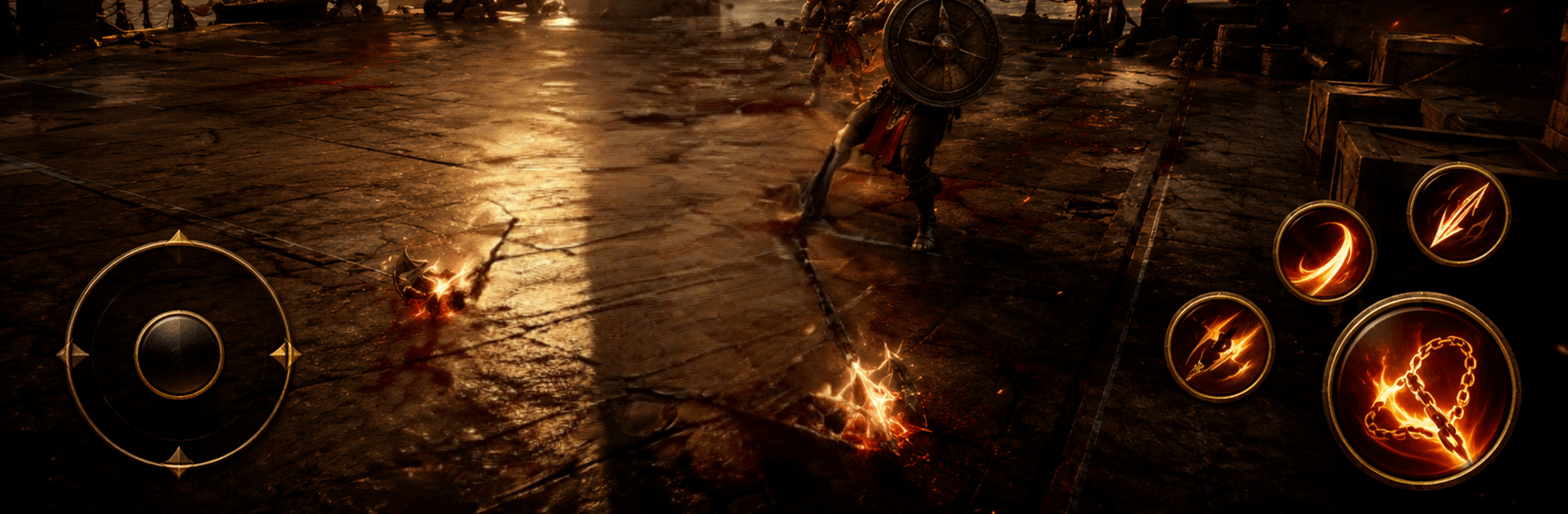
OLYMPUSWAR : Chain Of Warrior turns ancient myths into a gritty, chain-slinging showdown. This Action adventure drops you into crumbling temples and stormy battlegrounds to face towering beasts and relentless guardians. Expect punchy combat, steady progression, and a story wrapped in old legends—also smooth on BlueStacks if you prefer a bigger screen and sharper control.

Game Features

  • Chain-Slinging Combat: Lash, pull, and sweep enemies with sacred chains that double as weapons and grappling tools, letting you control the flow of every fight.
  • Colossal Boss Encounters: Square off against giants and mythic guardians with multi-phase battles where timing, positioning, and smart reads matter.
  • Mythic Lands to Roam: Cross forgotten shrines, wind-bitten cliffs, and deep temple halls as you chase clues from a world that refuses to stay buried.
  • Become the Chain Warrior: Unlock new techniques, earn tougher gear, and shape a moveset that fits how you like to fight—aggressive, precise, or somewhere in between.
  • Smooth, Responsive Controls: Snappy dodges, clean parries, and tight combos give every swing weight without getting in your way.
  • Offline Play Support: Keep the story and challenges rolling even when you’re not connected.
  • Quests, Trials, and Secrets: Pick up missions, hunt optional foes, and uncover lore tucked behind sealed doors and hidden paths.
  • Tactics Over Button-Mashing: Read enemy patterns, break guards, and yank opponents out of formation to create openings and big payoffs.
  • Legends of Olympus: Piece together tales of an immortal protector and the fate of the realm through relics, notes, and hard-won victories.

BlueStacks gives you more room to focus on the game and less time adjusting around mobile limitations.


Game Features

Enhancements

  • Macros
  • Multi Instance
  • Multi Instance Sync
  • Eco Mode
  • Enhancements
Macros

Macros

Skip the boring parts of a game. Play OLYMPUSWAR : Chain Of Warrior with Macros and get the edge. Simply record a sequence of commands and execute them at any moment.
Multi Instance

Multi Instance

Why limit to one game on your phone when you can play many on your PC? Open multiple instances of OLYMPUSWAR : Chain Of Warrior at once with Multi-Instance. Leverage the power of different accounts by doing more.
Multi Instance Sync

Multi Instance Sync

Get the best out of OLYMPUSWAR : Chain Of Warrior with Multi-Instance Sync. Play the game from different accounts and build your own empire. Use Multi-instance sync to repeat the action in the main BlueStacks instance on all other instances.
Eco Mode

Eco Mode

Find the rarest heroes by making multiple summons in OLYMPUSWAR : Chain Of Warrior. And while you are at it, reduce your PC’s resource consumption with the Eco Mode. Farm efficiently. Get the best results.
Read More

How to Download and Play OLYMPUSWAR : Chain Of Warrior on PC or Mac

  • Download and install BlueStacks on your PC or Mac

  • Complete Google sign-in to access the Play Store, or do it later

  • Look for OLYMPUSWAR : Chain Of Warrior in the search bar at the top right corner

  • Click to install OLYMPUSWAR : Chain Of Warrior from the search results

  • Complete Google sign-in (if you skipped step 2) to install OLYMPUSWAR : Chain Of Warrior

  • Click the OLYMPUSWAR : Chain Of Warrior icon on the home screen to start playing

video
Watch Video

Minimum System Requirements

With BlueStacks 5, you can get started on a PC that fulfills the following requirements.

  • Operating System

    Microsoft Windows 7 or above, macOS 11 (Big Sur) or above

  • Processor

    Intel, AMD or Apple Silicon Processor

  • RAM

    at least 4GB

  • HDD

    10GB Free Disk Space

Note:

* You must be an Administrator on your PC. Up to date graphics drivers from Microsoft or the chipset vendor.

OLYMPUSWAR : Chain Of Warrior - FAQs

  • How to play OLYMPUSWAR : Chain Of Warrior on Windows PC & Mac?

    Play OLYMPUSWAR : Chain Of Warrior on your PC or Mac by following these simple steps.

    • Click on 'Play OLYMPUSWAR : Chain Of Warrior on PC’ to download BlueStacks
    • Install it and log-in to Google Play Store
    • Launch and play the game.
  • Why is BlueStacks the fastest and safest platform to play games on PC?

    BlueStacks respects your privacy and is always safe and secure to use. It does not carry any malware, spyware, or any sort of additional software that could harm your PC.

    It is engineered to optimize speed and performance for a seamless gaming experience.

  • What are OLYMPUSWAR : Chain Of Warrior PC requirements?

    Minimum requirement to run OLYMPUSWAR : Chain Of Warrior on your PC

    • OS: Microsoft Windows 7 or above MacOS 11 (Big Sur) or above
    • Processor: Intel, AMD or Apple Silicon Processor
    • RAM: Your PC must have at least 4GB of RAM. (Note that having 4GB or more disk space is not a substitute for RAM)
    • HDD: 10GB Free Disk Space.
    • You must be an Administrator on your PC.