Orbit Destroyer
Orbit Destroyer

Orbit Destroyer

Action

| Andriy Pidvirnyy

Play on PC with BlueStacks or from our cloud

  • Overview
  • Game Features
  • How to Play

Page Modified On: August 20, 2026

Play Orbit Destroyer on PC or Mac

Explore a whole new adventure with Orbit Destroyer, a Action game created by Andriy Pidvirnyy. Experience great gameplay with BlueStacks, the most popular gaming platform to play Android games on your PC or Mac.

About the Game

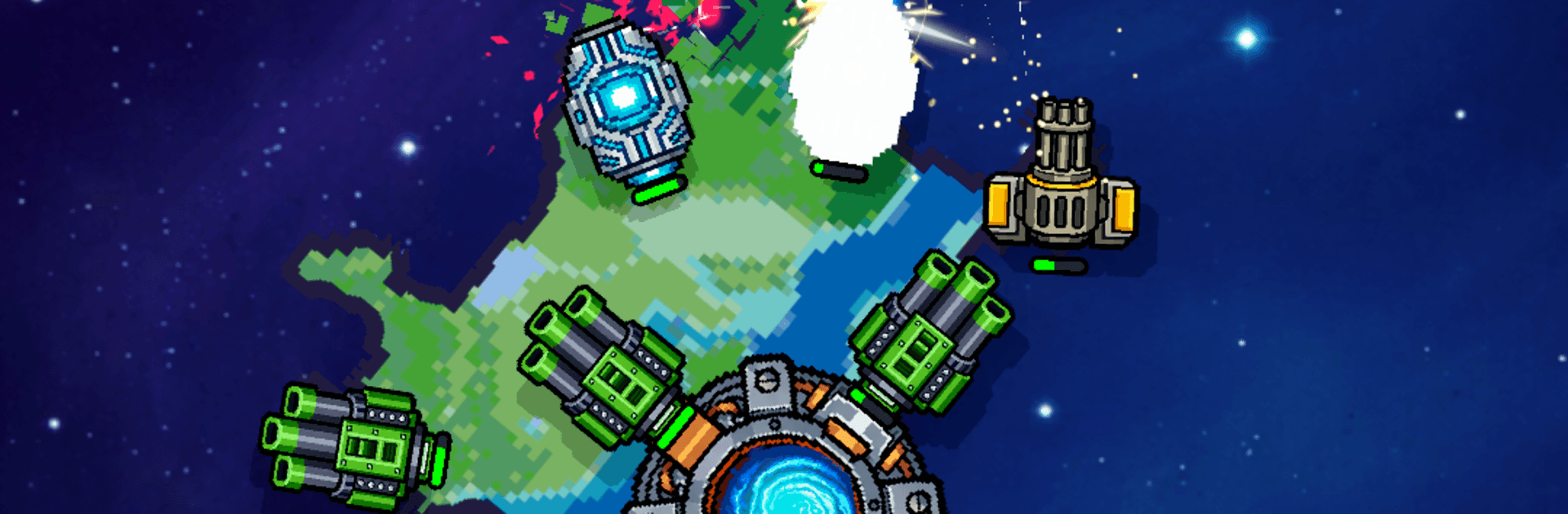
Orbit Destroyer drops you into head-to-head planetary warfare, where you pilot an armed world and literally carve the enemy to pieces. It’s an Action game built around slick physics, razor‑sharp tactics, and the pure satisfaction of cracking a rival planet’s Core before they crack yours. Prefer a bigger screen and crisp controls? It feels right at home on BlueStacks.

Game Features

  • Planet‑shredding combat: Every shot bites into the enemy’s surface, leaving scars, tunnels, and gaping craters that change the fight in real time.
  • Surgical separations: Saw through a weak spot and cut an entire region loose from the Core, stranding turrets and armor as they drift into the void.
  • Orbit and weight system: Loadouts add mass and change rotation—light builds keep you spinning fast and slippery, heavy beams slow you down but hit like a freight train.
  • Build between orbits: Pause the chaos to rework your planet’s layout, fine‑tune firing arcs, and set up nasty crossfires before the next pass.
  • Outer vs. inner rings: Stack weapons on the rim for aggressive reach or tuck key systems deeper inside for tougher protection.
  • Reflective shielding: Pop adaptive barriers that can bounce energy shots right back at the sender for instant payback.
  • Modular upgrades: Evolve your tools from quick-pulse starters to brutal late‑tier variants that chew through rock and armor.
  • Intense 1v1 PvP: Settle grudges in quick, high‑stakes duels where one bad orbit can cost you the Core.
  • Celestial battlefields: Fight across striking cosmic locales—icy clouds, molten zones, and more—that make each showdown feel different.
  • Core‑meltdown finales: Drop their Core to zero and watch the chain reaction rip a planet apart in a glorious, sector-clearing blast.
  • Simple to learn, deviously deep: Snappy controls get you blasting fast, while clever timing, angles, and builds separate the scrappy from the unstoppable.

Start your journey now. Download the game on BlueStacks, invite your friends, and march on a new adventure.


Game Features

Enhancements

  • Macros
  • Multi Instance
  • Multi Instance Sync
  • Eco Mode
  • Enhancements
Macros

Macros

Skip the boring parts of a game. Play Orbit Destroyer with Macros and get the edge. Simply record a sequence of commands and execute them at any moment.
Multi Instance

Multi Instance

Why limit to one game on your phone when you can play many on your PC? Open multiple instances of Orbit Destroyer at once with Multi-Instance. Leverage the power of different accounts by doing more.
Multi Instance Sync

Multi Instance Sync

Get the best out of Orbit Destroyer with Multi-Instance Sync. Play the game from different accounts and build your own empire. Use Multi-instance sync to repeat the action in the main BlueStacks instance on all other instances.
Eco Mode

Eco Mode

Find the rarest heroes by making multiple summons in Orbit Destroyer. And while you are at it, reduce your PC’s resource consumption with the Eco Mode. Farm efficiently. Get the best results.
Read More

How to Download and Play Orbit Destroyer on PC or Mac

  • Download and install BlueStacks on your PC or Mac

  • Complete Google sign-in to access the Play Store, or do it later

  • Look for Orbit Destroyer in the search bar at the top right corner

  • Click to install Orbit Destroyer from the search results

  • Complete Google sign-in (if you skipped step 2) to install Orbit Destroyer

  • Click the Orbit Destroyer icon on the home screen to start playing

video
Watch Video

Minimum System Requirements

With BlueStacks 5, you can get started on a PC that fulfills the following requirements.

  • Operating System

    Microsoft Windows 7 or above, macOS 11 (Big Sur) or above

  • Processor

    Intel, AMD or Apple Silicon Processor

  • RAM

    at least 4GB

  • HDD

    10GB Free Disk Space

Note:

* You must be an Administrator on your PC. Up to date graphics drivers from Microsoft or the chipset vendor.

Orbit Destroyer - FAQs

  • How to play Orbit Destroyer on Windows PC & Mac?

    Play Orbit Destroyer on your PC or Mac by following these simple steps.

    • Click on 'Play Orbit Destroyer on PC’ to download BlueStacks
    • Install it and log-in to Google Play Store
    • Launch and play the game.
  • Why is BlueStacks the fastest and safest platform to play games on PC?

    BlueStacks respects your privacy and is always safe and secure to use. It does not carry any malware, spyware, or any sort of additional software that could harm your PC.

    It is engineered to optimize speed and performance for a seamless gaming experience.

  • What are Orbit Destroyer PC requirements?

    Minimum requirement to run Orbit Destroyer on your PC

    • OS: Microsoft Windows 7 or above MacOS 11 (Big Sur) or above
    • Processor: Intel, AMD or Apple Silicon Processor
    • RAM: Your PC must have at least 4GB of RAM. (Note that having 4GB or more disk space is not a substitute for RAM)
    • HDD: 10GB Free Disk Space.
    • You must be an Administrator on your PC.