Overwatch Rush
Overwatch Rush

Overwatch Rush

Action

| Blizzard Entertainment, Inc.

Play on PC with BlueStacks or from our cloud

  • Overview
  • Game Features
  • How to Play

Page Modified On: April 13, 2026

Play Overwatch Rush on PC or Mac

Join millions to experience Overwatch Rush, an exciting Action game from Blizzard Entertainment, Inc.. With BlueStacks App Player, you are always a step ahead of your opponent, ready to outplay them with faster gameplay and better control with the mouse and keyboard on your PC or Mac.

About the Game

Overwatch Rush brings Blizzard Entertainment, Inc.’s hero action to mobile with crisp, free-to-play matches that are easy to start and tough to master. This Action game leans into quick decision-making, bold abilities, and team synergy, all tuned for short, high-energy rounds you can play on a break or grind all evening. Prefer a bigger screen? It also plays smoothly on PC with BlueStacks.

Game Features

  • Quick, tactical rounds: Got a few minutes? Jump into focused matches where positioning, timing, and smart cooldowns make the difference.
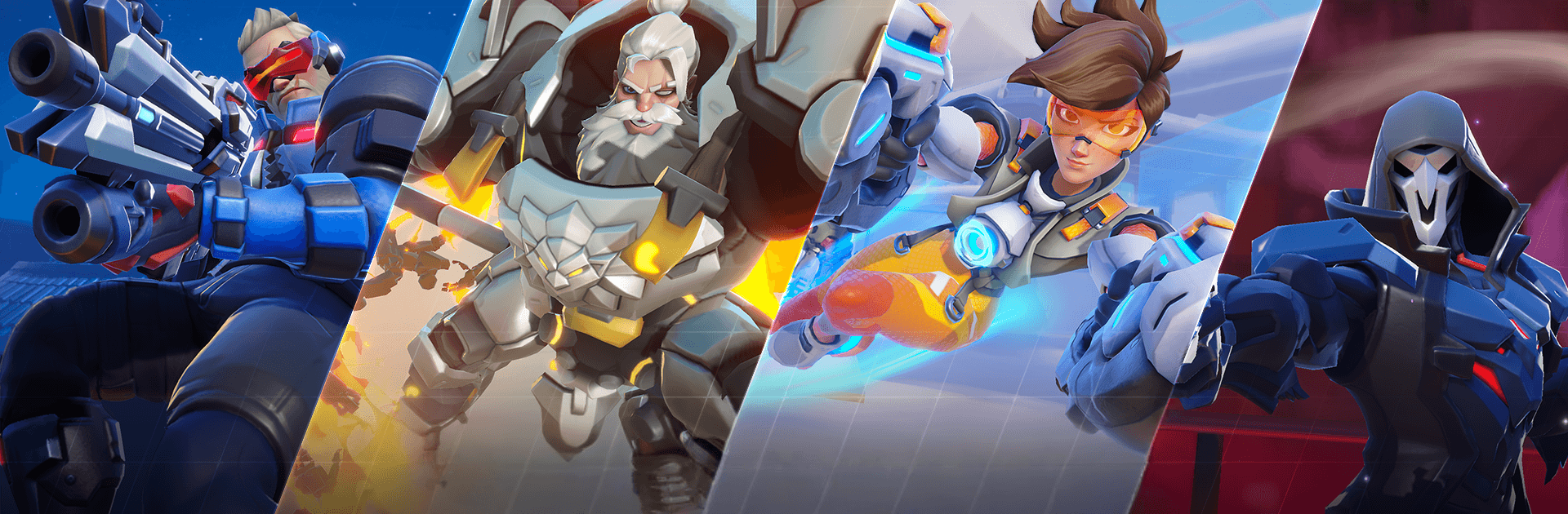
  • Iconic Heroes, distinct roles: Pick from familiar faces with wildly different kits—shield up as Reinhardt, rocket-burst foes as Pharah, or blink circles around them as Tracer.
  • Strategy starts at select: Your opening Hero choice sets the tone, but it’s your reads and mid-fight adjustments that swing the scoreboard.
  • Mods & Talents that matter: Tune stats with Mods, then reshape abilities with Talents to create builds that suit your plan—burst, sustain, or control.
  • Make it yours: Collect standout looks and expressive emotes to let your personality show, whether you’re topping charts or supporting the push.
  • 4v4 and solo FFA: Squad coordination or every-player-for-themselves chaos—swap modes to match your mood.
  • Built for mobile play: Snappy controls and clean UI keep the action readable and responsive, even when ultimates start flying.
  • Evolving maps and modes: Regular updates add fresh battlegrounds and playlists, with balance tweaks that keep skill—and not guesswork—at the center.

Get ready for a buttery smooth, high-performance gaming action only on BlueStacks.

Game Features

Enhancements

  • Macros
  • Multi Instance
  • Multi Instance Sync
  • Eco Mode
  • Enhancements
Macros

Macros

Skip the boring parts of a game. Play Overwatch Rush with Macros and get the edge. Simply record a sequence of commands and execute them at any moment.
Multi Instance

Multi Instance

Why limit to one game on your phone when you can play many on your PC? Open multiple instances of Overwatch Rush at once with Multi-Instance. Leverage the power of different accounts by doing more.
Multi Instance Sync

Multi Instance Sync

Get the best out of Overwatch Rush with Multi-Instance Sync. Play the game from different accounts and build your own empire. Use Multi-instance sync to repeat the action in the main BlueStacks instance on all other instances.
Eco Mode

Eco Mode

Find the rarest heroes by making multiple summons in Overwatch Rush. And while you are at it, reduce your PC’s resource consumption with the Eco Mode. Farm efficiently. Get the best results.
Read More

How to Download and Play Overwatch Rush on PC or Mac

  • Download and install BlueStacks on your PC or Mac

  • Complete Google sign-in to access the Play Store, or do it later

  • Look for Overwatch Rush in the search bar at the top right corner

  • Click to install Overwatch Rush from the search results

  • Complete Google sign-in (if you skipped step 2) to install Overwatch Rush

  • Click the Overwatch Rush icon on the home screen to start playing

video
Watch Video

Minimum System Requirements

With BlueStacks 5, you can get started on a PC that fulfills the following requirements.

  • Operating System

    Microsoft Windows 7 or above, macOS 11 (Big Sur) or above

  • Processor

    Intel, AMD or Apple Silicon Processor

  • RAM

    at least 4GB

  • HDD

    10GB Free Disk Space

Note:

* You must be an Administrator on your PC. Up to date graphics drivers from Microsoft or the chipset vendor.

Overwatch Rush - FAQs

  • How to play Overwatch Rush on Windows PC & Mac?

    Play Overwatch Rush on your PC or Mac by following these simple steps.

    • Click on 'Play Overwatch Rush on PC’ to download BlueStacks
    • Install it and log-in to Google Play Store
    • Launch and play the game.
  • Why is BlueStacks the fastest and safest platform to play games on PC?

    BlueStacks respects your privacy and is always safe and secure to use. It does not carry any malware, spyware, or any sort of additional software that could harm your PC.

    It is engineered to optimize speed and performance for a seamless gaming experience.

  • What are Overwatch Rush PC requirements?

    Minimum requirement to run Overwatch Rush on your PC

    • OS: Microsoft Windows 7 or above MacOS 11 (Big Sur) or above
    • Processor: Intel, AMD or Apple Silicon Processor
    • RAM: Your PC must have at least 4GB of RAM. (Note that having 4GB or more disk space is not a substitute for RAM)
    • HDD: 10GB Free Disk Space.
    • You must be an Administrator on your PC.