
Phantom Phobia: Ghost Hunt

Phantom Phobia: Ghost Hunt

Action

| Tribe Studio

Play on PC with BlueStacks or from our cloud

  • Overview
  • Game Features
  • How to Play

Page Modified On: May 11, 2026

Play Phantom Phobia: Ghost Hunt on PC or Mac

Explore a whole new adventure with Phantom Phobia: Ghost Hunt, a Action game created by Tribe Studio. Experience great gameplay with BlueStacks, the most popular gaming platform to play Android games on your PC or Mac.

About the Game

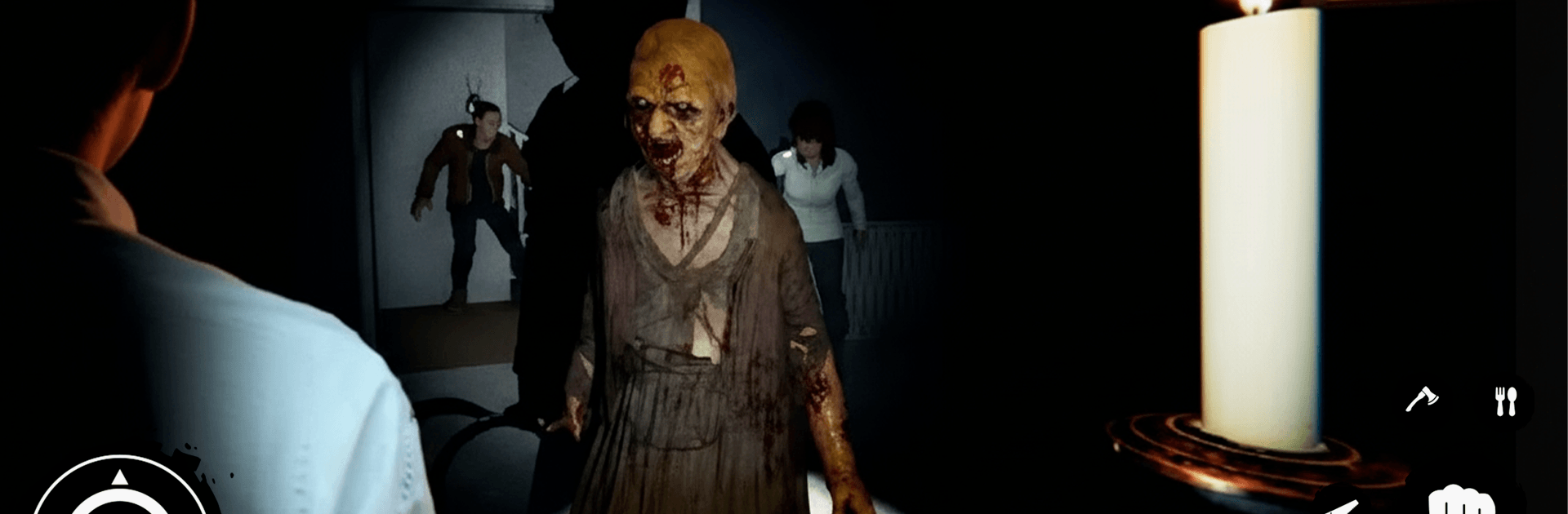
Phantom Phobia: Ghost Hunt drops you into the boots of a lone investigator chasing the unknown, where every whisper and flicker might be a threat. This Action title from Tribe Studio blends tense exploration with clue-hunting as you comb through haunted sites, piece together what happened, and make it out in one piece. Expect heart-in-throat moments, smart problem-solving, and that delicious “did something just move?” feeling around every corner.

Game Features

  • Ghost-Hunting Toolkit: Use a range of handy gadgets and clever tactics to track supernatural activity, pinpoint hotspots, and separate real danger from background noise.
  • Investigate With Purpose: Collect evidence, read the room, and connect clues to figure out what you’re dealing with before things go downhill.
  • Encounters That Escalate: Spirits don’t wait for you to be ready. Stay cool under pressure, react fast, and survive close calls when the air suddenly turns cold.
  • Eerie, Lived-In Spaces: Explore shadowy corridors and dust-choked rooms where lighting, sound, and small details build a creeping sense of dread.
  • Puzzles That Push Back: Solve environmental challenges that guard key areas and secrets—nothing too obtuse, but you won’t breeze through on autopilot.
  • Smooth, Responsive Controls: Navigate tight spaces, check tools, and interact with clues without fighting the interface, so the tension stays on the situation, not the buttons.
  • New Twists Each Mission: Every location introduces different objectives, threats, and surprises, keeping you alert and your strategies flexible.
  • Play Your Way: Short sessions or long, late-night hunts both work—and if you prefer a bigger screen, running it on BlueStacks keeps the scares crisp without changing the feel.

Slay your opponents with your epic moves. Play it your way on BlueStacks and dominate the battlefield.


Game Features

Enhancements

  • Macros
  • Multi Instance
  • Multi Instance Sync
  • Eco Mode
  • Enhancements
Macros

Macros

Skip the boring parts of a game. Play Phantom Phobia: Ghost Hunt with Macros and get the edge. Simply record a sequence of commands and execute them at any moment.
Multi Instance

Multi Instance

Why limit to one game on your phone when you can play many on your PC? Open multiple instances of Phantom Phobia: Ghost Hunt at once with Multi-Instance. Leverage the power of different accounts by doing more.
Multi Instance Sync

Multi Instance Sync

Get the best out of Phantom Phobia: Ghost Hunt with Multi-Instance Sync. Play the game from different accounts and build your own empire. Use Multi-instance sync to repeat the action in the main BlueStacks instance on all other instances.
Eco Mode

Eco Mode

Find the rarest heroes by making multiple summons in Phantom Phobia: Ghost Hunt. And while you are at it, reduce your PC’s resource consumption with the Eco Mode. Farm efficiently. Get the best results.
Read More

How to Download and Play Phantom Phobia: Ghost Hunt on PC or Mac

  • Download and install BlueStacks on your PC or Mac

  • Complete Google sign-in to access the Play Store, or do it later

  • Look for Phantom Phobia: Ghost Hunt in the search bar at the top right corner

  • Click to install Phantom Phobia: Ghost Hunt from the search results

  • Complete Google sign-in (if you skipped step 2) to install Phantom Phobia: Ghost Hunt

  • Click the Phantom Phobia: Ghost Hunt icon on the home screen to start playing

video
Watch Video

Minimum System Requirements

With BlueStacks 5, you can get started on a PC that fulfills the following requirements.

  • Operating System

    Microsoft Windows 7 or above, macOS 11 (Big Sur) or above

  • Processor

    Intel, AMD or Apple Silicon Processor

  • RAM

    at least 4GB

  • HDD

    10GB Free Disk Space

Note:

* You must be an Administrator on your PC. Up to date graphics drivers from Microsoft or the chipset vendor.

Phantom Phobia: Ghost Hunt - FAQs

  • How to play Phantom Phobia: Ghost Hunt on Windows PC & Mac?

    Play Phantom Phobia: Ghost Hunt on your PC or Mac by following these simple steps.

    • Click on 'Play Phantom Phobia: Ghost Hunt on PC’ to download BlueStacks
    • Install it and log-in to Google Play Store
    • Launch and play the game.
  • Why is BlueStacks the fastest and safest platform to play games on PC?

    BlueStacks respects your privacy and is always safe and secure to use. It does not carry any malware, spyware, or any sort of additional software that could harm your PC.

    It is engineered to optimize speed and performance for a seamless gaming experience.

  • What are Phantom Phobia: Ghost Hunt PC requirements?

    Minimum requirement to run Phantom Phobia: Ghost Hunt on your PC

    • OS: Microsoft Windows 7 or above MacOS 11 (Big Sur) or above
    • Processor: Intel, AMD or Apple Silicon Processor
    • RAM: Your PC must have at least 4GB of RAM. (Note that having 4GB or more disk space is not a substitute for RAM)
    • HDD: 10GB Free Disk Space.
    • You must be an Administrator on your PC.







