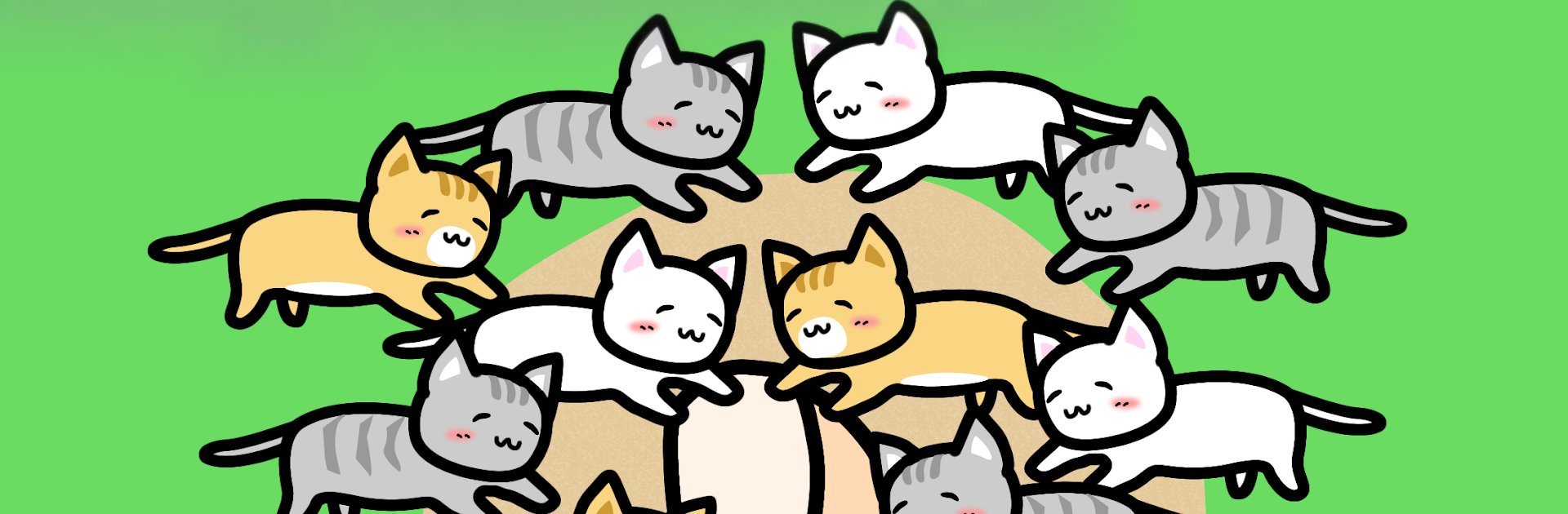
Play with Cats
Play with Cats

Play with Cats

Action

| KAZUYA KAMIOKA

Play on PC with BlueStacks or from our cloud

  • Overview
  • Game Features
  • How to Play

Page Modified On: October 24, 2025

Play Play with Cats on PC or Mac

Play with Cats brings the Action genre to life, and throws up exciting challenges for gamers. Developed by KAZUYA KAMIOKA, this Android game is best experienced on BlueStacks, the World’s #1 app player for PC and Mac users.

About the Game

Play with Cats is a laid-back Action game where your finger becomes the ultimate cat magnet. Hang out, call over fluffy visitors, and gently turn quick taps and swipes into a growing collection of coins and kittens. It’s cozy, a little silly, and surprisingly satisfying—especially when a rare cat finally shows up.

Game Features

  • Touch to Attract: Place your finger on the screen and watch curious cats pad over. The more “charm” your finger has, the easier it is to win them over.
  • Tame and Collect: Successfully calming a cat can earn you coins and sometimes a tiny kitten. Every visit feels like a small surprise.
  • Side-Scrolling Action: Hop into a bite-sized side-scrolling action mini-game to power up your finger. Quick runs boost your charm and make each cat encounter more rewarding.
  • Upgrade Your Lures: Spend coins to enhance lures, increasing your chances of spotting rare felines you haven’t met yet.
  • Cozy Kitten Rooms: Kittens you’ve collected can live in snug rooms. Give them gentle strokes to earn extra coins while you relax.
  • Steady Progress: Cats level up as you play, dropping more coins over time, so each session feels a bit richer than the last.
  • Collection Goals: Meet all kinds of cats, befriend them, and round out your kitten lineup as you work toward a complete collection.
  • Play on BlueStacks: Prefer a bigger screen? You can also enjoy Play with Cats on BlueStacks while you unwind at your desk.
  • From KAZUYA KAMIOKA: A simple, feel-good loop from the developer that keeps the focus on charm, curiosity, and playful taps.

Make your gaming sessions memorable with precise controls that give you an edge in close combats and visuals that pop up, bringing every character to life.


Game Features

Enhancements

  • Macros
  • Multi Instance
  • Multi Instance Sync
  • Eco Mode
  • Enhancements
Macros

Macros

Skip the boring parts of a game. Play Play with Cats with Macros and get the edge. Simply record a sequence of commands and execute them at any moment.
Multi Instance

Multi Instance

Why limit to one game on your phone when you can play many on your PC? Open multiple instances of Play with Cats at once with Multi-Instance. Leverage the power of different accounts by doing more.
Multi Instance Sync

Multi Instance Sync

Get the best out of Play with Cats with Multi-Instance Sync. Play the game from different accounts and build your own empire. Use Multi-instance sync to repeat the action in the main BlueStacks instance on all other instances.
Eco Mode

Eco Mode

Find the rarest heroes by making multiple summons in Play with Cats. And while you are at it, reduce your PC’s resource consumption with the Eco Mode. Farm efficiently. Get the best results.
Read More

How to Download and Play Play with Cats on PC or Mac

  • Download and install BlueStacks on your PC or Mac

  • Complete Google sign-in to access the Play Store, or do it later

  • Look for Play with Cats in the search bar at the top right corner

  • Click to install Play with Cats from the search results

  • Complete Google sign-in (if you skipped step 2) to install Play with Cats

  • Click the Play with Cats icon on the home screen to start playing

video
Watch Video

Minimum System Requirements

With BlueStacks 5, you can get started on a PC that fulfills the following requirements.

  • Operating System

    Microsoft Windows 7 or above, macOS 11 (Big Sur) or above

  • Processor

    Intel, AMD or Apple Silicon Processor

  • RAM

    at least 4GB

  • HDD

    10GB Free Disk Space

Note:

* You must be an Administrator on your PC. Up to date graphics drivers from Microsoft or the chipset vendor.

Play with Cats - FAQs

  • How to play Play with Cats on Windows PC & Mac?

    Play Play with Cats on your PC or Mac by following these simple steps.

    • Click on 'Play Play with Cats on PC’ to download BlueStacks
    • Install it and log-in to Google Play Store
    • Launch and play the game.
  • Why is BlueStacks the fastest and safest platform to play games on PC?

    BlueStacks respects your privacy and is always safe and secure to use. It does not carry any malware, spyware, or any sort of additional software that could harm your PC.

    It is engineered to optimize speed and performance for a seamless gaming experience.

  • What are Play with Cats PC requirements?

    Minimum requirement to run Play with Cats on your PC

    • OS: Microsoft Windows 7 or above MacOS 11 (Big Sur) or above
    • Processor: Intel, AMD or Apple Silicon Processor
    • RAM: Your PC must have at least 4GB of RAM. (Note that having 4GB or more disk space is not a substitute for RAM)
    • HDD: 10GB Free Disk Space.
    • You must be an Administrator on your PC.