Project Requiem: Survival

Project Requiem: Survival

Action

| Black Ice Software

Play on PC with BlueStacks or from our cloud

  • Overview
  • Game Features
  • How to Play

Page Modified On: September 21, 2026

Play Project Requiem: Survival on PC or Mac

Play Project Requiem: Survival by Black Ice Software on PC or Mac with BlueStacks. Use a bigger screen, mouse and keyboard controls, and smoother performance while you play.

About the Game

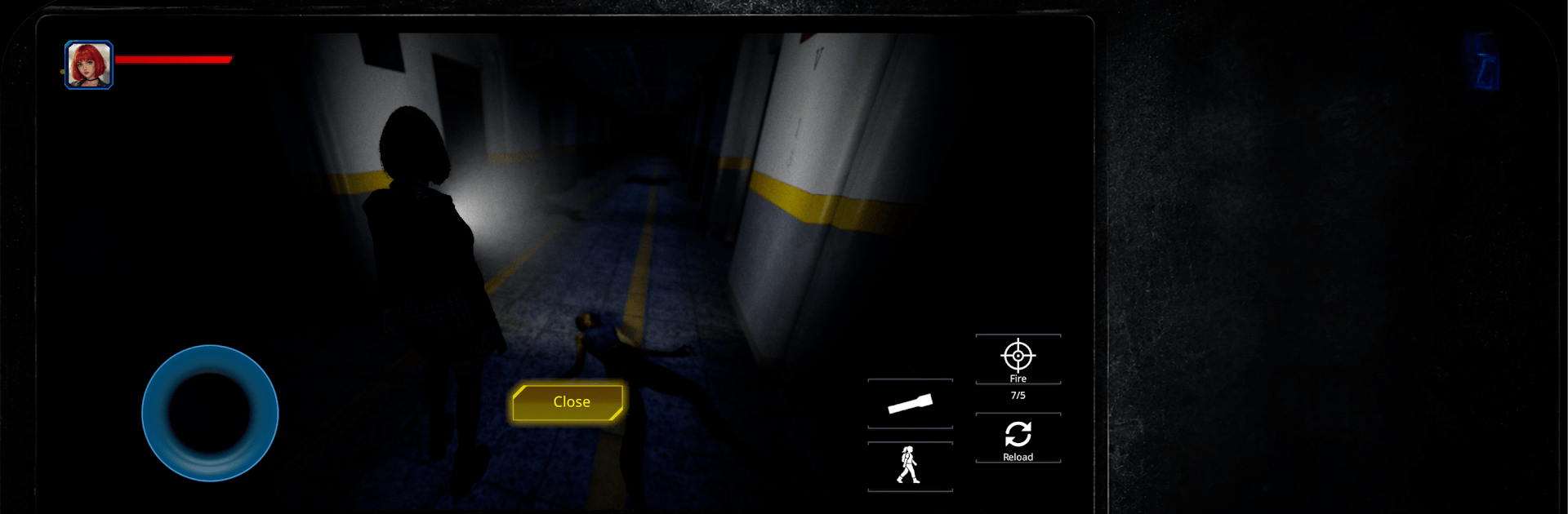
Project Requiem: Survival is an Action take on old-school survival horror where the city’s gone to hell and every shadow feels like it’s watching you. You’ll scavenge, sneak, and fight through collapsing streets while weighing every shot and every step, because mistakes echo and the dead don’t tire. Prefer a bigger screen and steadier aim? It plays smoothly on PC with BlueStacks.

Game Features

  • Atmospheric World: Smoke-filled alleys, ruined interiors, and moody lighting make every corridor feel like a trap waiting to spring.
  • Tense Exploration: Check corners, track distant groans, and decide if that dark room is worth the risk for one more box of ammo.
  • Lock-On Combat: Use auto-aim to snap to targets so you can focus on spacing, headshots, and keeping calm under pressure.
  • Real Scarcity: Bullets, meds, and backpack space are limited; smart routing and resource juggling matter more than raw aggression.
  • Unforgiving Undead: These shamblers punish noise and panic, turning a small misstep into a full-blown scramble for your life.
  • Solo Story: A focused, narrative-driven campaign pieces together what happened to the city—if you can stay breathing long enough to learn it.
  • Purposeful Pacing: Creeping footsteps, sudden jolts, and quiet stretches build a steady burn of tension instead of nonstop chaos.
  • Clean, Modern Feel: Classic survival-horror vibes with streamlined controls and clear UI, keeping the friction low and the dread high.

Get ready for a buttery smooth, high-performance gaming action only on BlueStacks.

Game Features

Enhancements

  • Macros
  • Multi Instance
  • Multi Instance Sync
  • Eco Mode
  • Enhancements
Macros

Macros

Skip the boring parts of a game. Play Project Requiem: Survival with Macros and get the edge. Simply record a sequence of commands and execute them at any moment.
Multi Instance

Multi Instance

Why limit to one game on your phone when you can play many on your PC? Open multiple instances of Project Requiem: Survival at once with Multi-Instance. Leverage the power of different accounts by doing more.
Multi Instance Sync

Multi Instance Sync

Get the best out of Project Requiem: Survival with Multi-Instance Sync. Play the game from different accounts and build your own empire. Use Multi-instance sync to repeat the action in the main BlueStacks instance on all other instances.
Eco Mode

Eco Mode

Find the rarest heroes by making multiple summons in Project Requiem: Survival. And while you are at it, reduce your PC’s resource consumption with the Eco Mode. Farm efficiently. Get the best results.
Read More

How to Download and Play Project Requiem: Survival on PC or Mac

  • Download and install BlueStacks on your PC or Mac

  • Complete Google sign-in to access the Play Store, or do it later

  • Look for Project Requiem: Survival in the search bar at the top right corner

  • Click to install Project Requiem: Survival from the search results

  • Complete Google sign-in (if you skipped step 2) to install Project Requiem: Survival

  • Click the Project Requiem: Survival icon on the home screen to start playing

video
Watch Video

Minimum System Requirements

With BlueStacks 5, you can get started on a PC that fulfills the following requirements.

  • Operating System

    Microsoft Windows 7 or above, macOS 11 (Big Sur) or above

  • Processor

    Intel, AMD or Apple Silicon Processor

  • RAM

    at least 4GB

  • HDD

    10GB Free Disk Space

Note:

* You must be an Administrator on your PC. Up to date graphics drivers from Microsoft or the chipset vendor.

Project Requiem: Survival - FAQs

  • How to play Project Requiem: Survival on Windows PC & Mac?

    Play Project Requiem: Survival on your PC or Mac by following these simple steps.

    • Click on 'Play Project Requiem: Survival on PC’ to download BlueStacks
    • Install it and log-in to Google Play Store
    • Launch and play the game.
  • Why is BlueStacks the fastest and safest platform to play games on PC?

    BlueStacks respects your privacy and is always safe and secure to use. It does not carry any malware, spyware, or any sort of additional software that could harm your PC.

    It is engineered to optimize speed and performance for a seamless gaming experience.

  • What are Project Requiem: Survival PC requirements?

    Minimum requirement to run Project Requiem: Survival on your PC

    • OS: Microsoft Windows 7 or above MacOS 11 (Big Sur) or above
    • Processor: Intel, AMD or Apple Silicon Processor
    • RAM: Your PC must have at least 4GB of RAM. (Note that having 4GB or more disk space is not a substitute for RAM)
    • HDD: 10GB Free Disk Space.
    • You must be an Administrator on your PC.