REPLACED
REPLACED

REPLACED

Action

| Atari, Inc.

Play on PC with BlueStacks or from our cloud

  • Overview
  • Game Features
  • How to Play

Page Modified On: October 22, 2026

Play REPLACED on PC or Mac

REPLACED by Atari, Inc. has plenty to keep you busy. BlueStacks lets you play it on PC or Mac with more screen space, better control, and fewer mobile limits.

About the Game

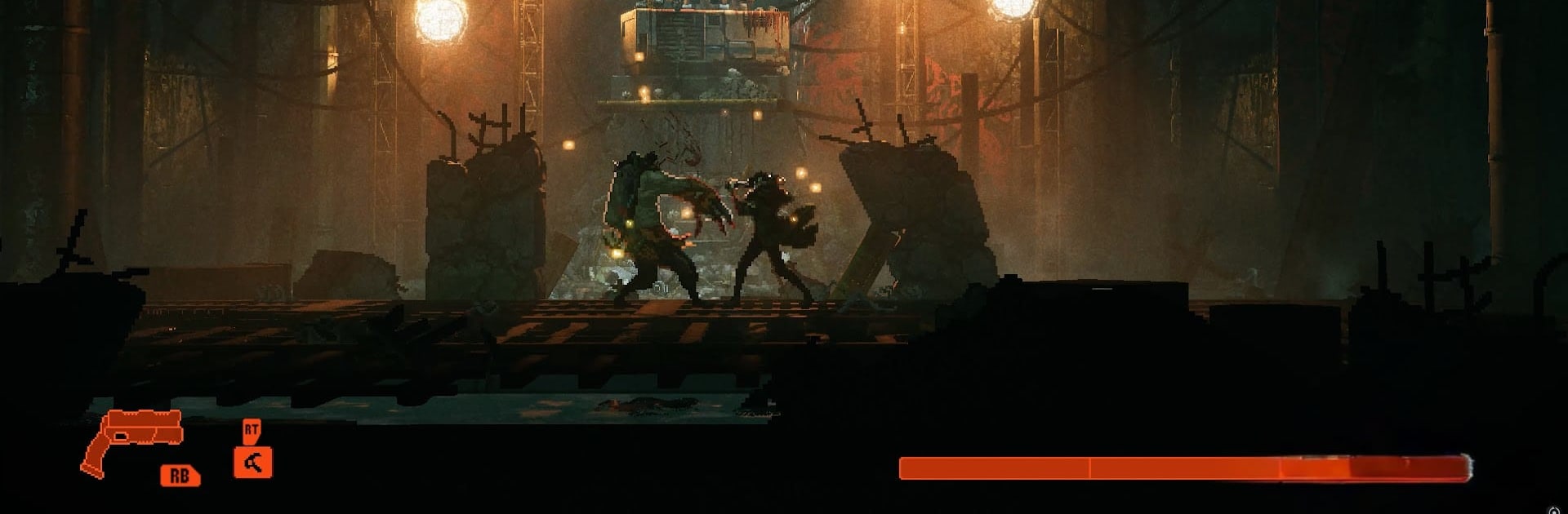
REPLACED throws you into a neo-noir world where an AI named R.E.A.C.H. wakes up in a human body and has to live with the fallout of Phoenix Corporation’s mess. It’s an Action experience that blends sharp combat, tense platforming, and story-first exploration across a broken, retro-futuristic America. Expect moody vibes, meaningful choices, and a presentation that seriously stands out—especially when you play on BlueStacks.

Game Features

  • A personal perspective: See Phoenix-City through R.E.A.C.H.’s eyes as you wrestle with identity, memory, and the messy line between machine logic and human feeling.
  • Moody retro-future aesthetic: Soak in a 2.5D world where detailed pixel art collides with modern lighting, depth-of-field, and cinematic camera work to create a beautifully bleak atmosphere.
  • Punchy, readable combat: Trade precise melee hits and clean gunfire, timing dodges and counters to make every strike land with weight instead of button-mashy chaos.
  • Fluid traversal that matters: Scale crumbling rooftops, slip through alleys, and push deeper into off-limits zones with movement that feels smooth and purposeful, not just flashy.
  • A city built on secrets: Pick your way through slums, labs, and underground networks while uncovering how Phoenix Corporation turned bodies—and people—into commodities.
  • Characters with edges: Meet the Disposals and other outcasts whose motives aren’t clean-cut; conversations and discoveries reveal gray morality rather than simple good-versus-evil.
  • Story with bite: Explore an alternate ’80s scarred by disaster, where every clue peels back another layer of conspiracy and every choice nudges R.E.A.C.H. toward uncomfortable truths.
  • Soundtrack that sticks: A tense, synth-driven score underscores quiet moments and firefights alike, turning each scene into a slow-burn mood you can feel in your bones.

Get ready for a buttery smooth, high-performance gaming action only on BlueStacks.

Game Features

Enhancements

  • Macros
  • Multi Instance
  • Multi Instance Sync
  • Eco Mode
  • Enhancements
Macros

Macros

Skip the boring parts of a game. Play REPLACED with Macros and get the edge. Simply record a sequence of commands and execute them at any moment.
Multi Instance

Multi Instance

Why limit to one game on your phone when you can play many on your PC? Open multiple instances of REPLACED at once with Multi-Instance. Leverage the power of different accounts by doing more.
Multi Instance Sync

Multi Instance Sync

Get the best out of REPLACED with Multi-Instance Sync. Play the game from different accounts and build your own empire. Use Multi-instance sync to repeat the action in the main BlueStacks instance on all other instances.
Eco Mode

Eco Mode

Find the rarest heroes by making multiple summons in REPLACED. And while you are at it, reduce your PC’s resource consumption with the Eco Mode. Farm efficiently. Get the best results.
Read More

How to Download and Play REPLACED on PC or Mac

  • Download and install BlueStacks on your PC or Mac

  • Complete Google sign-in to access the Play Store, or do it later

  • Look for REPLACED in the search bar at the top right corner

  • Click to install REPLACED from the search results

  • Complete Google sign-in (if you skipped step 2) to install REPLACED

  • Click the REPLACED icon on the home screen to start playing

video
Watch Video

Minimum System Requirements

With BlueStacks 5, you can get started on a PC that fulfills the following requirements.

  • Operating System

    Microsoft Windows 7 or above, macOS 11 (Big Sur) or above

  • Processor

    Intel, AMD or Apple Silicon Processor

  • RAM

    at least 4GB

  • HDD

    10GB Free Disk Space

Note:

* You must be an Administrator on your PC. Up to date graphics drivers from Microsoft or the chipset vendor.

REPLACED - FAQs

  • How to play REPLACED on Windows PC & Mac?

    Play REPLACED on your PC or Mac by following these simple steps.

    • Click on 'Play REPLACED on PC’ to download BlueStacks
    • Install it and log-in to Google Play Store
    • Launch and play the game.
  • Why is BlueStacks the fastest and safest platform to play games on PC?

    BlueStacks respects your privacy and is always safe and secure to use. It does not carry any malware, spyware, or any sort of additional software that could harm your PC.

    It is engineered to optimize speed and performance for a seamless gaming experience.

  • What are REPLACED PC requirements?

    Minimum requirement to run REPLACED on your PC

    • OS: Microsoft Windows 7 or above MacOS 11 (Big Sur) or above
    • Processor: Intel, AMD or Apple Silicon Processor
    • RAM: Your PC must have at least 4GB of RAM. (Note that having 4GB or more disk space is not a substitute for RAM)
    • HDD: 10GB Free Disk Space.
    • You must be an Administrator on your PC.