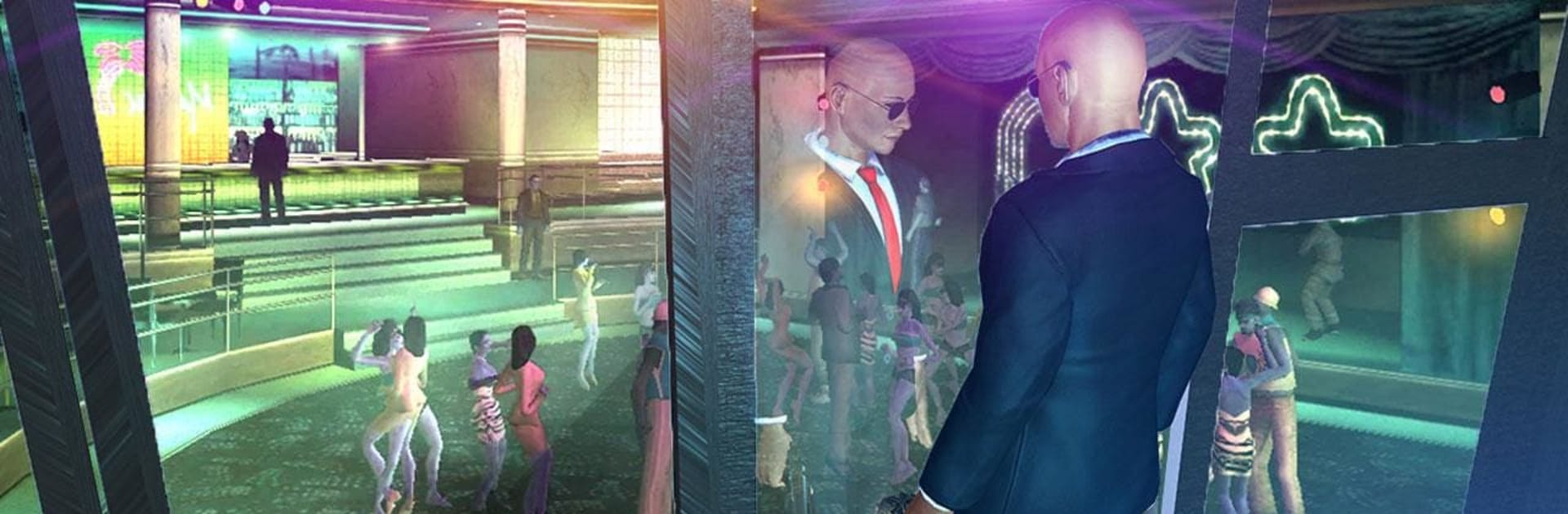
Secret Agent Spy Game: Hotel Assassination Mission

Secret Agent Spy Game: Hotel Assassination Mission

Action

| Rock Hill Games

Play on PC with BlueStacks or from our cloud

  • Overview
  • Game Features
  • How to Play

Page Modified On: May 25, 2026

Play Secret Agent Spy Game: Hotel Assassination Mission on PC or Mac

Step into the World of Secret Agent Spy Game: Hotel Assassination Mission, a thrilling Action game from the house of Rock Hill Games. Play this Android game on BlueStacks App Player and experience immersive gaming on PC or Mac.

About the Game

Secret Agent Spy Game: Hotel Assassination Mission sneaks you into a high-end American hotel where you’re not just another guest—you’re the operative everyone’s trying to spot. Slip into disguises, track high-profile targets, and make off with sensitive intel without leaving a trace. It’s a stealth-first Action experience built around tension, timing, and that one flawless exit.

Game Features

  • Undercover hotel infiltration: Blend in as staff, move through service corridors, and work the floors without catching the eye of security.
  • Stealth that matters: Stick to the shadows, avoid cameras, and plan clean routes to stay invisible from entry to extraction.
  • Sniper precision: Set up long-range shots with a 3D scope and take the perfect angle when it counts.
  • Tools of the trade: Disable cameras, pick stubborn locks, and flip to night vision to slip through restricted areas.
  • Smarter security: A.I.-driven guards and VIP escorts patrol, coordinate, and react to what they see—so timing and positioning are everything.
  • Two ways to aim: Swap between responsive FPS aiming and a third-person view for smooth movement and situational awareness.
  • Focused operations: Take on five tightly designed missions that raise the stakes and push your tactics in new ways.
  • Grand hotel setting: Navigate a realistic, lavish hotel—from buzzing lobbies to quiet back rooms—with multiple paths to every objective.
  • Choose your tempo: Stay silent and surgical, or, if things go sideways, improvise and fight your way out.
  • Subtle PC option: Prefer a keyboard and a bigger screen? You can also play it on BlueStacks.

Start playing Secret Agent Spy Game: Hotel Assassination Mission on BlueStacks and get a smoother, more comfortable PC or Mac setup.


Game Features

Enhancements

  • Macros
  • Multi Instance
  • Multi Instance Sync
  • Eco Mode
  • Enhancements
Macros

Macros

Skip the boring parts of a game. Play Secret Agent Spy Game: Hotel Assassination Mission with Macros and get the edge. Simply record a sequence of commands and execute them at any moment.
Multi Instance

Multi Instance

Why limit to one game on your phone when you can play many on your PC? Open multiple instances of Secret Agent Spy Game: Hotel Assassination Mission at once with Multi-Instance. Leverage the power of different accounts by doing more.
Multi Instance Sync

Multi Instance Sync

Get the best out of Secret Agent Spy Game: Hotel Assassination Mission with Multi-Instance Sync. Play the game from different accounts and build your own empire. Use Multi-instance sync to repeat the action in the main BlueStacks instance on all other instances.
Eco Mode

Eco Mode

Find the rarest heroes by making multiple summons in Secret Agent Spy Game: Hotel Assassination Mission. And while you are at it, reduce your PC’s resource consumption with the Eco Mode. Farm efficiently. Get the best results.
Read More

How to Download and Play Secret Agent Spy Game: Hotel Assassination Mission on PC or Mac

  • Download and install BlueStacks on your PC or Mac

  • Complete Google sign-in to access the Play Store, or do it later

  • Look for Secret Agent Spy Game: Hotel Assassination Mission in the search bar at the top right corner

  • Click to install Secret Agent Spy Game: Hotel Assassination Mission from the search results

  • Complete Google sign-in (if you skipped step 2) to install Secret Agent Spy Game: Hotel Assassination Mission

  • Click the Secret Agent Spy Game: Hotel Assassination Mission icon on the home screen to start playing

video
Watch Video

Minimum System Requirements

With BlueStacks 5, you can get started on a PC that fulfills the following requirements.

  • Operating System

    Microsoft Windows 7 or above, macOS 11 (Big Sur) or above

  • Processor

    Intel, AMD or Apple Silicon Processor

  • RAM

    at least 4GB

  • HDD

    10GB Free Disk Space

Note:

* You must be an Administrator on your PC. Up to date graphics drivers from Microsoft or the chipset vendor.

Secret Agent Spy Game: Hotel Assassination Mission - FAQs

  • How to play Secret Agent Spy Game: Hotel Assassination Mission on Windows PC & Mac?

    Play Secret Agent Spy Game: Hotel Assassination Mission on your PC or Mac by following these simple steps.

    • Click on 'Play Secret Agent Spy Game: Hotel Assassination Mission on PC’ to download BlueStacks
    • Install it and log-in to Google Play Store
    • Launch and play the game.
  • Why is BlueStacks the fastest and safest platform to play games on PC?

    BlueStacks respects your privacy and is always safe and secure to use. It does not carry any malware, spyware, or any sort of additional software that could harm your PC.

    It is engineered to optimize speed and performance for a seamless gaming experience.

  • What are Secret Agent Spy Game: Hotel Assassination Mission PC requirements?

    Minimum requirement to run Secret Agent Spy Game: Hotel Assassination Mission on your PC

    • OS: Microsoft Windows 7 or above MacOS 11 (Big Sur) or above
    • Processor: Intel, AMD or Apple Silicon Processor
    • RAM: Your PC must have at least 4GB of RAM. (Note that having 4GB or more disk space is not a substitute for RAM)
    • HDD: 10GB Free Disk Space.
    • You must be an Administrator on your PC.