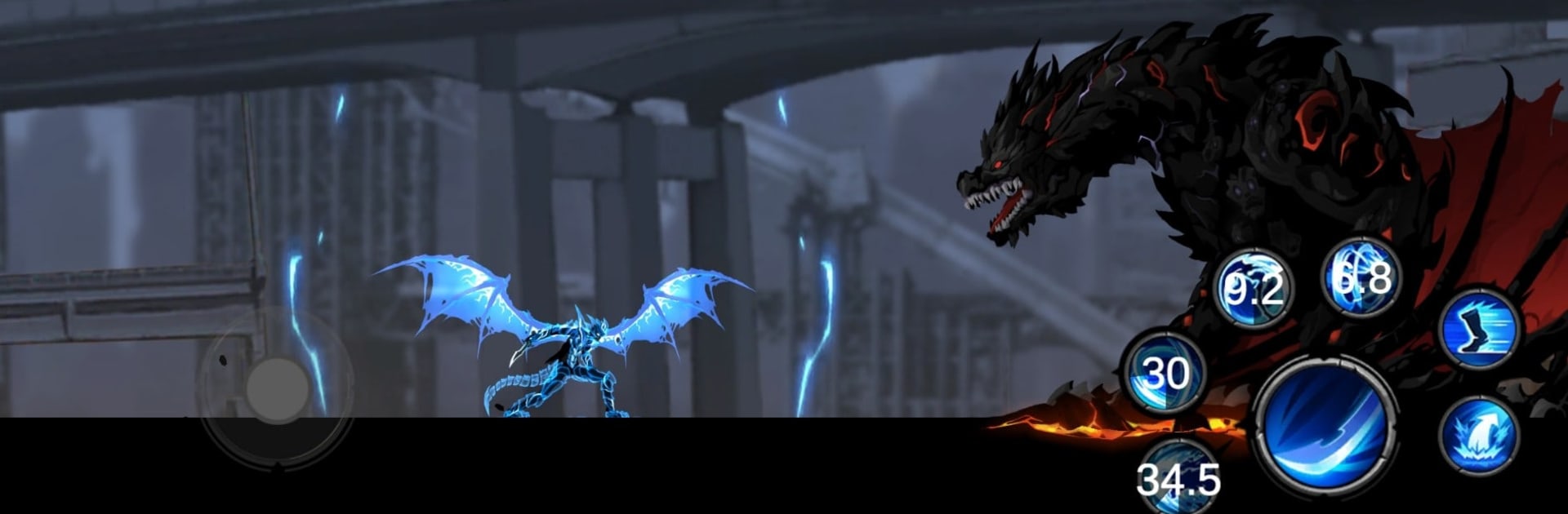
Shadow Lord: Legends Knight

Shadow Lord: Legends Knight

Action

| Casual Media Game

Play on PC with BlueStacks or from our cloud

  • Overview
  • Game Features
  • How to Play

Page Modified On: October 10, 2025

Play Shadow Lord: Legends Knight on PC or Mac

From the innovators and creators at Casual Media Game, Shadow Lord: Legends Knight is another fun addition to the World of Action games. Go beyond your mobile screen and play it bigger and better on your PC or Mac. An immersive experience awaits you.

About the Game

Shadow Lord: Legends Knight is a snappy Action RPG from Casual Media Game that throws you into fast, stylish battles as a stealthy warrior of the shadows. It’s all about slicing through monsters, avoiding nasty surprises, and tuning your build until it feels unstoppable. Expect tight fights, dramatic skills, and plenty of reasons to jump back into one more dungeon.

Game Features

  • Satisfying combat flow: String together quick combos, time your moves, and drop powerful skills to wipe out waves of enemies and boss threats.
  • Gear that actually matters: Upgrade weapons, armor, and core attributes, then slot in auxiliary spells to tweak your playstyle. Accessories add even more punch—and sharper-looking outfits as you progress.
  • Smart tactics, real payoffs: Traps, ambushes, and brutal enemy types keep you thinking. Pick your moments, manage cooldowns, and turn bad situations into highlight reels.
  • Diverse maps to conquer: Cut through blazing hellscapes, dense jungles, icy ruins, and moody night-shadow zones. Each area changes how you move and fight.
  • Clear goals, steady unlocks: Beat stages to open new routes and tougher challenges. The path forward is always tempting—and a little dangerous.
  • Leaderboards that matter: Compare runs and show off your mastery. If you’ve got the skills, the rankings will prove it.
  • Play anywhere, even offline: No connection? No worries—slay monsters on the go without missing a beat.
  • PC-friendly option: Prefer a bigger screen and precise controls? Fire it up on BlueStacks and use your mouse and keyboard for a different feel.

Start your journey now. Download the game on BlueStacks, invite your friends, and march on a new adventure.


Game Features

Enhancements

  • Macros
  • Multi Instance
  • Multi Instance Sync
  • Eco Mode
  • Enhancements
Macros

Macros

Skip the boring parts of a game. Play Shadow Lord: Legends Knight with Macros and get the edge. Simply record a sequence of commands and execute them at any moment.
Multi Instance

Multi Instance

Why limit to one game on your phone when you can play many on your PC? Open multiple instances of Shadow Lord: Legends Knight at once with Multi-Instance. Leverage the power of different accounts by doing more.
Multi Instance Sync

Multi Instance Sync

Get the best out of Shadow Lord: Legends Knight with Multi-Instance Sync. Play the game from different accounts and build your own empire. Use Multi-instance sync to repeat the action in the main BlueStacks instance on all other instances.
Eco Mode

Eco Mode

Find the rarest heroes by making multiple summons in Shadow Lord: Legends Knight. And while you are at it, reduce your PC’s resource consumption with the Eco Mode. Farm efficiently. Get the best results.
Read More

How to Download and Play Shadow Lord: Legends Knight on PC or Mac

  • Download and install BlueStacks on your PC or Mac

  • Complete Google sign-in to access the Play Store, or do it later

  • Look for Shadow Lord: Legends Knight in the search bar at the top right corner

  • Click to install Shadow Lord: Legends Knight from the search results

  • Complete Google sign-in (if you skipped step 2) to install Shadow Lord: Legends Knight

  • Click the Shadow Lord: Legends Knight icon on the home screen to start playing

video
Watch Video

Minimum System Requirements

With BlueStacks 5, you can get started on a PC that fulfills the following requirements.

  • Operating System

    Microsoft Windows 7 or above, macOS 11 (Big Sur) or above

  • Processor

    Intel, AMD or Apple Silicon Processor

  • RAM

    at least 4GB

  • HDD

    10GB Free Disk Space

Note:

* You must be an Administrator on your PC. Up to date graphics drivers from Microsoft or the chipset vendor.

Shadow Lord: Legends Knight - FAQs

  • How to play Shadow Lord: Legends Knight on Windows PC & Mac?

    Play Shadow Lord: Legends Knight on your PC or Mac by following these simple steps.

    • Click on 'Play Shadow Lord: Legends Knight on PC’ to download BlueStacks
    • Install it and log-in to Google Play Store
    • Launch and play the game.
  • Why is BlueStacks the fastest and safest platform to play games on PC?

    BlueStacks respects your privacy and is always safe and secure to use. It does not carry any malware, spyware, or any sort of additional software that could harm your PC.

    It is engineered to optimize speed and performance for a seamless gaming experience.

  • What are Shadow Lord: Legends Knight PC requirements?

    Minimum requirement to run Shadow Lord: Legends Knight on your PC

    • OS: Microsoft Windows 7 or above MacOS 11 (Big Sur) or above
    • Processor: Intel, AMD or Apple Silicon Processor
    • RAM: Your PC must have at least 4GB of RAM. (Note that having 4GB or more disk space is not a substitute for RAM)
    • HDD: 10GB Free Disk Space.
    • You must be an Administrator on your PC.