Ship Busters
Ship Busters

Ship Busters

Action

| Aventa23

Play on PC with BlueStacks or from our cloud

  • Overview
  • Game Features
  • How to Play

Page Modified On: September 07, 2026

Play Ship Busters on PC or Mac

Ship Busters brings the Action genre to life, and throws up exciting challenges for gamers. Developed by Aventa23, this Android game is best experienced on BlueStacks, the World’s #1 app player for PC and Mac users.

About the Game

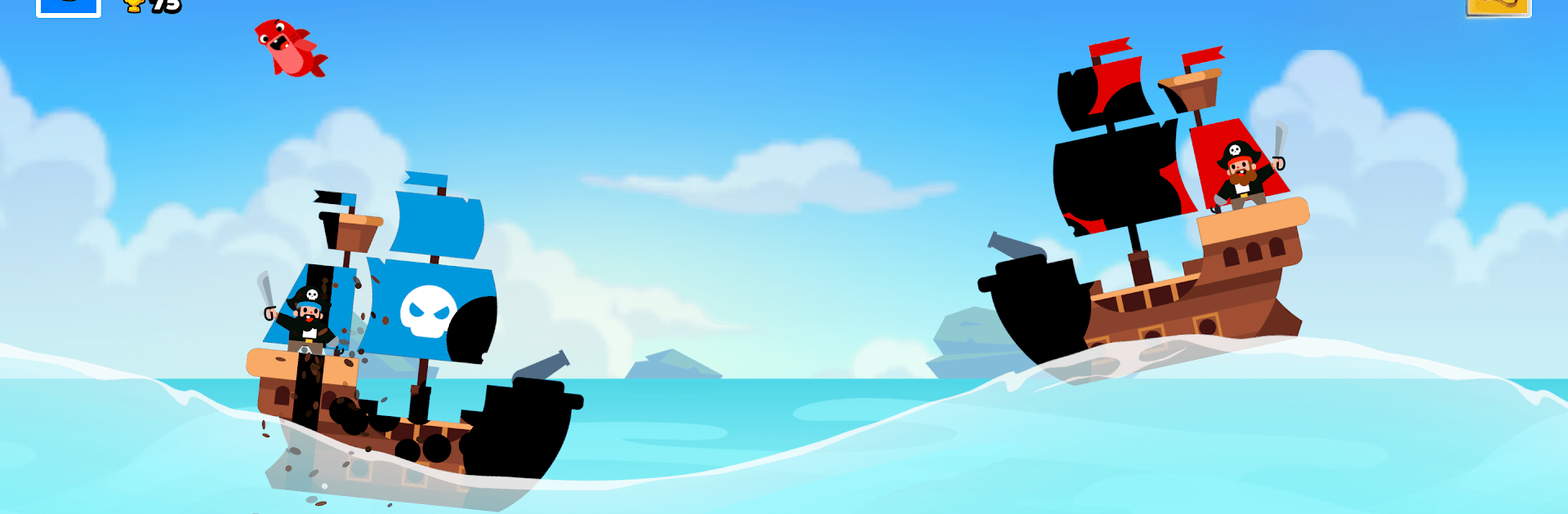
Ship Busters is fast, salty, and a little chaotic in the best way—an Action game where naval duels hinge on timing, aim, and a dash of pirate nerve. You’ll juggle different cannon types, read the waves, and send scrappy crew members to harass enemy decks until the other ship slips under. Prefer a bigger view of the battlefield? It runs smoothly on PC with BlueStacks.

Game Features

  • Smart Aiming: Line up your shots, watch the swells, and pick out weak points to cripple your opponent’s ship piece by piece.
  • Ammo That Matters: Swap between heavy cannonballs, close-range grapeshot, and rigging-shredding chain shot—each shines in the right moment.
  • Waves As Weapons: The sea never sits still; use rising crests and timing to arc shots perfectly or sneak hits into exposed sections.
  • Send the Crew: Recruit oddball pirates with unique perks, then board to sabotage hulls, rattle gunners, and turn pressure into panic.
  • Upgrade Your Ride: Earn spoils and boost hull strength, stability, and more; unlock fresh vessels built for nastier encounters.
  • Chaotic Encounters: Portals that beef up or shrink shots, sneaky seabed mines, and a few hungry sharks keep every skirmish unpredictable.
  • Trophies & Tough Foes: Challenge stronger captains, collect trophies, and expand your arsenal as you rise through the cutthroat ranks.

Start your journey now. Download the game on BlueStacks, invite your friends, and march on a new adventure.


Game Features

Enhancements

  • Macros
  • Multi Instance
  • Multi Instance Sync
  • Eco Mode
  • Enhancements
Macros

Macros

Skip the boring parts of a game. Play Ship Busters with Macros and get the edge. Simply record a sequence of commands and execute them at any moment.
Multi Instance

Multi Instance

Why limit to one game on your phone when you can play many on your PC? Open multiple instances of Ship Busters at once with Multi-Instance. Leverage the power of different accounts by doing more.
Multi Instance Sync

Multi Instance Sync

Get the best out of Ship Busters with Multi-Instance Sync. Play the game from different accounts and build your own empire. Use Multi-instance sync to repeat the action in the main BlueStacks instance on all other instances.
Eco Mode

Eco Mode

Find the rarest heroes by making multiple summons in Ship Busters. And while you are at it, reduce your PC’s resource consumption with the Eco Mode. Farm efficiently. Get the best results.
Read More

How to Download and Play Ship Busters on PC or Mac

  • Download and install BlueStacks on your PC or Mac

  • Complete Google sign-in to access the Play Store, or do it later

  • Look for Ship Busters in the search bar at the top right corner

  • Click to install Ship Busters from the search results

  • Complete Google sign-in (if you skipped step 2) to install Ship Busters

  • Click the Ship Busters icon on the home screen to start playing

video
Watch Video

Minimum System Requirements

With BlueStacks 5, you can get started on a PC that fulfills the following requirements.

  • Operating System

    Microsoft Windows 7 or above, macOS 11 (Big Sur) or above

  • Processor

    Intel, AMD or Apple Silicon Processor

  • RAM

    at least 4GB

  • HDD

    10GB Free Disk Space

Note:

* You must be an Administrator on your PC. Up to date graphics drivers from Microsoft or the chipset vendor.

Ship Busters - FAQs

  • How to play Ship Busters on Windows PC & Mac?

    Play Ship Busters on your PC or Mac by following these simple steps.

    • Click on 'Play Ship Busters on PC’ to download BlueStacks
    • Install it and log-in to Google Play Store
    • Launch and play the game.
  • Why is BlueStacks the fastest and safest platform to play games on PC?

    BlueStacks respects your privacy and is always safe and secure to use. It does not carry any malware, spyware, or any sort of additional software that could harm your PC.

    It is engineered to optimize speed and performance for a seamless gaming experience.

  • What are Ship Busters PC requirements?

    Minimum requirement to run Ship Busters on your PC

    • OS: Microsoft Windows 7 or above MacOS 11 (Big Sur) or above
    • Processor: Intel, AMD or Apple Silicon Processor
    • RAM: Your PC must have at least 4GB of RAM. (Note that having 4GB or more disk space is not a substitute for RAM)
    • HDD: 10GB Free Disk Space.
    • You must be an Administrator on your PC.