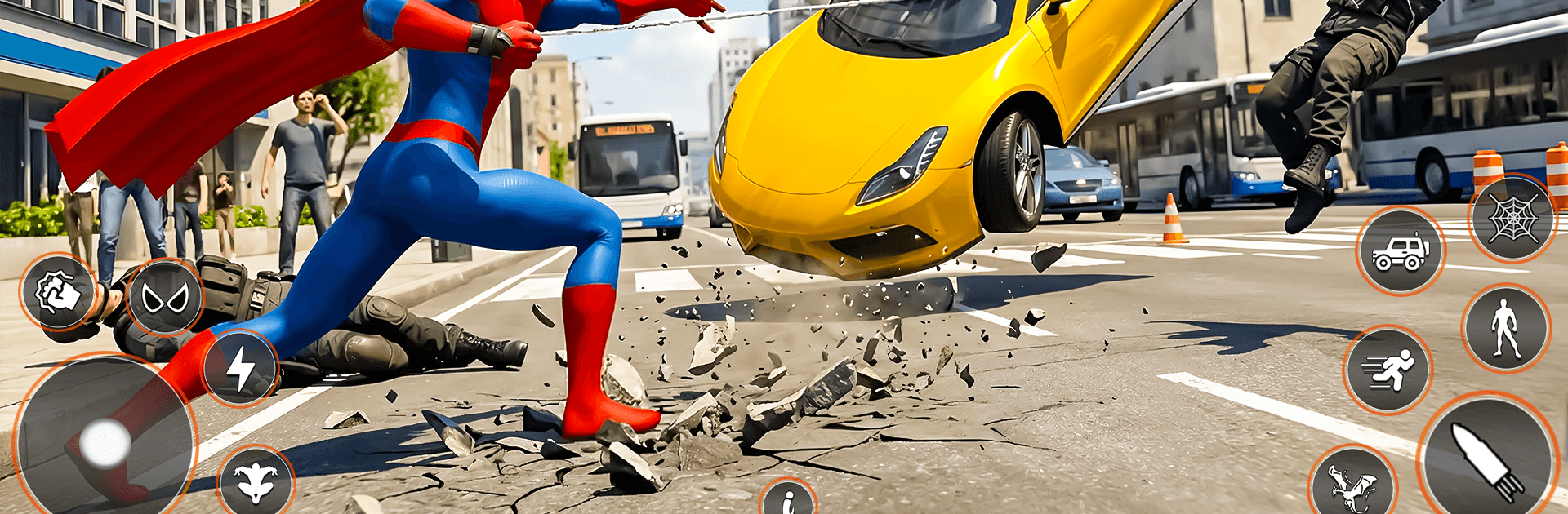
Spider Hero Flying Fight 3D

Spider Hero Flying Fight 3D

Action

| Tip Top Studio

Play on PC with BlueStacks or from our cloud

  • Overview
  • Game Features
  • How to Play

Page Modified On: May 11, 2026

Play Spider Hero Flying Fight 3D on PC or Mac

Join millions to experience Spider Hero Flying Fight 3D, an exciting Action game from Tip Top Studio. With BlueStacks App Player, you are always a step ahead of your opponent, ready to outplay them with faster gameplay and better control with the mouse and keyboard on your PC or Mac.

About the Game

Spider Hero Flying Fight 3D is an Action sandbox from Tip Top Studio that drops you into a bustling city where being a hero is a full-time job. Swing between skyscrapers, soar over traffic, and crash into street brawls the moment trouble starts. It’s a fast, open-world superhero ride with tight combat, big rescues, and loads of ways to move.

Game Features

  • Open-city freedom: Explore a wide, vertical map packed with alleys, rooftops, and highways. Pick your path, chase alerts, or just patrol and see what chaos pops up next.
  • Fly, glide, and swing: Mix high-speed flight with web-slinging to cross blocks in seconds. Thread through towers, glide over rooftops, then drop straight into a fight without missing a beat.
  • Fluid, high-impact combat: Chain punches, kicks, web shots, and aerial takedowns. Swap from ground combos to midair strikes when enemies try to scatter.
  • Rescue with real stakes: Save hostages, stop disasters, and pull off daring recoveries under pressure. Missions shift from quick interventions to tense, multi-step operations.
  • Rope skills that matter: Use your web ropes to zip, yank, and reposition. It’s not just for travel—smart movement turns the tide when you’re outnumbered.
  • Story-driven missions: Follow focused objectives that build tension and raise the challenge, introducing tougher foes and new twists as you go.
  • Criminal variety: Face street gangs, armed thugs, and elite troublemakers that force you to read patterns, react fast, and adapt on the fly.
  • Slick look and feel: Crisp animations and smooth physics make flight and combat feel snappy and responsive.
  • Play your way: Touch controls are tuned for quick reactions, and if you prefer keyboard and mouse, running it on BlueStacks can give you that familiar PC-style setup.

Slay your opponents with your epic moves. Play it your way on BlueStacks and dominate the battlefield.


Game Features

Enhancements

  • Macros
  • Multi Instance
  • Multi Instance Sync
  • Eco Mode
  • Enhancements
Macros

Macros

Skip the boring parts of a game. Play Spider Hero Flying Fight 3D with Macros and get the edge. Simply record a sequence of commands and execute them at any moment.
Multi Instance

Multi Instance

Why limit to one game on your phone when you can play many on your PC? Open multiple instances of Spider Hero Flying Fight 3D at once with Multi-Instance. Leverage the power of different accounts by doing more.
Multi Instance Sync

Multi Instance Sync

Get the best out of Spider Hero Flying Fight 3D with Multi-Instance Sync. Play the game from different accounts and build your own empire. Use Multi-instance sync to repeat the action in the main BlueStacks instance on all other instances.
Eco Mode

Eco Mode

Find the rarest heroes by making multiple summons in Spider Hero Flying Fight 3D. And while you are at it, reduce your PC’s resource consumption with the Eco Mode. Farm efficiently. Get the best results.
Read More

How to Download and Play Spider Hero Flying Fight 3D on PC or Mac

  • Download and install BlueStacks on your PC or Mac

  • Complete Google sign-in to access the Play Store, or do it later

  • Look for Spider Hero Flying Fight 3D in the search bar at the top right corner

  • Click to install Spider Hero Flying Fight 3D from the search results

  • Complete Google sign-in (if you skipped step 2) to install Spider Hero Flying Fight 3D

  • Click the Spider Hero Flying Fight 3D icon on the home screen to start playing

video
Watch Video

Minimum System Requirements

With BlueStacks 5, you can get started on a PC that fulfills the following requirements.

  • Operating System

    Microsoft Windows 7 or above, macOS 11 (Big Sur) or above

  • Processor

    Intel, AMD or Apple Silicon Processor

  • RAM

    at least 4GB

  • HDD

    10GB Free Disk Space

Note:

* You must be an Administrator on your PC. Up to date graphics drivers from Microsoft or the chipset vendor.

Spider Hero Flying Fight 3D - FAQs

  • How to play Spider Hero Flying Fight 3D on Windows PC & Mac?

    Play Spider Hero Flying Fight 3D on your PC or Mac by following these simple steps.

    • Click on 'Play Spider Hero Flying Fight 3D on PC’ to download BlueStacks
    • Install it and log-in to Google Play Store
    • Launch and play the game.
  • Why is BlueStacks the fastest and safest platform to play games on PC?

    BlueStacks respects your privacy and is always safe and secure to use. It does not carry any malware, spyware, or any sort of additional software that could harm your PC.

    It is engineered to optimize speed and performance for a seamless gaming experience.

  • What are Spider Hero Flying Fight 3D PC requirements?

    Minimum requirement to run Spider Hero Flying Fight 3D on your PC

    • OS: Microsoft Windows 7 or above MacOS 11 (Big Sur) or above
    • Processor: Intel, AMD or Apple Silicon Processor
    • RAM: Your PC must have at least 4GB of RAM. (Note that having 4GB or more disk space is not a substitute for RAM)
    • HDD: 10GB Free Disk Space.
    • You must be an Administrator on your PC.