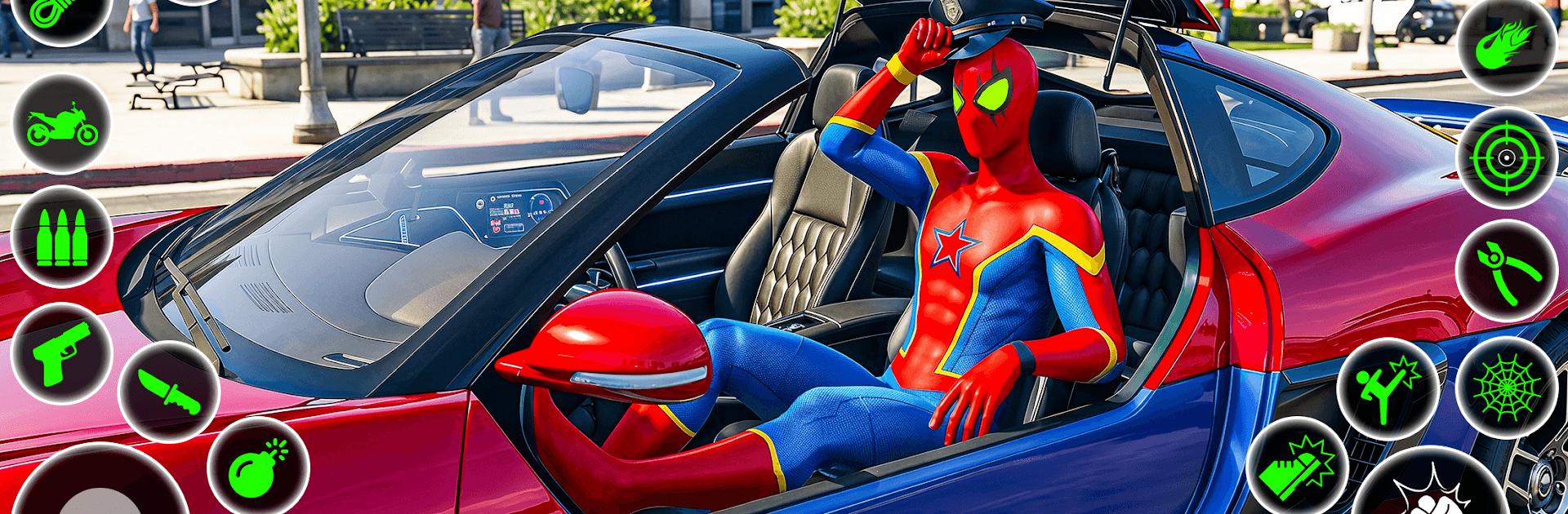
Spider Hero: Open World Games

Spider Hero: Open World Games

Action

| Sehru Tec

Play on PC with BlueStacks or from our cloud

  • Overview
  • Game Features
  • How to Play

Page Modified On: October 21, 2026

Play Spider Hero: Open World Games on PC or Mac

Bring your A-game to Spider Hero: Open World Games, the Action game sensation from Sehru Tec. Give your gameplay the much-needed boost with precise game controls, high FPS graphics, and top-tier features on your PC or Mac with BlueStacks.

About the Game

Swing through a bustling city, stop street gangs in their tracks, and play the hero your neighborhood needs in Spider Hero: Open World Games. This Action sandbox is all about freedom—cruising between skyscrapers, brawling in alleyways, and jumping into fast missions whenever you feel like it. Want an even smoother ride with a bigger view? It plays great on BlueStacks.

Game Features

  • Web-Swinging Freedom: Soar between towers with a responsive web line that lets you zip across districts in seconds.
  • Vertical Parkour: Run up walls, cling to glass, and chain rooftop jumps without losing momentum.
  • Street-Focused Missions: Tackle quick chases, rescue calls, and takedown jobs that shift from pursuit to brawl in a heartbeat.
  • Responsive Combat: String together crisp combos and aerial slams to scatter gangs and shut down tough enemies.
  • Progression That Matters: Unlock fresh abilities and traversal boosts that open shortcuts and new ways to approach fights.
  • Expansive City Playground: Explore broad avenues, tight alleys, and high-rise rooftops packed with spontaneous encounters.
  • Pick-Your-Route Freedom: Bounce between main objectives and side gigs, or just free-roam for the pure joy of swinging.
  • Intuitive Controls: Snappy movement and a clear camera make web travel and close-quarters scraps feel natural.
  • Citizen First: Patrol busy blocks and step in when trouble pops off, from muggings to surprise ambushes.

Get ready for a buttery smooth, high-performance gaming action only on BlueStacks.

Game Features

Enhancements

  • Macros
  • Multi Instance
  • Multi Instance Sync
  • Eco Mode
  • Enhancements
Macros

Macros

Skip the boring parts of a game. Play Spider Hero: Open World Games with Macros and get the edge. Simply record a sequence of commands and execute them at any moment.
Multi Instance

Multi Instance

Why limit to one game on your phone when you can play many on your PC? Open multiple instances of Spider Hero: Open World Games at once with Multi-Instance. Leverage the power of different accounts by doing more.
Multi Instance Sync

Multi Instance Sync

Get the best out of Spider Hero: Open World Games with Multi-Instance Sync. Play the game from different accounts and build your own empire. Use Multi-instance sync to repeat the action in the main BlueStacks instance on all other instances.
Eco Mode

Eco Mode

Find the rarest heroes by making multiple summons in Spider Hero: Open World Games. And while you are at it, reduce your PC’s resource consumption with the Eco Mode. Farm efficiently. Get the best results.
Read More

How to Download and Play Spider Hero: Open World Games on PC or Mac

  • Download and install BlueStacks on your PC or Mac

  • Complete Google sign-in to access the Play Store, or do it later

  • Look for Spider Hero: Open World Games in the search bar at the top right corner

  • Click to install Spider Hero: Open World Games from the search results

  • Complete Google sign-in (if you skipped step 2) to install Spider Hero: Open World Games

  • Click the Spider Hero: Open World Games icon on the home screen to start playing

video
Watch Video

Minimum System Requirements

With BlueStacks 5, you can get started on a PC that fulfills the following requirements.

  • Operating System

    Microsoft Windows 7 or above, macOS 11 (Big Sur) or above

  • Processor

    Intel, AMD or Apple Silicon Processor

  • RAM

    at least 4GB

  • HDD

    10GB Free Disk Space

Note:

* You must be an Administrator on your PC. Up to date graphics drivers from Microsoft or the chipset vendor.

Spider Hero: Open World Games - FAQs

  • How to play Spider Hero: Open World Games on Windows PC & Mac?

    Play Spider Hero: Open World Games on your PC or Mac by following these simple steps.

    • Click on 'Play Spider Hero: Open World Games on PC’ to download BlueStacks
    • Install it and log-in to Google Play Store
    • Launch and play the game.
  • Why is BlueStacks the fastest and safest platform to play games on PC?

    BlueStacks respects your privacy and is always safe and secure to use. It does not carry any malware, spyware, or any sort of additional software that could harm your PC.

    It is engineered to optimize speed and performance for a seamless gaming experience.

  • What are Spider Hero: Open World Games PC requirements?

    Minimum requirement to run Spider Hero: Open World Games on your PC

    • OS: Microsoft Windows 7 or above MacOS 11 (Big Sur) or above
    • Processor: Intel, AMD or Apple Silicon Processor
    • RAM: Your PC must have at least 4GB of RAM. (Note that having 4GB or more disk space is not a substitute for RAM)
    • HDD: 10GB Free Disk Space.
    • You must be an Administrator on your PC.