Stickman : Galaxy Wars

Stickman : Galaxy Wars

Action

| Surgio Killa

Play on PC with BlueStacks or from our cloud

  • Overview
  • Game Features
  • How to Play

Page Modified On: June 18, 2025

Play Stickman : Galaxy Wars on PC or Mac

Step into the World of Stickman : Galaxy Wars, a thrilling Action game from the house of Surgio Killa. Play this Android game on BlueStacks App Player and experience immersive gaming on PC or Mac.

About the Game

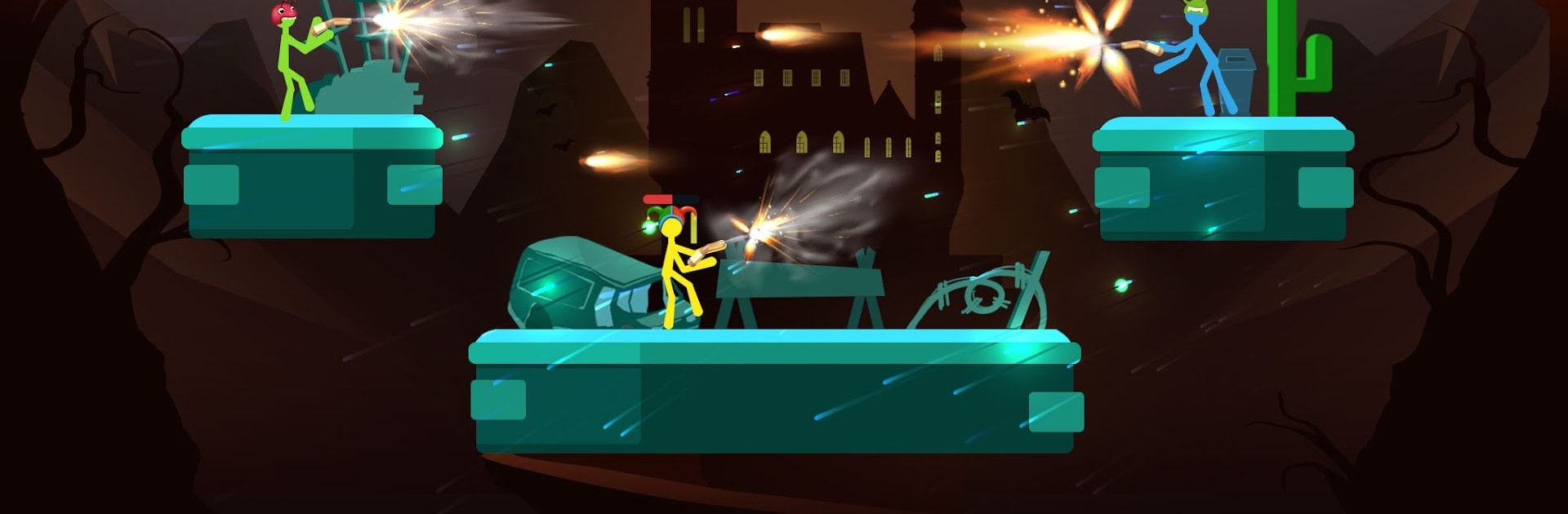
Stickman : Galaxy Wars throws you straight into the chaos of intergalactic action, where you get to step into the boots of a superpowered stickman hero. Are you ready to face off against the universe’s most dangerous villains and protect Earth? With its fast-paced style, tons of heroes, and plenty to unlock, there’s always something new waiting around the corner.

Game Features

  • Total Superhero Chaos
    Choose from an impressive roster of stickman superheroes, each with their own wild powers and unique moves. Fancy teleporting behind a foe or blasting them with special attacks? Go for it.

  • Easy Controls, Big Moves
    You’ve got all the essentials—a joystick plus a handful of buttons to pull off blocks, basic attacks, or powerful special abilities. Anybody can pick it up, whether you want to play casually or really master your combos.

  • Multiple Game Modes
    Boredom isn’t an option here. Jump into a story mode with a cosmic storyline, face other players in online PvP battles for leaderboard bragging rights, dive into survival mode for endless waves of enemies, or compete in a brutal 16-hero tournament for ultimate victory.

  • Upgrade and Unlock
    Earn coins and cash by battling your way through missions and fights. Use your rewards to power up your favorite heroes, unlock their next powerful forms, or snag new warriors for your collection.

  • Collect Them All
    Preview hero skills before you buy, mix and match your lineup, and work toward building the most unstoppable stickman team the galaxy has ever seen.

  • Spin for Surprises
    Hit the lucky wheel for free spins and grab surprise rewards. You never know what you’ll get—it’s always worth a shot.

  • Play Anywhere, Anytime
    No network? No problem. The game runs perfectly offline, so you can keep saving the universe even if you’re out of signal.

  • Quests, Gifts, and Rewards
    There are daily quests to tackle, milestones to hit, and plenty of free coins and cash tossed your way just for showing up. Stick with it and reap the extras.

For those who like using a keyboard and mouse, Stickman : Galaxy Wars runs great on BlueStacks as well.

Slay your opponents with your epic moves. Play it your way on BlueStacks and dominate the battlefield.


Game Features

Enhancements

  • Macros
  • Multi Instance
  • Multi Instance Sync
  • Eco Mode
  • Enhancements
Macros

Macros

Skip the boring parts of a game. Play Stickman : Galaxy Wars with Macros and get the edge. Simply record a sequence of commands and execute them at any moment.
Multi Instance

Multi Instance

Why limit to one game on your phone when you can play many on your PC? Open multiple instances of Stickman : Galaxy Wars at once with Multi-Instance. Leverage the power of different accounts by doing more.
Multi Instance Sync

Multi Instance Sync

Get the best out of Stickman : Galaxy Wars with Multi-Instance Sync. Play the game from different accounts and build your own empire. Use Multi-instance sync to repeat the action in the main BlueStacks instance on all other instances.
Eco Mode

Eco Mode

Find the rarest heroes by making multiple summons in Stickman : Galaxy Wars. And while you are at it, reduce your PC’s resource consumption with the Eco Mode. Farm efficiently. Get the best results.
Read More

How to Download and Play Stickman : Galaxy Wars on PC or Mac

  • Download and install BlueStacks on your PC or Mac

  • Complete Google sign-in to access the Play Store, or do it later

  • Look for Stickman : Galaxy Wars in the search bar at the top right corner

  • Click to install Stickman : Galaxy Wars from the search results

  • Complete Google sign-in (if you skipped step 2) to install Stickman : Galaxy Wars

  • Click the Stickman : Galaxy Wars icon on the home screen to start playing

video
Watch Video

Minimum System Requirements

With BlueStacks 5, you can get started on a PC that fulfills the following requirements.

  • Operating System

    Microsoft Windows 7 or above, macOS 11 (Big Sur) or above

  • Processor

    Intel, AMD or Apple Silicon Processor

  • RAM

    at least 4GB

  • HDD

    10GB Free Disk Space

Note:

* You must be an Administrator on your PC. Up to date graphics drivers from Microsoft or the chipset vendor.

Stickman : Galaxy Wars - FAQs

  • How to play Stickman : Galaxy Wars on Windows PC & Mac?

    Play Stickman : Galaxy Wars on your PC or Mac by following these simple steps.

    • Click on 'Play Stickman : Galaxy Wars on PC’ to download BlueStacks
    • Install it and log-in to Google Play Store
    • Launch and play the game.
  • Why is BlueStacks the fastest and safest platform to play games on PC?

    BlueStacks respects your privacy and is always safe and secure to use. It does not carry any malware, spyware, or any sort of additional software that could harm your PC.

    It is engineered to optimize speed and performance for a seamless gaming experience.

  • What are Stickman : Galaxy Wars PC requirements?

    Minimum requirement to run Stickman : Galaxy Wars on your PC

    • OS: Microsoft Windows 7 or above MacOS 11 (Big Sur) or above
    • Processor: Intel, AMD or Apple Silicon Processor
    • RAM: Your PC must have at least 4GB of RAM. (Note that having 4GB or more disk space is not a substitute for RAM)
    • HDD: 10GB Free Disk Space.
    • You must be an Administrator on your PC.