Tanks Playground
Tanks Playground

Tanks Playground

Action

| Alexey | Solo Dev.

Play on PC with BlueStacks or from our cloud

  • Overview
  • Game Features
  • How to Play

Page Modified On: August 14, 2026

Play Tanks Playground on PC or Mac

Tanks Playground brings the Action genre to life, and throws up exciting challenges for gamers. Developed by Alexey | Solo Dev., this Android game is best experienced on BlueStacks, the World’s #1 app player for PC and Mac users.

About the Game

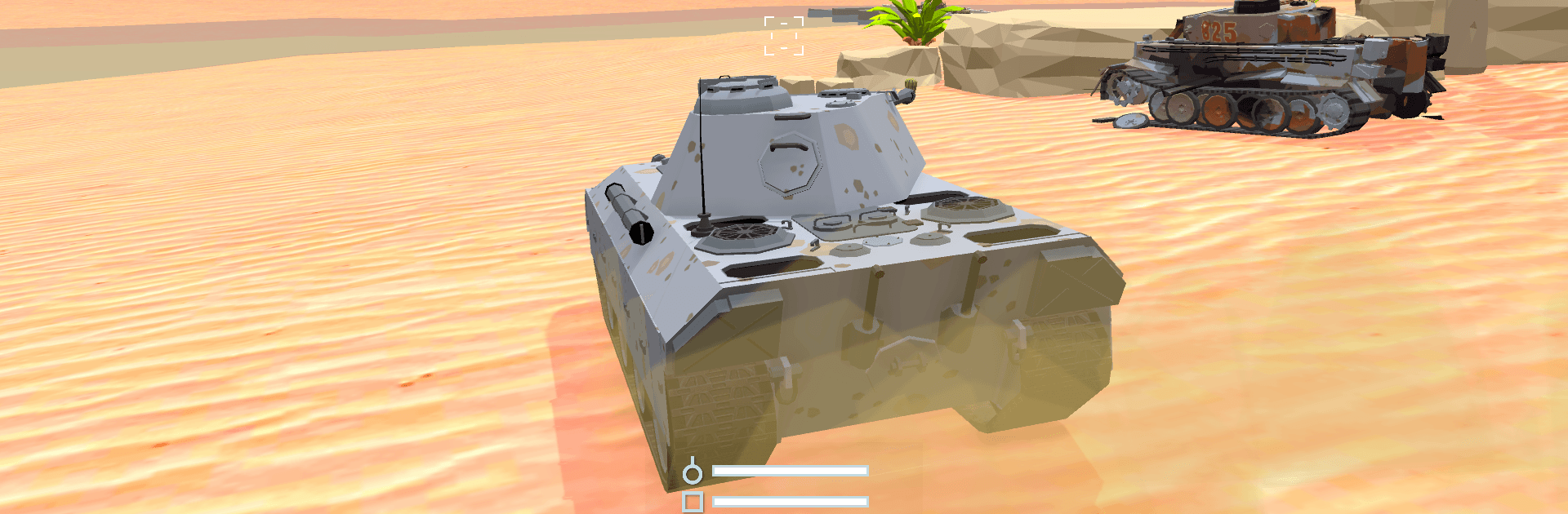
Tanks Playground is a punchy Action experience built around tanks that feel heavy, loud, and wonderfully tricky to master. You’ll command classics from early wars and modern beasts alike, landing shots that arc, ricochet, and punch through armor thanks to physics that actually matter. The community has a real voice here—players pitch ideas, the creator listens, and updates often grow out of those conversations. It also plays great on a bigger screen with BlueStacks.

Game Features

  • Big tank lineup: Roll out with 30+ machines, from historical icons to cutting-edge armor, each with its own quirks and playstyle.
  • Real gunnery physics: Shots can penetrate, bounce, and lose power over distance—positioning and angles count, not just trigger speed.
  • Luck-based cases: Pop open cases, spin roulettes, and crack containers to snag rare collectibles and gear pieces for your hangar.
  • Clan action: Team up in organized groups, coordinate tactics, and chase collective milestones with your crew.
  • Progression boosts: Use boosters and certificates to speed research, fine-tune builds, and get promising setups battle-ready faster.
  • Shared strategy: Tinker with loadouts, compare notes, and learn from other tankers to sharpen your approach match by match.
  • Leaderboards that matter: Climb rankings, study rivals, and prove your favorite setup can hold the top spot.
  • Player-shaped updates: The roadmap shifts with community feedback, so new tweaks and content feel aligned with how people actually play.

Get ready for a buttery smooth, high-performance gaming action only on BlueStacks.

Game Features

Enhancements

  • Macros
  • Multi Instance
  • Multi Instance Sync
  • Eco Mode
  • Enhancements
Macros

Macros

Skip the boring parts of a game. Play Tanks Playground with Macros and get the edge. Simply record a sequence of commands and execute them at any moment.
Multi Instance

Multi Instance

Why limit to one game on your phone when you can play many on your PC? Open multiple instances of Tanks Playground at once with Multi-Instance. Leverage the power of different accounts by doing more.
Multi Instance Sync

Multi Instance Sync

Get the best out of Tanks Playground with Multi-Instance Sync. Play the game from different accounts and build your own empire. Use Multi-instance sync to repeat the action in the main BlueStacks instance on all other instances.
Eco Mode

Eco Mode

Find the rarest heroes by making multiple summons in Tanks Playground. And while you are at it, reduce your PC’s resource consumption with the Eco Mode. Farm efficiently. Get the best results.
Read More

How to Download and Play Tanks Playground on PC or Mac

  • Download and install BlueStacks on your PC or Mac

  • Complete Google sign-in to access the Play Store, or do it later

  • Look for Tanks Playground in the search bar at the top right corner

  • Click to install Tanks Playground from the search results

  • Complete Google sign-in (if you skipped step 2) to install Tanks Playground

  • Click the Tanks Playground icon on the home screen to start playing

video
Watch Video

Minimum System Requirements

With BlueStacks 5, you can get started on a PC that fulfills the following requirements.

  • Operating System

    Microsoft Windows 7 or above, macOS 11 (Big Sur) or above

  • Processor

    Intel, AMD or Apple Silicon Processor

  • RAM

    at least 4GB

  • HDD

    10GB Free Disk Space

Note:

* You must be an Administrator on your PC. Up to date graphics drivers from Microsoft or the chipset vendor.

Tanks Playground - FAQs

  • How to play Tanks Playground on Windows PC & Mac?

    Play Tanks Playground on your PC or Mac by following these simple steps.

    • Click on 'Play Tanks Playground on PC’ to download BlueStacks
    • Install it and log-in to Google Play Store
    • Launch and play the game.
  • Why is BlueStacks the fastest and safest platform to play games on PC?

    BlueStacks respects your privacy and is always safe and secure to use. It does not carry any malware, spyware, or any sort of additional software that could harm your PC.

    It is engineered to optimize speed and performance for a seamless gaming experience.

  • What are Tanks Playground PC requirements?

    Minimum requirement to run Tanks Playground on your PC

    • OS: Microsoft Windows 7 or above MacOS 11 (Big Sur) or above
    • Processor: Intel, AMD or Apple Silicon Processor
    • RAM: Your PC must have at least 4GB of RAM. (Note that having 4GB or more disk space is not a substitute for RAM)
    • HDD: 10GB Free Disk Space.
    • You must be an Administrator on your PC.