Son Korsan Pirate MMO

Son Korsan Pirate MMO

Action

| Consala International Inc

Play on PC with BlueStacks or from our cloud

  • Overview
  • Game Features
  • How to Play

Page Modified On: August 29, 2025

Play Son Korsan Pirate MMO on PC or Mac

Step into the World of Son Korsan Pirate MMO, a thrilling Action game from the house of Consala International Inc. Play this Android game on BlueStacks App Player and experience immersive gaming on PC or Mac.

About the Game

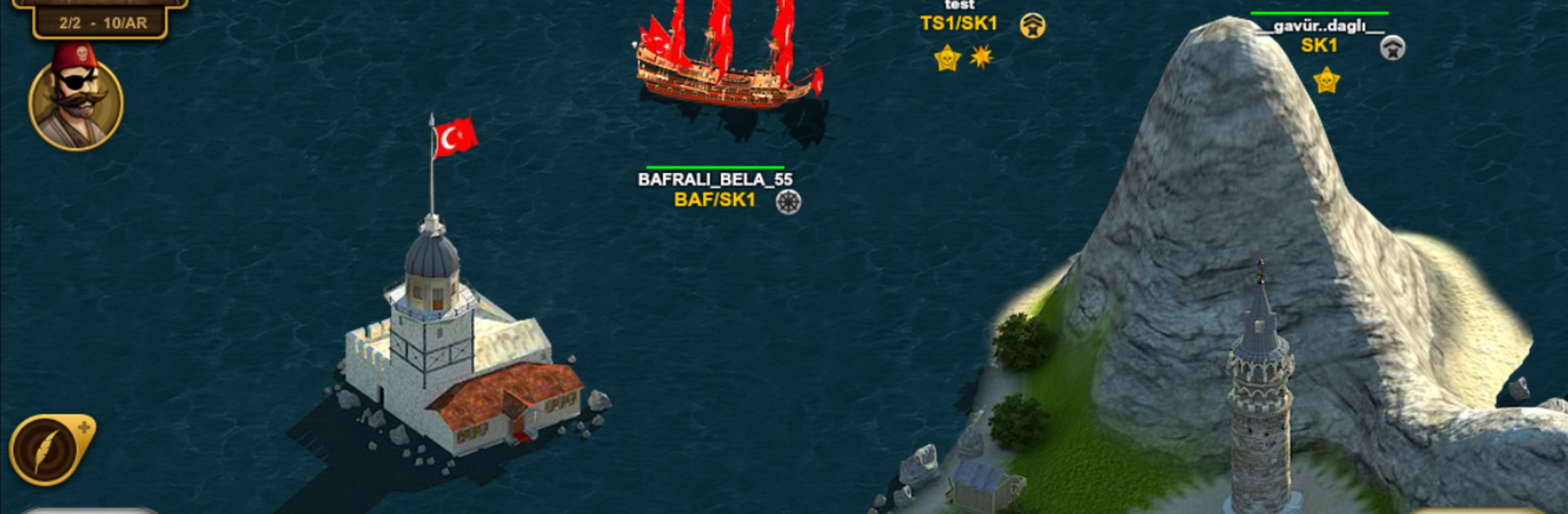
Set your course for chaos and glory in Son Korsan Pirate MMO. This Action sea battler from Consala International Inc hands you the wheel of a scrappy starter ship and dares you to turn it into a floating nightmare for anyone in your path. Sail with friends, scheme with guilds, and make your name echo across the map—one raid, one treasure haul, one hard-won fight at a time.

Game Features

  • Massive ocean playground: Roam a sprawling, detailed map packed with hotspots, hidden routes, and dangerous waters that reward bold captains.
  • Ship upgrades that matter: Reinforce your hull, boost speed, and sharpen your firepower to outpace, outgun, and outlast rival crews.
  • PvP on your terms: Ambush lone ships, jump into 5v5 arena battles, or brawl in fast deathmatch quests when you’re itching for a scrap.
  • Guild warfare and strategy: Form a fleet, plan coordinated strikes, and wrest control of key islands with well-timed assaults.
  • Quests and raids: Hunt system-controlled ships, raid trade routes, and complete missions that keep your coffers full and your crew busy.
  • Treasure hunts: Collect map fragments and chase down buried riches like any self-respecting pirate would.
  • Event variety: Try modes like Capture the Flag, Octopus, and Conquer the Island for fresh twists on naval combat.
  • Trade to thrive: Run goods, flip profits, and fund your next big cannon upgrade—or three.
  • Daily rewards: Log in regularly to snag useful prizes and keep your momentum rolling.
  • Smooth on PC with BlueStacks: Prefer a keyboard and mouse for precision broadsides? You can play it comfortably on BlueStacks.

Get ready for a buttery smooth, high-performance gaming action only on BlueStacks.

Game Features

Enhancements

  • Macros
  • Multi Instance
  • Multi Instance Sync
  • Eco Mode
  • Enhancements
Macros

Macros

Skip the boring parts of a game. Play Son Korsan Pirate MMO with Macros and get the edge. Simply record a sequence of commands and execute them at any moment.
Multi Instance

Multi Instance

Why limit to one game on your phone when you can play many on your PC? Open multiple instances of Son Korsan Pirate MMO at once with Multi-Instance. Leverage the power of different accounts by doing more.
Multi Instance Sync

Multi Instance Sync

Get the best out of Son Korsan Pirate MMO with Multi-Instance Sync. Play the game from different accounts and build your own empire. Use Multi-instance sync to repeat the action in the main BlueStacks instance on all other instances.
Eco Mode

Eco Mode

Find the rarest heroes by making multiple summons in Son Korsan Pirate MMO. And while you are at it, reduce your PC’s resource consumption with the Eco Mode. Farm efficiently. Get the best results.
Read More

How to Download and Play Son Korsan Pirate MMO on PC or Mac

  • Download and install BlueStacks on your PC or Mac

  • Complete Google sign-in to access the Play Store, or do it later

  • Look for Son Korsan Pirate MMO in the search bar at the top right corner

  • Click to install Son Korsan Pirate MMO from the search results

  • Complete Google sign-in (if you skipped step 2) to install Son Korsan Pirate MMO

  • Click the Son Korsan Pirate MMO icon on the home screen to start playing

video
Watch Video

Minimum System Requirements

With BlueStacks 5, you can get started on a PC that fulfills the following requirements.

  • Operating System

    Microsoft Windows 7 or above, macOS 11 (Big Sur) or above

  • Processor

    Intel, AMD or Apple Silicon Processor

  • RAM

    at least 4GB

  • HDD

    10GB Free Disk Space

Note:

* You must be an Administrator on your PC. Up to date graphics drivers from Microsoft or the chipset vendor.

Son Korsan Pirate MMO - FAQs

  • How to play Son Korsan Pirate MMO on Windows PC & Mac?

    Play Son Korsan Pirate MMO on your PC or Mac by following these simple steps.

    • Click on 'Play Son Korsan Pirate MMO on PC’ to download BlueStacks
    • Install it and log-in to Google Play Store
    • Launch and play the game.
  • Why is BlueStacks the fastest and safest platform to play games on PC?

    BlueStacks respects your privacy and is always safe and secure to use. It does not carry any malware, spyware, or any sort of additional software that could harm your PC.

    It is engineered to optimize speed and performance for a seamless gaming experience.

  • What are Son Korsan Pirate MMO PC requirements?

    Minimum requirement to run Son Korsan Pirate MMO on your PC

    • OS: Microsoft Windows 7 or above MacOS 11 (Big Sur) or above
    • Processor: Intel, AMD or Apple Silicon Processor
    • RAM: Your PC must have at least 4GB of RAM. (Note that having 4GB or more disk space is not a substitute for RAM)
    • HDD: 10GB Free Disk Space.
    • You must be an Administrator on your PC.