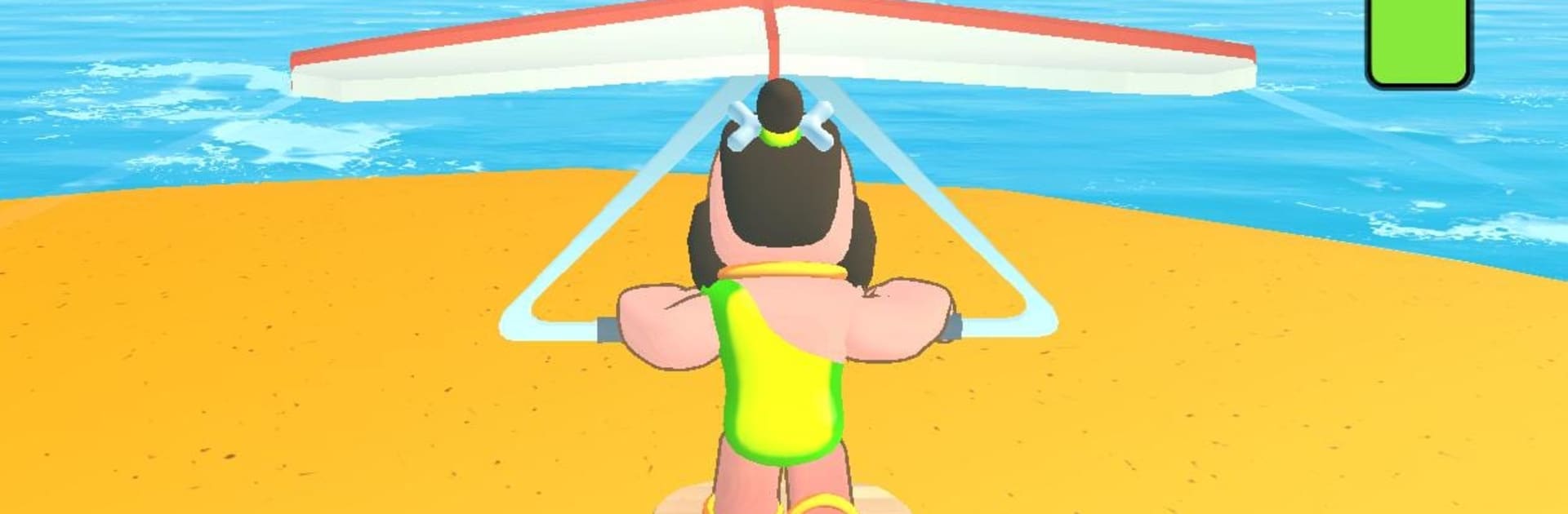
Dino Surf!
Dino Surf!

Dino Surf!

Action

| Tummy Games

Play on PC with BlueStacks or from our cloud

  • Overview
  • Game Features
  • How to Play

Page Modified On: August 15, 2026

Play Dino Surf! on PC or Mac

Dino Surf! brings the Action genre to life, and throws up exciting challenges for gamers. Developed by Tummy Games, this Android game is best experienced on BlueStacks, the World’s #1 app player for PC and Mac users.

About the Game

Dino Surf! is an Action twist on idle-physics fun, where every launch is a little experiment and every landing sparks the urge to try again. You’ll catapult a fearless surfer across Jurassic hills, skim past dinosaurs, and squeeze out more distance with smart tuning. It plays great in quick bursts, and it’s comfy on BlueStacks if you like a bigger view.

Game Features

  • Slingshot Start: Pull back, aim, and send your rider flying. Nail the angle and power to set up a smooth, momentum-packed run.

  • Playful Physics: Expect bouncy, floppy reactions and hilarious wipeouts that still move you forward. It’s goofy, but it matters.

  • Prehistoric Playground: Cruise over rolling, dino-dotted terrain with lava rocks, ridges, and long slopes that reward clean lines.

  • Progress That Sticks: Cash keeps stacking after each attempt—even when you’re away—so upgrades are always within reach.

  • Meaningful Upgrades: Beef up the launcher for stronger takeoffs, then fine-tune your board to cut resistance and hold speed longer.

  • Hands-On Control: Mid-run, you’re not just a passenger. Adjust your stance, keep your balance, and milk every downhill for extra meters.

  • Longer Runs, Bigger Rewards: More speed means farther travel and better payouts, feeding back into smarter improvements.

  • Endlessly Replayable: There’s no finish line—just that steady, satisfying climb as each upgrade nudges your best distance higher.

  • Quick Hop or Long Session: Great for a couple of flings on a break, but it also supports laid-back idle gains when you’re not actively playing.

  • Simple Start, Tricky to Perfect: Easy to learn in seconds, yet chasing that “just one more fling” run never really gets old.

Get ready for a buttery smooth, high-performance gaming action only on BlueStacks.

Game Features

Enhancements

  • Macros
  • Multi Instance
  • Multi Instance Sync
  • Eco Mode
  • Enhancements
Macros

Macros

Skip the boring parts of a game. Play Dino Surf! with Macros and get the edge. Simply record a sequence of commands and execute them at any moment.
Multi Instance

Multi Instance

Why limit to one game on your phone when you can play many on your PC? Open multiple instances of Dino Surf! at once with Multi-Instance. Leverage the power of different accounts by doing more.
Multi Instance Sync

Multi Instance Sync

Get the best out of Dino Surf! with Multi-Instance Sync. Play the game from different accounts and build your own empire. Use Multi-instance sync to repeat the action in the main BlueStacks instance on all other instances.
Eco Mode

Eco Mode

Find the rarest heroes by making multiple summons in Dino Surf!. And while you are at it, reduce your PC’s resource consumption with the Eco Mode. Farm efficiently. Get the best results.
Read More

How to Download and Play Dino Surf! on PC or Mac

  • Download and install BlueStacks on your PC or Mac

  • Complete Google sign-in to access the Play Store, or do it later

  • Look for Dino Surf! in the search bar at the top right corner

  • Click to install Dino Surf! from the search results

  • Complete Google sign-in (if you skipped step 2) to install Dino Surf!

  • Click the Dino Surf! icon on the home screen to start playing

video
Watch Video

Minimum System Requirements

With BlueStacks 5, you can get started on a PC that fulfills the following requirements.

  • Operating System

    Microsoft Windows 7 or above, macOS 11 (Big Sur) or above

  • Processor

    Intel, AMD or Apple Silicon Processor

  • RAM

    at least 4GB

  • HDD

    10GB Free Disk Space

Note:

* You must be an Administrator on your PC. Up to date graphics drivers from Microsoft or the chipset vendor.

Dino Surf! - FAQs

  • How to play Dino Surf! on Windows PC & Mac?

    Play Dino Surf! on your PC or Mac by following these simple steps.

    • Click on 'Play Dino Surf! on PC’ to download BlueStacks
    • Install it and log-in to Google Play Store
    • Launch and play the game.
  • Why is BlueStacks the fastest and safest platform to play games on PC?

    BlueStacks respects your privacy and is always safe and secure to use. It does not carry any malware, spyware, or any sort of additional software that could harm your PC.

    It is engineered to optimize speed and performance for a seamless gaming experience.

  • What are Dino Surf! PC requirements?

    Minimum requirement to run Dino Surf! on your PC

    • OS: Microsoft Windows 7 or above MacOS 11 (Big Sur) or above
    • Processor: Intel, AMD or Apple Silicon Processor
    • RAM: Your PC must have at least 4GB of RAM. (Note that having 4GB or more disk space is not a substitute for RAM)
    • HDD: 10GB Free Disk Space.
    • You must be an Administrator on your PC.