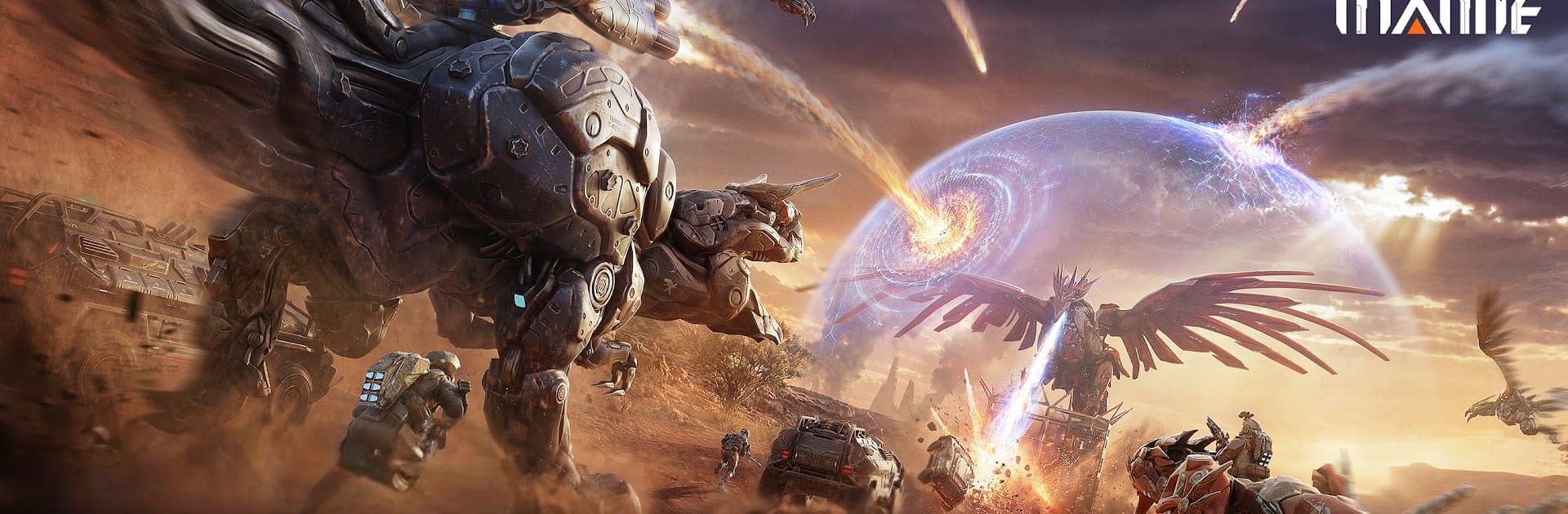
Titanite: Mecha Survival Game

Titanite: Mecha Survival Game

Action

| HK Hero Entertainment Co., Limited

Play on PC with BlueStacks or from our cloud

  • Overview
  • Game Features
  • How to Play

Page Modified On: July 20, 2026

Play Titanite: Mecha Survival Game on PC or Mac

Play Titanite: Mecha Survival Game by HK Hero Entertainment Co., Limited on PC or Mac with BlueStacks. Use a bigger screen, mouse and keyboard controls, and smoother performance while you play.

About the Game

Titanite: Mecha Survival Game is an Action sandbox where you pilot towering machines and risk everything for the big score. One minute you’re hijacking a hostile mech; the next, you’re scrambling to extract before someone wipes your backpack. It’s gritty, fast, and surprisingly creative, blending survival, building, and sweaty PvP shootouts.

Game Features

  • Command and customize Mechas: Hack rogue machines, claim them as your own, and tune them for the job. Heavy siege walkers crack bases, agile fliers scout and harass, and industrial rigs chew through resources so your operation keeps growing.

  • Two worlds, two tempos: Warzone is full-loot PvP—take what you can and expect to lose it all if you go down. Base World is a safe zone for stashing gear, trading, upgrading, and planning your next run. Go all-in or play it steady; it’s your call.

  • Build a fortress that matters: Drop a base anywhere in Base World and turn it into a stronghold with walls, turrets, and smart layouts. Go solo or co-build with friends, from lean starter shelters to sprawling steel citadels with automated defenses.

  • Movement that changes fights: Jetpacks give true vertical combat. Hover to line up shots, dash through fire, vault over cover, and pop portable shields when things get spicy. Positioning and timing hit just as hard as raw damage.

  • An arsenal with personality: Every firearm handles differently, with attachments and tech twists that reshape your role. Some high-tier pieces pack built-in abilities that can flip a skirmish fast—if you’ve got the aim to use them.

  • Squad tactics, real stakes: Roles matter. Coordinate pushes, set traps, and sync ult moments. Smart teams extract rich; sloppy ones respawn empty-handed.

  • BlueStacks support: Prefer mouse-and-keyboard precision on PC? Running Titanite on BlueStacks feels natural and keeps performance steady without fuss.

Ready to top the leaderboard? We bet you do. Let precise controls and sharp visuals optimized on BlueStacks lead you to victory.


Game Features

Enhancements

  • Macros
  • Multi Instance
  • Multi Instance Sync
  • Eco Mode
  • Enhancements
Macros

Macros

Skip the boring parts of a game. Play Titanite: Mecha Survival Game with Macros and get the edge. Simply record a sequence of commands and execute them at any moment.
Multi Instance

Multi Instance

Why limit to one game on your phone when you can play many on your PC? Open multiple instances of Titanite: Mecha Survival Game at once with Multi-Instance. Leverage the power of different accounts by doing more.
Multi Instance Sync

Multi Instance Sync

Get the best out of Titanite: Mecha Survival Game with Multi-Instance Sync. Play the game from different accounts and build your own empire. Use Multi-instance sync to repeat the action in the main BlueStacks instance on all other instances.
Eco Mode

Eco Mode

Find the rarest heroes by making multiple summons in Titanite: Mecha Survival Game. And while you are at it, reduce your PC’s resource consumption with the Eco Mode. Farm efficiently. Get the best results.
Read More

How to Download and Play Titanite: Mecha Survival Game on PC or Mac

  • Download and install BlueStacks on your PC or Mac

  • Complete Google sign-in to access the Play Store, or do it later

  • Look for Titanite: Mecha Survival Game in the search bar at the top right corner

  • Click to install Titanite: Mecha Survival Game from the search results

  • Complete Google sign-in (if you skipped step 2) to install Titanite: Mecha Survival Game

  • Click the Titanite: Mecha Survival Game icon on the home screen to start playing

video
Watch Video

Minimum System Requirements

With BlueStacks 5, you can get started on a PC that fulfills the following requirements.

  • Operating System

    Microsoft Windows 7 or above, macOS 11 (Big Sur) or above

  • Processor

    Intel, AMD or Apple Silicon Processor

  • RAM

    at least 4GB

  • HDD

    10GB Free Disk Space

Note:

* You must be an Administrator on your PC. Up to date graphics drivers from Microsoft or the chipset vendor.

Titanite: Mecha Survival Game - FAQs

  • How to play Titanite: Mecha Survival Game on Windows PC & Mac?

    Play Titanite: Mecha Survival Game on your PC or Mac by following these simple steps.

    • Click on 'Play Titanite: Mecha Survival Game on PC’ to download BlueStacks
    • Install it and log-in to Google Play Store
    • Launch and play the game.
  • Why is BlueStacks the fastest and safest platform to play games on PC?

    BlueStacks respects your privacy and is always safe and secure to use. It does not carry any malware, spyware, or any sort of additional software that could harm your PC.

    It is engineered to optimize speed and performance for a seamless gaming experience.

  • What are Titanite: Mecha Survival Game PC requirements?

    Minimum requirement to run Titanite: Mecha Survival Game on your PC

    • OS: Microsoft Windows 7 or above MacOS 11 (Big Sur) or above
    • Processor: Intel, AMD or Apple Silicon Processor
    • RAM: Your PC must have at least 4GB of RAM. (Note that having 4GB or more disk space is not a substitute for RAM)
    • HDD: 10GB Free Disk Space.
    • You must be an Administrator on your PC.