Urban City : Open World

Urban City : Open World

Action

| Hariya_collage

Play on PC with BlueStacks or from our cloud

  • Overview
  • Game Features
  • How to Play

Page Modified On: November 28, 2025

Play Urban City : Open World on PC or Mac

Bring your A-game to Urban City : Open World, the Action game sensation from Hariya_collage. Give your gameplay the much-needed boost with precise game controls, high FPS graphics, and top-tier features on your PC or Mac with BlueStacks.

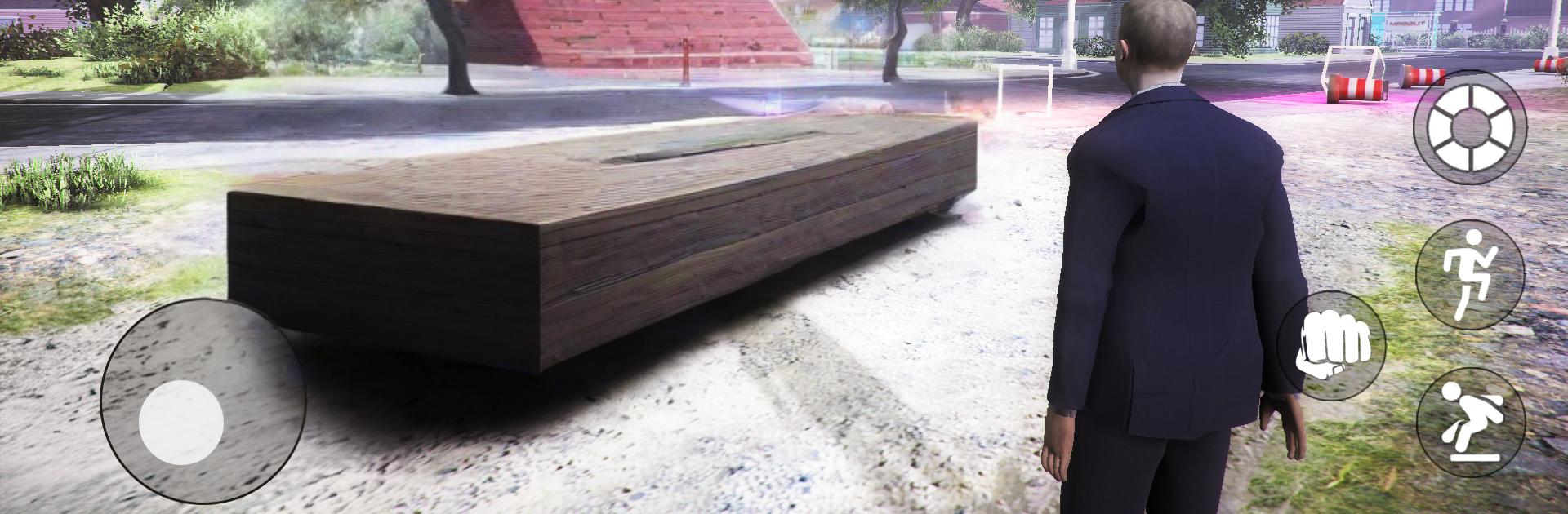
Urban City: Open World feels like a big toy box where the point is to make your own fun. It drops a player into a busy city with cars to grab, streets to cruise, and a bunch of odd jobs that actually matter because the cash turns into houses, car upgrades, and new looks. The driving has weight to it, so turns and braking feel more grounded than arcade float. There is a full day and night loop, so a late drive hits different than a morning run. Missions pop up all over, from quick tasks that pay out fast to longer runs that need some attention, and there are plenty of back alleys and side streets that reward people who like to explore. Customization is a big deal too. Tuning a car, changing clothes, or switching up the route becomes the reason to keep playing one more session.

On PC with BlueStacks, the controls feel cleaner with keyboard steering and the bigger screen helps spot shortcuts and hidden corners. The city is not just scenery, it reacts a bit, so it feels like moving through a place rather than a menu of icons. It suits chill play as much as loud chaos. Some sessions are a slow drive just to see the skyline lighting up, others are mission grinds to stack money for that next garage part. Nothing forces a single path. It is open, it is relaxed when needed, and it gets loud when a player wants it to.

Ready to top the leaderboard? We bet you do. Let precise controls and sharp visuals optimized on BlueStacks lead you to victory.


Game Features

Enhancements

  • Macros
  • Multi Instance
  • Multi Instance Sync
  • Eco Mode
  • Enhancements
Macros

Macros

Skip the boring parts of a game. Play Urban City : Open World with Macros and get the edge. Simply record a sequence of commands and execute them at any moment.
Multi Instance

Multi Instance

Why limit to one game on your phone when you can play many on your PC? Open multiple instances of Urban City : Open World at once with Multi-Instance. Leverage the power of different accounts by doing more.
Multi Instance Sync

Multi Instance Sync

Get the best out of Urban City : Open World with Multi-Instance Sync. Play the game from different accounts and build your own empire. Use Multi-instance sync to repeat the action in the main BlueStacks instance on all other instances.
Eco Mode

Eco Mode

Find the rarest heroes by making multiple summons in Urban City : Open World. And while you are at it, reduce your PC’s resource consumption with the Eco Mode. Farm efficiently. Get the best results.
Read More

How to Download and Play Urban City : Open World on PC or Mac

  • Download and install BlueStacks on your PC or Mac

  • Complete Google sign-in to access the Play Store, or do it later

  • Look for Urban City : Open World in the search bar at the top right corner

  • Click to install Urban City : Open World from the search results

  • Complete Google sign-in (if you skipped step 2) to install Urban City : Open World

  • Click the Urban City : Open World icon on the home screen to start playing

video
Watch Video

Minimum System Requirements

With BlueStacks 5, you can get started on a PC that fulfills the following requirements.

  • Operating System

    Microsoft Windows 7 or above, macOS 11 (Big Sur) or above

  • Processor

    Intel, AMD or Apple Silicon Processor

  • RAM

    at least 4GB

  • HDD

    10GB Free Disk Space

Note:

* You must be an Administrator on your PC. Up to date graphics drivers from Microsoft or the chipset vendor.

Urban City : Open World - FAQs

  • How to play Urban City : Open World on Windows PC & Mac?

    Play Urban City : Open World on your PC or Mac by following these simple steps.

    • Click on 'Play Urban City : Open World on PC’ to download BlueStacks
    • Install it and log-in to Google Play Store
    • Launch and play the game.
  • Why is BlueStacks the fastest and safest platform to play games on PC?

    BlueStacks respects your privacy and is always safe and secure to use. It does not carry any malware, spyware, or any sort of additional software that could harm your PC.

    It is engineered to optimize speed and performance for a seamless gaming experience.

  • What are Urban City : Open World PC requirements?

    Minimum requirement to run Urban City : Open World on your PC

    • OS: Microsoft Windows 7 or above MacOS 11 (Big Sur) or above
    • Processor: Intel, AMD or Apple Silicon Processor
    • RAM: Your PC must have at least 4GB of RAM. (Note that having 4GB or more disk space is not a substitute for RAM)
    • HDD: 10GB Free Disk Space.
    • You must be an Administrator on your PC.