Warplanes: Task Force

Warplanes: Task Force

Action

| Home Net Games

Play on PC with BlueStacks or from our cloud

  • Overview
  • Game Features
  • How to Play

Page Modified On: May 18, 2026

Play Warplanes: Task Force on PC or Mac

Bring your A-game to Warplanes: Task Force, the Action game sensation from Home Net Games. Give your gameplay the much-needed boost with precise game controls, high FPS graphics, and top-tier features on your PC or Mac with BlueStacks.

About the Game

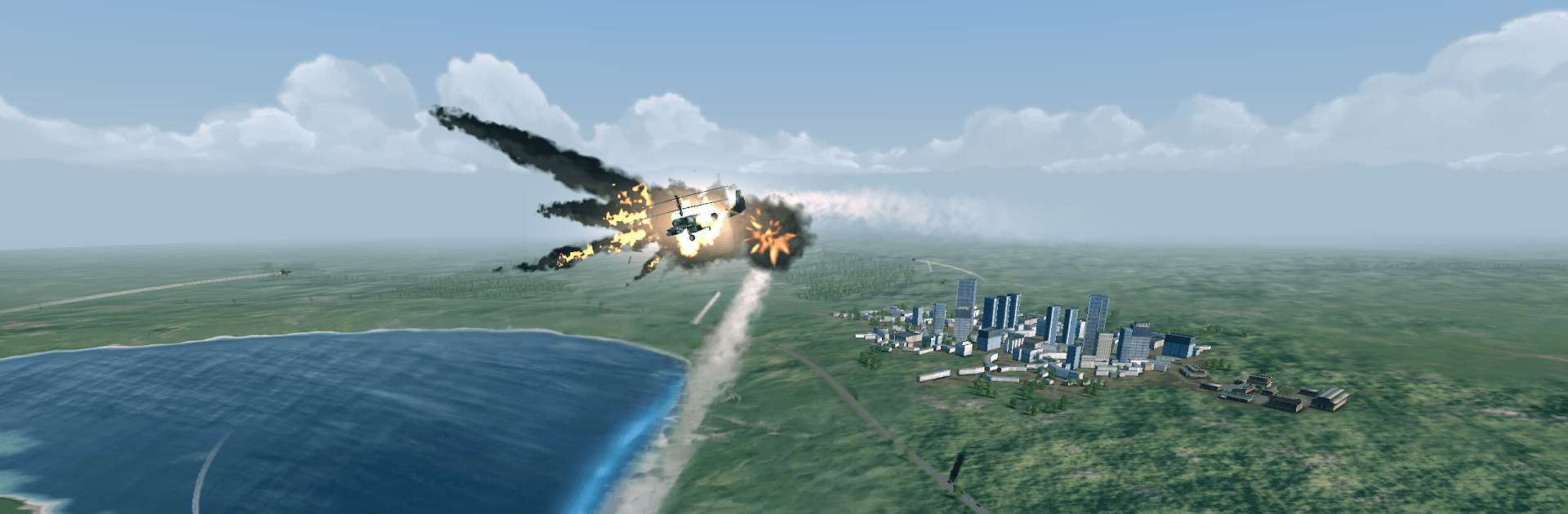
Warplanes: Task Force puts you in the cockpit of modern jets and lets you run the squadron behind them. One moment you’re tearing across the sky in a supersonic intercept, the next you’re making calls on fuel, pilots, and base upgrades. It’s a focused single-player experience from Home Net Games that blends quick-hit Action with a calm, strategic rhythm—and if you prefer a larger view, it plays comfortably on BlueStacks.

Game Features

  • Two Ways to Play – Want pure stick-and-throttle? Jump into Pilot Mode and fly mission after mission. Craving a broader role? Commander Mode adds base building, resource management, and staffing your elite team.
  • Real Modern Jets – Take off in icons like the F-22 Raptor, F-14 Tomcat, F-16 Viper, and Eurofighter Typhoon, each tuned for different roles and playstyles.
  • Missions with Teeth – Intercepts at altitude, precision strikes, convoy escorts, anti-ship runs, and base defense—every sortie asks for a different approach.
  • Loadouts That Matter – Pick the right missiles, bombs, and gadgets before wheels-up so you’re ready for whatever’s waiting over the horizon.
  • Build Your Air Wing – Expand hangars, keep fuel flowing, and train pilots to boost efficiency and effectiveness across your task force.
  • Big, Varied Theaters – Fly over dense cities, endless blue seas, sun-baked deserts, and frozen ranges, all with their own challenges.
  • Make It Yours – Apply custom paint jobs and deck out your jets with almost a hundred decals to give your squadron real personality.
  • Smooth, Old-School Feel – Responsive controls make it easy to get airborne, while classic, no-fuss combat keeps the action satisfying for newcomers and flight-game veterans alike.

Start your journey now. Download the game on BlueStacks, invite your friends, and march on a new adventure.


Game Features

Enhancements

  • Macros
  • Multi Instance
  • Multi Instance Sync
  • Eco Mode
  • Enhancements
Macros

Macros

Skip the boring parts of a game. Play Warplanes: Task Force with Macros and get the edge. Simply record a sequence of commands and execute them at any moment.
Multi Instance

Multi Instance

Why limit to one game on your phone when you can play many on your PC? Open multiple instances of Warplanes: Task Force at once with Multi-Instance. Leverage the power of different accounts by doing more.
Multi Instance Sync

Multi Instance Sync

Get the best out of Warplanes: Task Force with Multi-Instance Sync. Play the game from different accounts and build your own empire. Use Multi-instance sync to repeat the action in the main BlueStacks instance on all other instances.
Eco Mode

Eco Mode

Find the rarest heroes by making multiple summons in Warplanes: Task Force. And while you are at it, reduce your PC’s resource consumption with the Eco Mode. Farm efficiently. Get the best results.
Read More

How to Download and Play Warplanes: Task Force on PC or Mac

  • Download and install BlueStacks on your PC or Mac

  • Complete Google sign-in to access the Play Store, or do it later

  • Look for Warplanes: Task Force in the search bar at the top right corner

  • Click to install Warplanes: Task Force from the search results

  • Complete Google sign-in (if you skipped step 2) to install Warplanes: Task Force

  • Click the Warplanes: Task Force icon on the home screen to start playing

video
Watch Video

Minimum System Requirements

With BlueStacks 5, you can get started on a PC that fulfills the following requirements.

  • Operating System

    Microsoft Windows 7 or above, macOS 11 (Big Sur) or above

  • Processor

    Intel, AMD or Apple Silicon Processor

  • RAM

    at least 4GB

  • HDD

    10GB Free Disk Space

Note:

* You must be an Administrator on your PC. Up to date graphics drivers from Microsoft or the chipset vendor.

Warplanes: Task Force - FAQs

  • How to play Warplanes: Task Force on Windows PC & Mac?

    Play Warplanes: Task Force on your PC or Mac by following these simple steps.

    • Click on 'Play Warplanes: Task Force on PC’ to download BlueStacks
    • Install it and log-in to Google Play Store
    • Launch and play the game.
  • Why is BlueStacks the fastest and safest platform to play games on PC?

    BlueStacks respects your privacy and is always safe and secure to use. It does not carry any malware, spyware, or any sort of additional software that could harm your PC.

    It is engineered to optimize speed and performance for a seamless gaming experience.

  • What are Warplanes: Task Force PC requirements?

    Minimum requirement to run Warplanes: Task Force on your PC

    • OS: Microsoft Windows 7 or above MacOS 11 (Big Sur) or above
    • Processor: Intel, AMD or Apple Silicon Processor
    • RAM: Your PC must have at least 4GB of RAM. (Note that having 4GB or more disk space is not a substitute for RAM)
    • HDD: 10GB Free Disk Space.
    • You must be an Administrator on your PC.