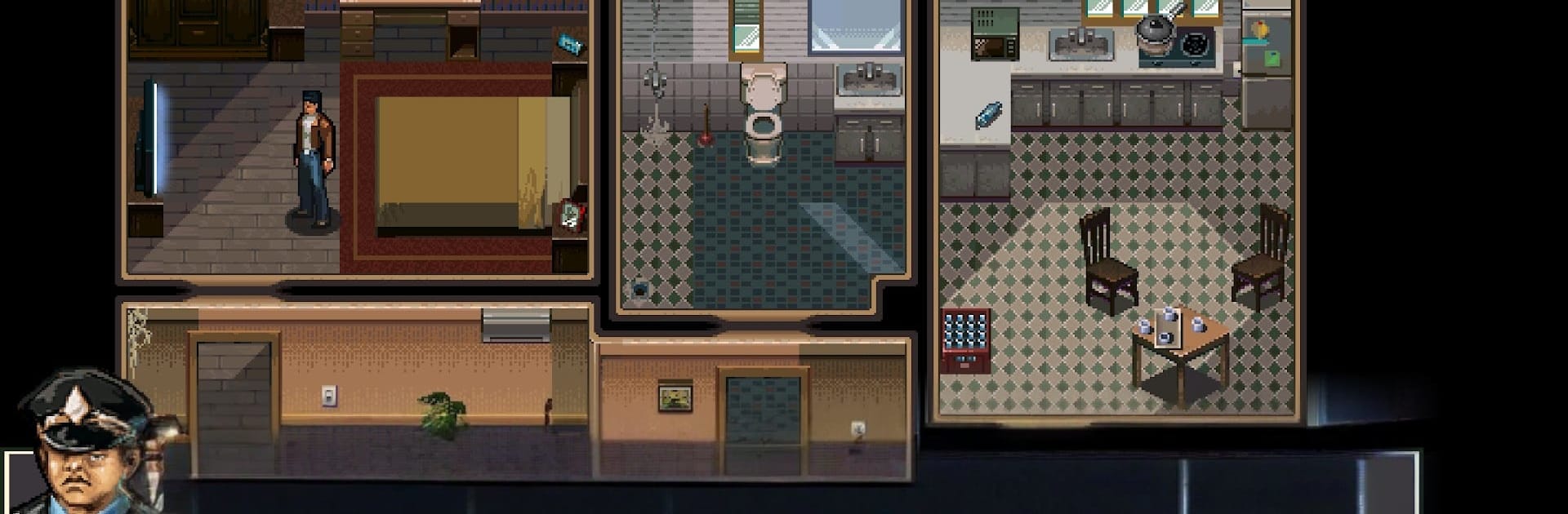
Zombie Crisis
Zombie Crisis

Zombie Crisis

Action

| Para-Pix Game Studio

Play on PC with BlueStacks or from our cloud

  • Overview
  • Game Features
  • How to Play

Page Modified On: October 12, 2026

Play Zombie Crisis on PC or Mac

Explore a whole new adventure with Zombie Crisis, a Action game created by Para-Pix Game Studio. Experience great gameplay with BlueStacks, the most popular gaming platform to play Android games on your PC or Mac.

About the Game

The dead are on their feet, and Jack’s got one mission: get Lucy back. Zombie Crisis is an Action story that pulls you through a city choking on chaos and into the shadowy heart of “Project Control,” a program built to turn people into obedient weapons. Lucy tried to blow the whistle—now she’s trapped inside it.

You’ll fight through barricaded streets and guarded labs, piecing together what really happened and choosing what matters most: rescue the person you love or expose the machine that started it all. Prefer steady controls and clean performance? It plays comfortably on BlueStacks.

Game Features

  • Personal stakes, not just survival: Follow Jack’s desperate search for Lucy through a web of betrayal, cover-ups, and a regime that won’t hesitate to erase anyone in its way.
  • Choice-driven outcomes: Decide whether to pull Lucy out at any cost or push forward to reveal the truth behind Project Control, knowing every decision leaves a mark.
  • Shelter building and defense: Set up a survivor base, reinforce defenses, and turn scraps from the streets into a place worth protecting.
  • Real-world gear and rides: Handle familiar firearms, jump behind the wheel, even take to the skies in helicopters, and kit out for each push into hostile zones.
  • A city with teeth: Move from ruined neighborhoods to locked-down checkpoints and secret facilities, each demanding a different approach—loud, quiet, or a messy mix of both.
  • Combat that hits hard: Tight firefights, tense reloads, and frantic retreats make every bullet count and every escape feel earned.
  • Scavenge and strengthen: Run sorties for ammo and parts, bring the haul back to your base, and get ready for the next breach.
  • Operations on enemy turf: Infiltrate research wings, crack security, and smash through fortified positions as you close in on the facility holding Lucy.

Ready to top the leaderboard? We bet you do. Let precise controls and sharp visuals optimized on BlueStacks lead you to victory.


Game Features

Enhancements

  • Macros
  • Multi Instance
  • Multi Instance Sync
  • Eco Mode
  • Enhancements
Macros

Macros

Skip the boring parts of a game. Play Zombie Crisis with Macros and get the edge. Simply record a sequence of commands and execute them at any moment.
Multi Instance

Multi Instance

Why limit to one game on your phone when you can play many on your PC? Open multiple instances of Zombie Crisis at once with Multi-Instance. Leverage the power of different accounts by doing more.
Multi Instance Sync

Multi Instance Sync

Get the best out of Zombie Crisis with Multi-Instance Sync. Play the game from different accounts and build your own empire. Use Multi-instance sync to repeat the action in the main BlueStacks instance on all other instances.
Eco Mode

Eco Mode

Find the rarest heroes by making multiple summons in Zombie Crisis. And while you are at it, reduce your PC’s resource consumption with the Eco Mode. Farm efficiently. Get the best results.
Read More

How to Download and Play Zombie Crisis on PC or Mac

  • Download and install BlueStacks on your PC or Mac

  • Complete Google sign-in to access the Play Store, or do it later

  • Look for Zombie Crisis in the search bar at the top right corner

  • Click to install Zombie Crisis from the search results

  • Complete Google sign-in (if you skipped step 2) to install Zombie Crisis

  • Click the Zombie Crisis icon on the home screen to start playing

video
Watch Video

Minimum System Requirements

With BlueStacks 5, you can get started on a PC that fulfills the following requirements.

  • Operating System

    Microsoft Windows 7 or above, macOS 11 (Big Sur) or above

  • Processor

    Intel, AMD or Apple Silicon Processor

  • RAM

    at least 4GB

  • HDD

    10GB Free Disk Space

Note:

* You must be an Administrator on your PC. Up to date graphics drivers from Microsoft or the chipset vendor.

Zombie Crisis - FAQs

  • How to play Zombie Crisis on Windows PC & Mac?

    Play Zombie Crisis on your PC or Mac by following these simple steps.

    • Click on 'Play Zombie Crisis on PC’ to download BlueStacks
    • Install it and log-in to Google Play Store
    • Launch and play the game.
  • Why is BlueStacks the fastest and safest platform to play games on PC?

    BlueStacks respects your privacy and is always safe and secure to use. It does not carry any malware, spyware, or any sort of additional software that could harm your PC.

    It is engineered to optimize speed and performance for a seamless gaming experience.

  • What are Zombie Crisis PC requirements?

    Minimum requirement to run Zombie Crisis on your PC

    • OS: Microsoft Windows 7 or above MacOS 11 (Big Sur) or above
    • Processor: Intel, AMD or Apple Silicon Processor
    • RAM: Your PC must have at least 4GB of RAM. (Note that having 4GB or more disk space is not a substitute for RAM)
    • HDD: 10GB Free Disk Space.
    • You must be an Administrator on your PC.