Zombie Survival Hunting Game

Zombie Survival Hunting Game

Action

| Micron Technology Inc

Play on PC with BlueStacks or from our cloud

  • Overview
  • Game Features
  • How to Play

Page Modified On: August 15, 2026

Play Zombie Survival Hunting Game on PC or Mac

Zombie Survival Hunting Game by Micron Technology Inc has plenty to keep you busy. BlueStacks lets you play it on PC or Mac with more screen space, better control, and fewer mobile limits.

About the Game

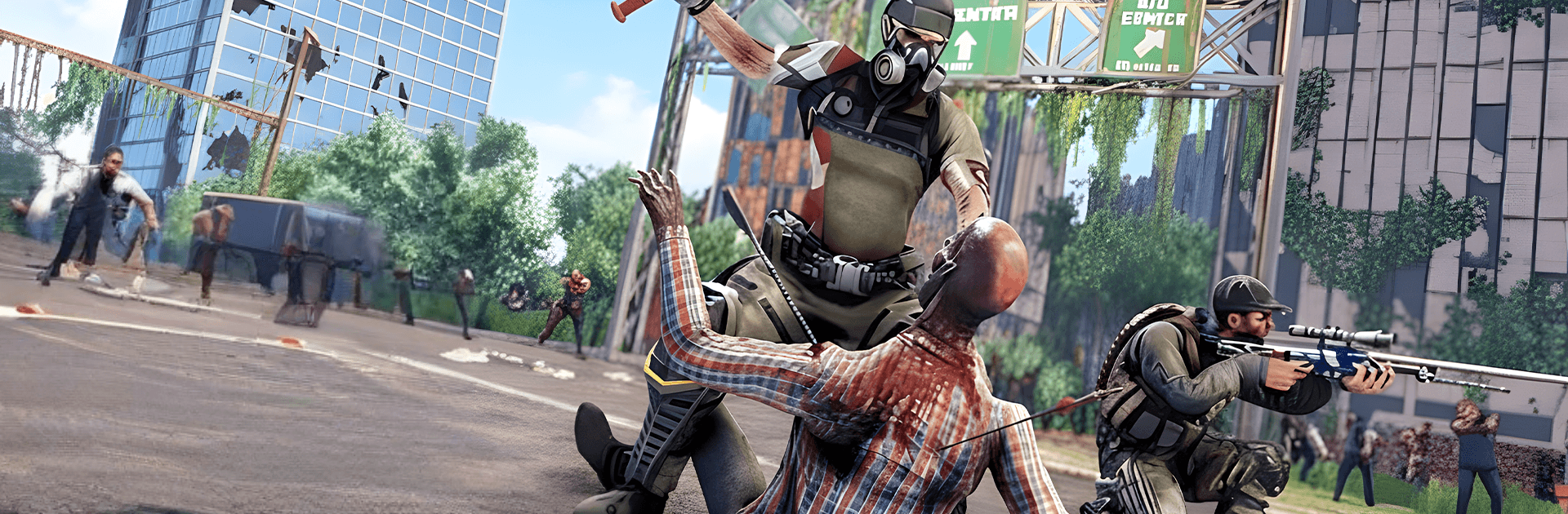
Zombie Survival Hunting Game drops you into a gritty open world crawling with the dead and anything else that bites back. It’s an Action experience built around heart-pounding firefights, tense exploration, and those make-or-break moments when the horde closes in. Jump in for quick missions or longer sessions—and if you like a smoother setup, it plays nicely on BlueStacks.

Game Features

  • Open-world danger: Roam ruined towns, dense forests, and abandoned bases while scavenging and stalking targets.
  • Wave showdowns: Survive escalating swarms that push your aim, movement, and timing to the limit.
  • Mission-driven play: Tackle varied objectives—from clearing hot zones to protecting survivors—across shifting battlegrounds.
  • Animal hunting mode: Switch gears to track deadly wildlife in the same maps for a different kind of tension and precision.
  • Tough elites and bosses: Face hulking creatures and special threats that force you to change tactics on the fly.
  • Versatile arsenal: Equip powerful rifles, shotguns, and more; pick what fits the fight and mow through anything in your path.
  • Smooth controls: Responsive aiming and movement keep the focus on strategy and survival, not fumbling with buttons.
  • Offline ready: Head out on runs and full missions without needing a connection.
  • Dynamic encounters: Expect surprise ambushes and evolving challenges that keep routes from feeling the same twice.
  • Striking 3D visuals: Detailed environments, moody lighting, and gritty effects sell the chaos of a world past the brink.

Get ready for a buttery smooth, high-performance gaming action only on BlueStacks.

Game Features

Enhancements

  • Macros
  • Multi Instance
  • Multi Instance Sync
  • Eco Mode
  • Enhancements
Macros

Macros

Skip the boring parts of a game. Play Zombie Survival Hunting Game with Macros and get the edge. Simply record a sequence of commands and execute them at any moment.
Multi Instance

Multi Instance

Why limit to one game on your phone when you can play many on your PC? Open multiple instances of Zombie Survival Hunting Game at once with Multi-Instance. Leverage the power of different accounts by doing more.
Multi Instance Sync

Multi Instance Sync

Get the best out of Zombie Survival Hunting Game with Multi-Instance Sync. Play the game from different accounts and build your own empire. Use Multi-instance sync to repeat the action in the main BlueStacks instance on all other instances.
Eco Mode

Eco Mode

Find the rarest heroes by making multiple summons in Zombie Survival Hunting Game. And while you are at it, reduce your PC’s resource consumption with the Eco Mode. Farm efficiently. Get the best results.
Read More

How to Download and Play Zombie Survival Hunting Game on PC or Mac

  • Download and install BlueStacks on your PC or Mac

  • Complete Google sign-in to access the Play Store, or do it later

  • Look for Zombie Survival Hunting Game in the search bar at the top right corner

  • Click to install Zombie Survival Hunting Game from the search results

  • Complete Google sign-in (if you skipped step 2) to install Zombie Survival Hunting Game

  • Click the Zombie Survival Hunting Game icon on the home screen to start playing

video
Watch Video

Minimum System Requirements

With BlueStacks 5, you can get started on a PC that fulfills the following requirements.

  • Operating System

    Microsoft Windows 7 or above, macOS 11 (Big Sur) or above

  • Processor

    Intel, AMD or Apple Silicon Processor

  • RAM

    at least 4GB

  • HDD

    10GB Free Disk Space

Note:

* You must be an Administrator on your PC. Up to date graphics drivers from Microsoft or the chipset vendor.

Zombie Survival Hunting Game - FAQs

  • How to play Zombie Survival Hunting Game on Windows PC & Mac?

    Play Zombie Survival Hunting Game on your PC or Mac by following these simple steps.

    • Click on 'Play Zombie Survival Hunting Game on PC’ to download BlueStacks
    • Install it and log-in to Google Play Store
    • Launch and play the game.
  • Why is BlueStacks the fastest and safest platform to play games on PC?

    BlueStacks respects your privacy and is always safe and secure to use. It does not carry any malware, spyware, or any sort of additional software that could harm your PC.

    It is engineered to optimize speed and performance for a seamless gaming experience.

  • What are Zombie Survival Hunting Game PC requirements?

    Minimum requirement to run Zombie Survival Hunting Game on your PC

    • OS: Microsoft Windows 7 or above MacOS 11 (Big Sur) or above
    • Processor: Intel, AMD or Apple Silicon Processor
    • RAM: Your PC must have at least 4GB of RAM. (Note that having 4GB or more disk space is not a substitute for RAM)
    • HDD: 10GB Free Disk Space.
    • You must be an Administrator on your PC.