
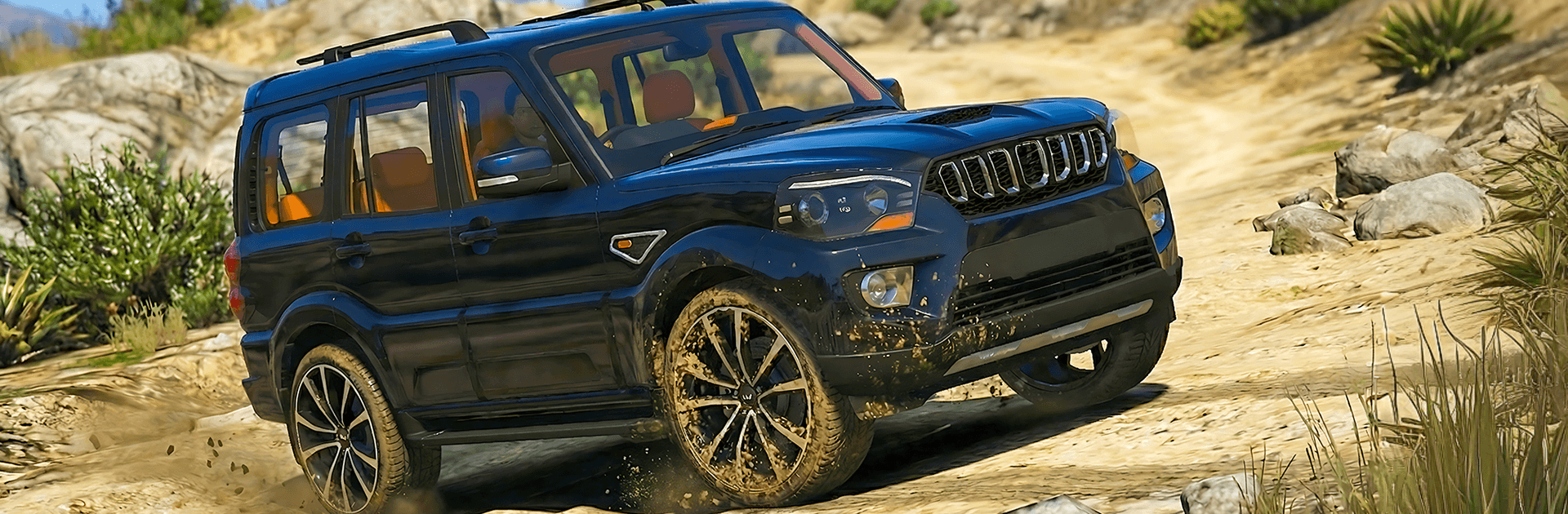
4x4 Jeep Offroad Adventure 3d

4x4 Jeep Offroad Adventure 3d

Adventure

| TL Gaming Studio 2026

Play on PC with BlueStacks or from our cloud

  • Overview
  • Game Features
  • How to Play

Page Modified On: May 11, 2026

Play 4x4 Jeep Offroad Adventure 3d on PC or Mac

Step into the World of 4×4 Jeep Offroad Adventure 3d, a thrilling Adventure game from the house of TL Gaming Studio 2026. Play this Android game on BlueStacks App Player and experience immersive gaming on PC or Mac.

About the Game

4×4 Jeep Offroad Adventure 3d puts you behind the wheel of a tough 4×4 and sends you up rocky climbs, across muddy ruts, and through trails that make every turn count. It’s an Adventure game built around feel—smooth steering, careful throttle, and smart line choices—so every win feels earned. Prefer playing on a bigger screen with a keyboard or gamepad? It runs nicely on BlueStacks, too.

Game Features

  • Precision handling: Snappy, responsive controls let you fine-tune steering and throttle so you can creep over rocks or power through soft ground without spinning out.
  • Rugged terrain variety: Tackle steep hills, jagged stone paths, and slick mud tracks, each demanding a different approach to keep your jeep upright and moving.
  • Level-based challenges: Every stage brings new layouts, obstacles, and objectives, keeping runs short, focused, and just tricky enough to test your technique.
  • Gradual difficulty curve: Start with friendlier trails, then work your way to tougher routes that push your balance, timing, and traction management.
  • Realistic trail feel: Surfaces actually matter—lose grip on loose gravel, regain it on firmer dirt, and learn when to ease off or commit.
  • Clean, scenic environments: Wind through mountain passes and off-camber edges with clear visual cues that help you read the path ahead.
  • Built for skillful play: No gimmicks—just your judgment, a capable 4×4, and the satisfaction of nailing a climb from start to finish, courtesy of TL Gaming Studio 2026.

Make your gaming sessions memorable with precise controls that give you an edge in close combats and visuals that pop up, bringing every character to life.


Game Features

Enhancements

  • Macros
  • Multi Instance
  • Multi Instance Sync
  • Script
  • Enhancements
Macros

Macros

Automate the predictable in 4x4 Jeep Offroad Adventure 3d and transform your gameplay with Macros. Get access to inventive Macros in the BlueStacks Macro Community
Multi Instance

Multi Instance

Play 4x4 Jeep Offroad Adventure 3d on one window. And chat with your friend on the other. Press CTRL + Shift + 8 to open the Multi-Instance Manager. And start creating fresh instances or clone an existing one.
Multi Instance Sync

Multi Instance Sync

Play 4x4 Jeep Offroad Adventure 3d with the power of Multi-Instance Sync. Replicate what you are doing on the main instance on all other instances. Level up faster, play more.
Script

Script

Script your way to gaming glory in 4x4 Jeep Offroad Adventure 3d with BlueStacks Script. Write and run a set of commands to automate repeated tasks. Trigger the command by assigning it to any key.
Read More

How to Download and Play 4x4 Jeep Offroad Adventure 3d on PC or Mac

  • Download and install BlueStacks on your PC or Mac

  • Complete Google sign-in to access the Play Store, or do it later

  • Look for 4x4 Jeep Offroad Adventure 3d in the search bar at the top right corner

  • Click to install 4x4 Jeep Offroad Adventure 3d from the search results

  • Complete Google sign-in (if you skipped step 2) to install 4x4 Jeep Offroad Adventure 3d

  • Click the 4x4 Jeep Offroad Adventure 3d icon on the home screen to start playing

video
Watch Video

Minimum System Requirements

With BlueStacks 5, you can get started on a PC that fulfills the following requirements.

  • Operating System

    Microsoft Windows 7 or above, macOS 11 (Big Sur) or above

  • Processor

    Intel, AMD or Apple Silicon Processor

  • RAM

    at least 4GB

  • HDD

    10GB Free Disk Space

Note:

* You must be an Administrator on your PC. Up to date graphics drivers from Microsoft or the chipset vendor.

4x4 Jeep Offroad Adventure 3d - FAQs

  • How to play 4x4 Jeep Offroad Adventure 3d on Windows PC & Mac?

    Play 4x4 Jeep Offroad Adventure 3d on your PC or Mac by following these simple steps.

    • Click on 'Play 4x4 Jeep Offroad Adventure 3d on PC’ to download BlueStacks
    • Install it and log-in to Google Play Store
    • Launch and play the game.
  • Why is BlueStacks the fastest and safest platform to play games on PC?

    BlueStacks respects your privacy and is always safe and secure to use. It does not carry any malware, spyware, or any sort of additional software that could harm your PC.

    It is engineered to optimize speed and performance for a seamless gaming experience.

  • What are 4x4 Jeep Offroad Adventure 3d PC requirements?

    Minimum requirement to run 4x4 Jeep Offroad Adventure 3d on your PC

    • OS: Microsoft Windows 7 or above MacOS 11 (Big Sur) or above
    • Processor: Intel, AMD or Apple Silicon Processor
    • RAM: Your PC must have at least 4GB of RAM. (Note that having 4GB or more disk space is not a substitute for RAM)
    • HDD: 10GB Free Disk Space.
    • You must be an Administrator on your PC.







