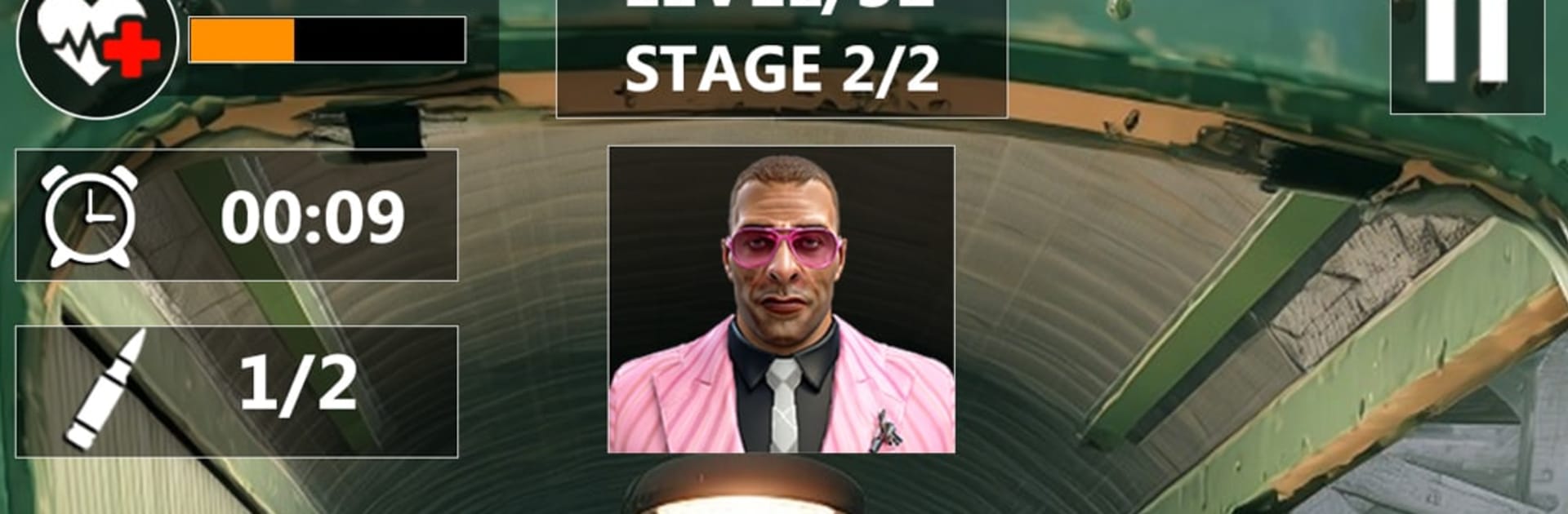
Agent Shoot: Shooting Mission

Agent Shoot: Shooting Mission

Adventure

| Tech 3D Games Studios

Play on PC with BlueStacks or from our cloud

  • Overview
  • Game Features
  • How to Play

Page Modified On: May 11, 2026

Play Agent Shoot: Shooting Mission on PC or Mac

From the innovators and creators at Tech 3D Games Studios, Agent Shoot: Shooting Mission is another fun addition to the World of Adventure games. Go beyond your mobile screen and play it bigger and better on your PC or Mac. An immersive experience awaits you.

About the Game

Agent Shoot: Shooting Mission is an Adventure game from Tech 3D Games Studios that drops you into the boots of a covert pro on high-stakes assignments. Every contract tests your nerve and your aim—think careful scouting, crisp shots, and clean getaways. Expect tense stealth runs, snappy firefights, and the kind of rescue ops where one smart move makes all the difference. Prefer playing on PC? It feels right at home with BlueStacks.

Game Features

  • Stealth-first missions: Slip past guards, set your vantage point, and strike without raising alarms. Patience pays off here.
  • Flexible arsenal: Swap between a pistol, a submachine gun, and even a bow and arrow when silence matters more than speed.
  • Sniper precision: Line up long shots, control your breathing, and squeeze the trigger at the perfect moment.
  • High-risk targets: Track criminal networks and disrupt their plans with surgical hits and fast exits.
  • Rescue operations: Extract hostages under pressure, cover their escape, and manage chaos when plans go sideways.
  • Smart choices, real impact: Decide when to stay hidden and when to go loud—your approach shapes how each mission unfolds.
  • Tight, reactive combat: Quick engagements reward accuracy, timing, and a cool head when everything heats up.
  • Play your way: Short, focused objectives or extended infiltrations—mix stealth with action to match your style.

Ready to top the leaderboard? We bet you do. Let precise controls and sharp visuals optimized on BlueStacks lead you to victory.


Game Features

Enhancements

  • Macros
  • Multi Instance
  • Multi Instance Sync
  • Script
  • Enhancements
Macros

Macros

Automate the predictable in Agent Shoot: Shooting Mission and transform your gameplay with Macros. Get access to inventive Macros in the BlueStacks Macro Community
Multi Instance

Multi Instance

Play Agent Shoot: Shooting Mission on one window. And chat with your friend on the other. Press CTRL + Shift + 8 to open the Multi-Instance Manager. And start creating fresh instances or clone an existing one.
Multi Instance Sync

Multi Instance Sync

Play Agent Shoot: Shooting Mission with the power of Multi-Instance Sync. Replicate what you are doing on the main instance on all other instances. Level up faster, play more.
Script

Script

Script your way to gaming glory in Agent Shoot: Shooting Mission with BlueStacks Script. Write and run a set of commands to automate repeated tasks. Trigger the command by assigning it to any key.
Read More

How to Download and Play Agent Shoot: Shooting Mission on PC or Mac

  • Download and install BlueStacks on your PC or Mac

  • Complete Google sign-in to access the Play Store, or do it later

  • Look for Agent Shoot: Shooting Mission in the search bar at the top right corner

  • Click to install Agent Shoot: Shooting Mission from the search results

  • Complete Google sign-in (if you skipped step 2) to install Agent Shoot: Shooting Mission

  • Click the Agent Shoot: Shooting Mission icon on the home screen to start playing

video
Watch Video

Minimum System Requirements

With BlueStacks 5, you can get started on a PC that fulfills the following requirements.

  • Operating System

    Microsoft Windows 7 or above, macOS 11 (Big Sur) or above

  • Processor

    Intel, AMD or Apple Silicon Processor

  • RAM

    at least 4GB

  • HDD

    10GB Free Disk Space

Note:

* You must be an Administrator on your PC. Up to date graphics drivers from Microsoft or the chipset vendor.

Agent Shoot: Shooting Mission - FAQs

  • How to play Agent Shoot: Shooting Mission on Windows PC & Mac?

    Play Agent Shoot: Shooting Mission on your PC or Mac by following these simple steps.

    • Click on 'Play Agent Shoot: Shooting Mission on PC’ to download BlueStacks
    • Install it and log-in to Google Play Store
    • Launch and play the game.
  • Why is BlueStacks the fastest and safest platform to play games on PC?

    BlueStacks respects your privacy and is always safe and secure to use. It does not carry any malware, spyware, or any sort of additional software that could harm your PC.

    It is engineered to optimize speed and performance for a seamless gaming experience.

  • What are Agent Shoot: Shooting Mission PC requirements?

    Minimum requirement to run Agent Shoot: Shooting Mission on your PC

    • OS: Microsoft Windows 7 or above MacOS 11 (Big Sur) or above
    • Processor: Intel, AMD or Apple Silicon Processor
    • RAM: Your PC must have at least 4GB of RAM. (Note that having 4GB or more disk space is not a substitute for RAM)
    • HDD: 10GB Free Disk Space.
    • You must be an Administrator on your PC.