Call of World War Fire Duty

Call of World War Fire Duty

Adventure

| Shooting Games For Teenagers

Play on PC with BlueStacks or from our cloud

  • Overview
  • Game Features
  • How to Play

Page Modified On: May 11, 2026

Play Call of World War Fire Duty on PC or Mac

Join millions to experience Call of World War Fire Duty, an exciting Adventure game from Shooting Games For Teenagers. With BlueStacks App Player, you are always a step ahead of your opponent, ready to outplay them with faster gameplay and better control with the mouse and keyboard on your PC or Mac.

About the Game

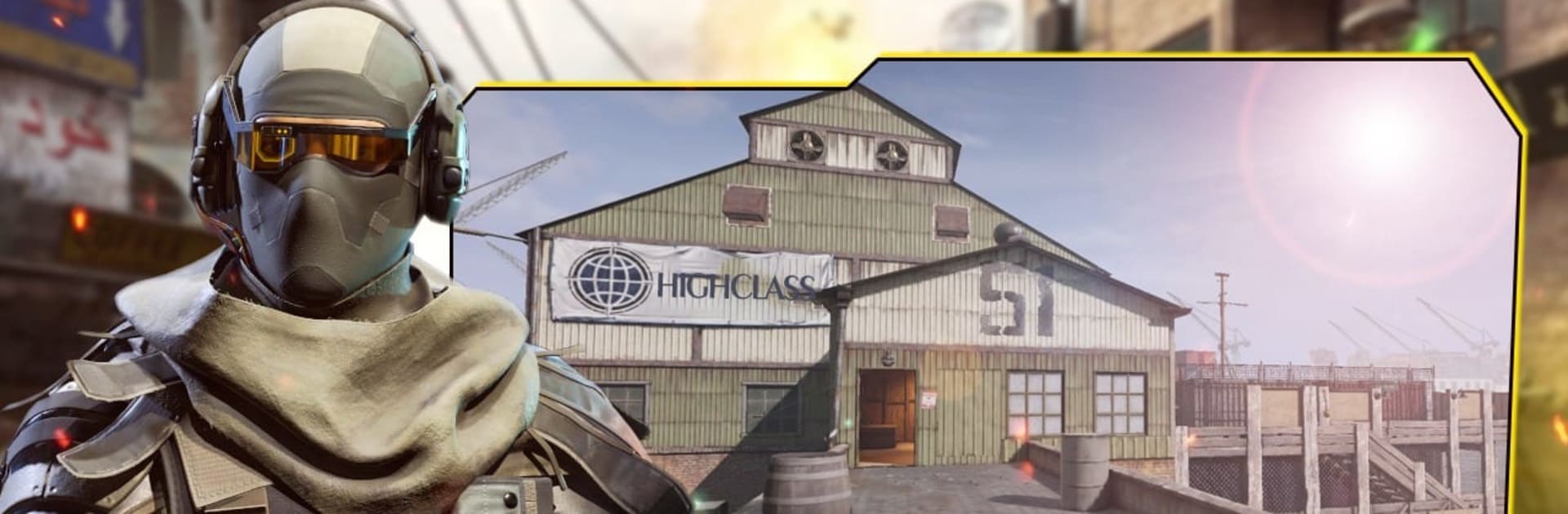
Call of World War Fire Duty throws you into gritty war zones where every move matters and every shot counts. This Adventure from Shooting Games For Teenagers blends tactical FPS action with mission-focused objectives, giving you a mix of tense solo operations and quick-fire online clashes. Prefer playing on PC? It runs smoothly with BlueStacks if you like mouse-and-keyboard precision.

Game Features

  • Offline story missions – Work through a campaign packed with secret ops, sabotage runs, and high-risk extractions set across wartime cities, forts, and frozen outposts.
  • Online deathmatch and TDM – Jump into fast PvP fights, including deathmatch and team deathmatch, and square off against real players when you’re ready for competition.
  • Expansive arsenal – Kit up with sniper rifles, assault rifles, shotguns, pistols, and throwables like grenades and bombs; pick the loadout that fits your style.
  • WW2-inspired battlegrounds – Battle across classic, war-torn theaters with trenches, narrow streets, open fields, and tight choke points that reward positioning and timing.
  • Commando-style tactics – Go quiet with careful shots and stealthy flanks, or push the front line with an all-out assault—both paths can win the day.
  • Smooth, responsive controls – Easy-to-learn aiming and movement keep the focus on strategy and timing, not wrestling with buttons.
  • Play offline or online – No connection? Tackle the campaign and solo challenges. Got time for PvP? Hop online and face human opponents in minutes.
  • High-stakes objectives – From counter-terror raids to sniper-led assassinations, missions keep switching up the pace so firefights never feel the same.

Start your journey now. Download the game on BlueStacks, invite your friends, and march on a new adventure.


Game Features

Enhancements

  • Macros
  • Multi Instance
  • Multi Instance Sync
  • Script
  • Enhancements
Macros

Macros

Automate the predictable in Call of World War Fire Duty and transform your gameplay with Macros. Get access to inventive Macros in the BlueStacks Macro Community
Multi Instance

Multi Instance

Play Call of World War Fire Duty on one window. And chat with your friend on the other. Press CTRL + Shift + 8 to open the Multi-Instance Manager. And start creating fresh instances or clone an existing one.
Multi Instance Sync

Multi Instance Sync

Play Call of World War Fire Duty with the power of Multi-Instance Sync. Replicate what you are doing on the main instance on all other instances. Level up faster, play more.
Script

Script

Script your way to gaming glory in Call of World War Fire Duty with BlueStacks Script. Write and run a set of commands to automate repeated tasks. Trigger the command by assigning it to any key.
Read More

How to Download and Play Call of World War Fire Duty on PC or Mac

  • Download and install BlueStacks on your PC or Mac

  • Complete Google sign-in to access the Play Store, or do it later

  • Look for Call of World War Fire Duty in the search bar at the top right corner

  • Click to install Call of World War Fire Duty from the search results

  • Complete Google sign-in (if you skipped step 2) to install Call of World War Fire Duty

  • Click the Call of World War Fire Duty icon on the home screen to start playing

video
Watch Video

Minimum System Requirements

With BlueStacks 5, you can get started on a PC that fulfills the following requirements.

  • Operating System

    Microsoft Windows 7 or above, macOS 11 (Big Sur) or above

  • Processor

    Intel, AMD or Apple Silicon Processor

  • RAM

    at least 4GB

  • HDD

    10GB Free Disk Space

Note:

* You must be an Administrator on your PC. Up to date graphics drivers from Microsoft or the chipset vendor.

Call of World War Fire Duty - FAQs

  • How to play Call of World War Fire Duty on Windows PC & Mac?

    Play Call of World War Fire Duty on your PC or Mac by following these simple steps.

    • Click on 'Play Call of World War Fire Duty on PC’ to download BlueStacks
    • Install it and log-in to Google Play Store
    • Launch and play the game.
  • Why is BlueStacks the fastest and safest platform to play games on PC?

    BlueStacks respects your privacy and is always safe and secure to use. It does not carry any malware, spyware, or any sort of additional software that could harm your PC.

    It is engineered to optimize speed and performance for a seamless gaming experience.

  • What are Call of World War Fire Duty PC requirements?

    Minimum requirement to run Call of World War Fire Duty on your PC

    • OS: Microsoft Windows 7 or above MacOS 11 (Big Sur) or above
    • Processor: Intel, AMD or Apple Silicon Processor
    • RAM: Your PC must have at least 4GB of RAM. (Note that having 4GB or more disk space is not a substitute for RAM)
    • HDD: 10GB Free Disk Space.
    • You must be an Administrator on your PC.