Cat Pow: Kitty Cat Games

Cat Pow: Kitty Cat Games

Adventure

| A42 Games

Play on PC with BlueStacks or from our cloud

  • Overview
  • Game Features
  • How to Play

Page Modified On: September 11, 2026

Play Cat Pow: Kitty Cat Games on PC or Mac

Cat Pow: Kitty Cat Games by A42 Games has plenty to keep you busy. BlueStacks lets you play it on PC or Mac with more screen space, better control, and fewer mobile limits.

About the Game

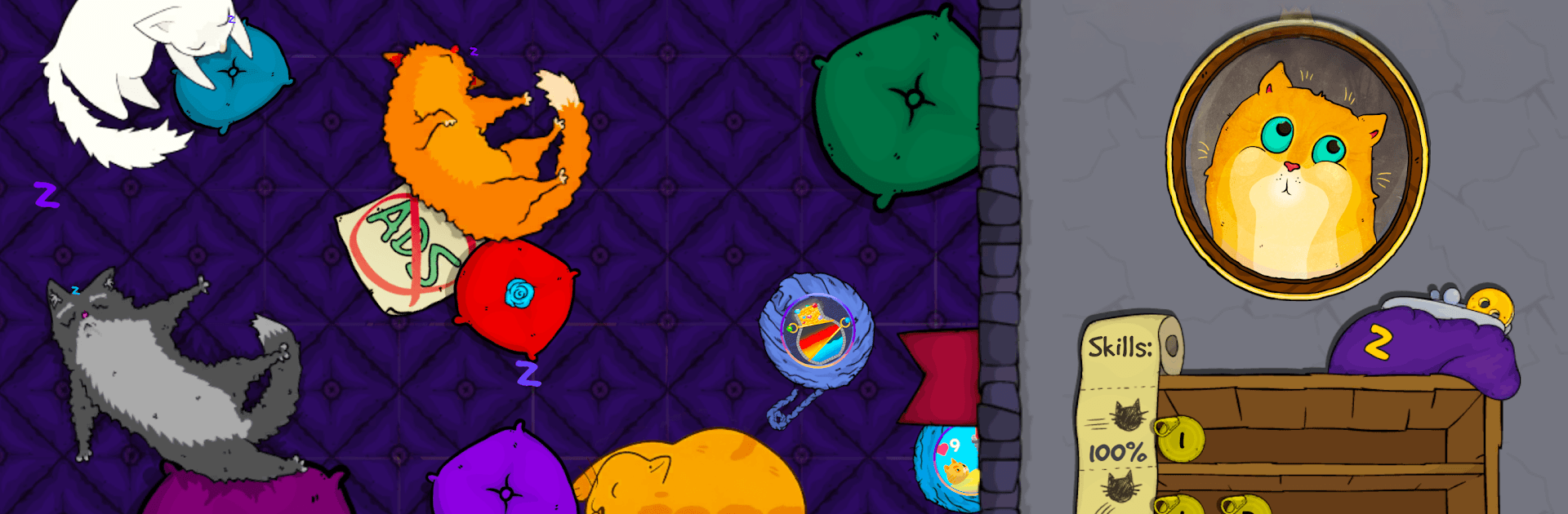
Cat Pow: Kitty Cat Games is an Adventure where fearless felines clock in for the night shift at a spooky old mansion, and things get weird fast. You pick a scrappy kitty, learn the rhythm of jumping and smashing, and clear room after room while the house reveals its secrets. Prefer a bigger display? It runs smoothly on PC with BlueStacks, too.

Game Features

  • Tap-and-hold jumps: Simple one-finger controls let you tap to move and jump, then hold to hover and time brutal landings.
  • Three-wave rooms: Every level throws three enemy waves your way—survive them all and move to the next chamber.
  • Stamina to manage: Each leap drains energy; push too hard and your cat dozes off, so plan your hops.
  • Feline lineup: Try different cats with their own strengths and quirks, from speedy lightweights to chunky brawlers.
  • Buttons for upgrades: Snag golden buttons and spend them to sharpen claws, toughen paws, and unlock stronger moves.
  • Keys and doors: Hunt for keys, match them to the right locks, and open fresh paths through the mansion’s oddball rooms.
  • Combo mayhem: Smash special foes to power up your jump, then chain together crunchy, over-the-top combos.
  • Traps and swarms: Outsmart sneaky hazards and swat through hordes that are strangely satisfying to clear.
  • Boss showdowns: Square off against larger-than-life weirdos that push your timing and patience in the best way.
  • Distinct look and sound: Grotesque-meets-cute cartoon art and all-cat voice work give it a playful, slightly unhinged vibe.
  • Cameo kitties: Spot a few internet-famous felines making surprise appearances if you keep your eyes open.
  • Animated finale: Beat the challenge and treat yourself to a cheeky, fully animated ending.

Start your journey now. Download the game on BlueStacks, invite your friends, and march on a new adventure.


Game Features

Enhancements

  • Macros
  • Multi Instance
  • Multi Instance Sync
  • Script
  • Enhancements
Macros

Macros

Automate the predictable in Cat Pow: Kitty Cat Games and transform your gameplay with Macros. Get access to inventive Macros in the BlueStacks Macro Community
Multi Instance

Multi Instance

Play Cat Pow: Kitty Cat Games on one window. And chat with your friend on the other. Press CTRL + Shift + 8 to open the Multi-Instance Manager. And start creating fresh instances or clone an existing one.
Multi Instance Sync

Multi Instance Sync

Play Cat Pow: Kitty Cat Games with the power of Multi-Instance Sync. Replicate what you are doing on the main instance on all other instances. Level up faster, play more.
Script

Script

Script your way to gaming glory in Cat Pow: Kitty Cat Games with BlueStacks Script. Write and run a set of commands to automate repeated tasks. Trigger the command by assigning it to any key.
Read More

How to Download and Play Cat Pow: Kitty Cat Games on PC or Mac

  • Download and install BlueStacks on your PC or Mac

  • Complete Google sign-in to access the Play Store, or do it later

  • Look for Cat Pow: Kitty Cat Games in the search bar at the top right corner

  • Click to install Cat Pow: Kitty Cat Games from the search results

  • Complete Google sign-in (if you skipped step 2) to install Cat Pow: Kitty Cat Games

  • Click the Cat Pow: Kitty Cat Games icon on the home screen to start playing

video
Watch Video

Minimum System Requirements

With BlueStacks 5, you can get started on a PC that fulfills the following requirements.

  • Operating System

    Microsoft Windows 7 or above, macOS 11 (Big Sur) or above

  • Processor

    Intel, AMD or Apple Silicon Processor

  • RAM

    at least 4GB

  • HDD

    10GB Free Disk Space

Note:

* You must be an Administrator on your PC. Up to date graphics drivers from Microsoft or the chipset vendor.

Cat Pow: Kitty Cat Games - FAQs

  • How to play Cat Pow: Kitty Cat Games on Windows PC & Mac?

    Play Cat Pow: Kitty Cat Games on your PC or Mac by following these simple steps.

    • Click on 'Play Cat Pow: Kitty Cat Games on PC’ to download BlueStacks
    • Install it and log-in to Google Play Store
    • Launch and play the game.
  • Why is BlueStacks the fastest and safest platform to play games on PC?

    BlueStacks respects your privacy and is always safe and secure to use. It does not carry any malware, spyware, or any sort of additional software that could harm your PC.

    It is engineered to optimize speed and performance for a seamless gaming experience.

  • What are Cat Pow: Kitty Cat Games PC requirements?

    Minimum requirement to run Cat Pow: Kitty Cat Games on your PC

    • OS: Microsoft Windows 7 or above MacOS 11 (Big Sur) or above
    • Processor: Intel, AMD or Apple Silicon Processor
    • RAM: Your PC must have at least 4GB of RAM. (Note that having 4GB or more disk space is not a substitute for RAM)
    • HDD: 10GB Free Disk Space.
    • You must be an Administrator on your PC.