Craftium: Craft & Build

Craftium: Craft & Build

Adventure

| NDK Games

Play on PC with BlueStacks or from our cloud

  • Overview
  • Game Features
  • How to Play

Page Modified On: December 22, 2025

Play Craftium: Craft & Build on PC or Mac

Bring your A-game to Craftium: Craft & Build, the Adventure game sensation from NDK Games. Give your gameplay the much-needed boost with precise game controls, high FPS graphics, and top-tier features on your PC or Mac with BlueStacks.

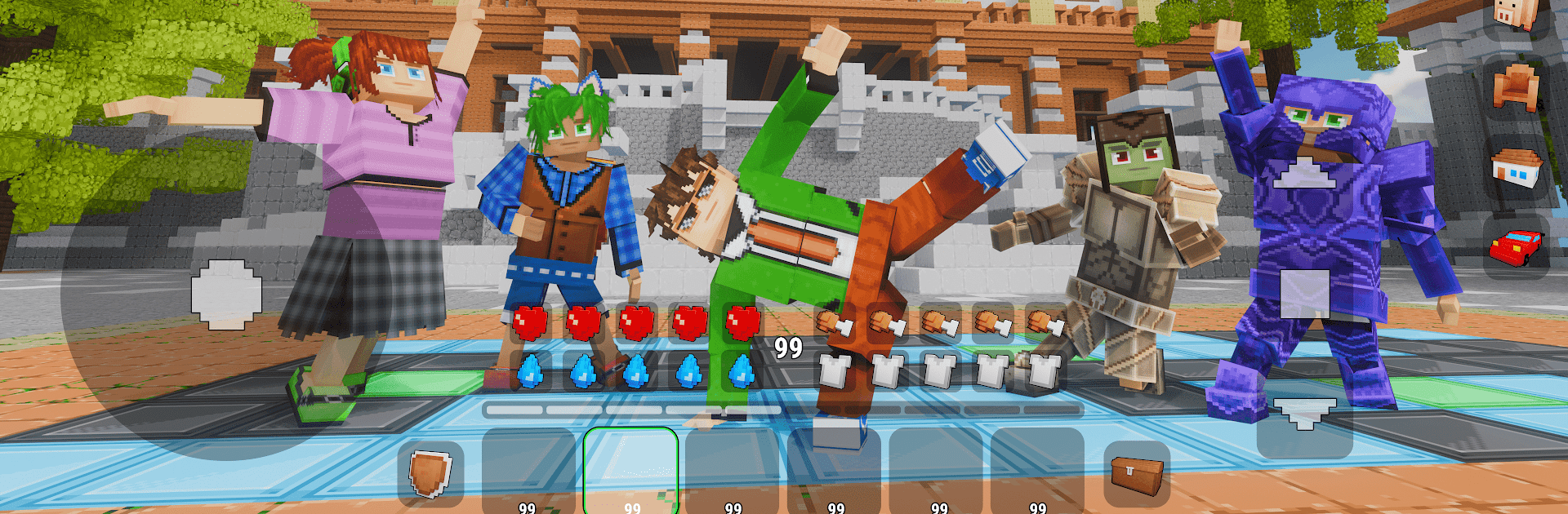
Craftium is a colorful block sandbox that swings between laid-back building and scrappy survival. Recipes are clear and easy to follow, and workbenches let a player improve tools and armor, brew potions, and set up little farms so expeditions do not stall. Creative mode is for fussing over cozy houses or wild towers, with an editor that helps place blocks neatly and decorate rooms without wrestling the cursor. Flip to survival and it becomes a different rhythm: gather food and water, grab shelter before night, deal with creatures, and keep equipment moving up so the next day is not a loss. The world feels big, with forests, deserts, snowy ridges, and cave systems to poke through. There are boats to launch, cliffs to climb, rare ores to chase, chests tucked away, and dungeons worth marking on the map for later visits.

When structure sounds better than freeform, story maps add NPC chatter and straightforward objectives while the landscape stays intact. Online servers lean into co-op, so a crew can share a base, host friendly fights, or split roles between explorer, builder, and defender. Skins, capes, helmets, and a simple editor make characters look different fast, and the block list goes deep with lamps, doors, switches, and furniture so spaces actually feel lived in. The community market brings in fresh maps, texture packs, and themed worlds when new scenery is needed. No fixed storyline means one session might be decorating a cottage, and the next is trekking across biomes for minerals or a quick combat challenge. On PC with BlueStacks, mouse placement makes building more precise and hotkeys keep inventory swaps quick, which suits the game’s build-and-survive loop really well.

Start your journey now. Download the game on BlueStacks, invite your friends, and march on a new adventure.


Game Features

Enhancements

  • Macros
  • Multi Instance
  • Multi Instance Sync
  • Script
  • Enhancements
Macros

Macros

Automate the predictable in Craftium: Craft & Build and transform your gameplay with Macros. Get access to inventive Macros in the BlueStacks Macro Community
Multi Instance

Multi Instance

Play Craftium: Craft & Build on one window. And chat with your friend on the other. Press CTRL + Shift + 8 to open the Multi-Instance Manager. And start creating fresh instances or clone an existing one.
Multi Instance Sync

Multi Instance Sync

Play Craftium: Craft & Build with the power of Multi-Instance Sync. Replicate what you are doing on the main instance on all other instances. Level up faster, play more.
Script

Script

Script your way to gaming glory in Craftium: Craft & Build with BlueStacks Script. Write and run a set of commands to automate repeated tasks. Trigger the command by assigning it to any key.
Read More

How to Download and Play Craftium: Craft & Build on PC or Mac

  • Download and install BlueStacks on your PC or Mac

  • Complete Google sign-in to access the Play Store, or do it later

  • Look for Craftium: Craft & Build in the search bar at the top right corner

  • Click to install Craftium: Craft & Build from the search results

  • Complete Google sign-in (if you skipped step 2) to install Craftium: Craft & Build

  • Click the Craftium: Craft & Build icon on the home screen to start playing

video
Watch Video

Minimum System Requirements

With BlueStacks 5, you can get started on a PC that fulfills the following requirements.

  • Operating System

    Microsoft Windows 7 or above, macOS 11 (Big Sur) or above

  • Processor

    Intel, AMD or Apple Silicon Processor

  • RAM

    at least 4GB

  • HDD

    10GB Free Disk Space

Note:

* You must be an Administrator on your PC. Up to date graphics drivers from Microsoft or the chipset vendor.

Craftium: Craft & Build - FAQs

  • How to play Craftium: Craft & Build on Windows PC & Mac?

    Play Craftium: Craft & Build on your PC or Mac by following these simple steps.

    • Click on 'Play Craftium: Craft & Build on PC’ to download BlueStacks
    • Install it and log-in to Google Play Store
    • Launch and play the game.
  • Why is BlueStacks the fastest and safest platform to play games on PC?

    BlueStacks respects your privacy and is always safe and secure to use. It does not carry any malware, spyware, or any sort of additional software that could harm your PC.

    It is engineered to optimize speed and performance for a seamless gaming experience.

  • What are Craftium: Craft & Build PC requirements?

    Minimum requirement to run Craftium: Craft & Build on your PC

    • OS: Microsoft Windows 7 or above MacOS 11 (Big Sur) or above
    • Processor: Intel, AMD or Apple Silicon Processor
    • RAM: Your PC must have at least 4GB of RAM. (Note that having 4GB or more disk space is not a substitute for RAM)
    • HDD: 10GB Free Disk Space.
    • You must be an Administrator on your PC.