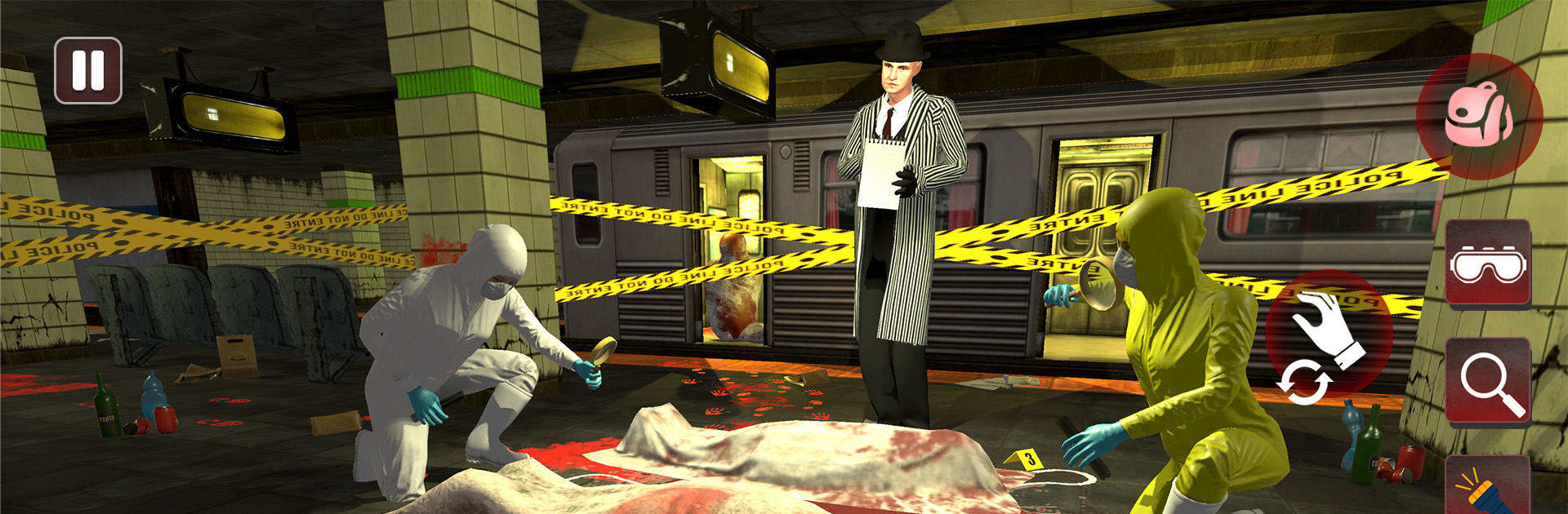
Crime Scene Evidence Collector

Crime Scene Evidence Collector

Adventure

| Game Mechanic (smc) Private limited

Play on PC with BlueStacks or from our cloud

  • Overview
  • Game Features
  • How to Play

Page Modified On: September 11, 2026

Play Crime Scene Evidence Collector on PC or Mac

Crime Scene Evidence Collector by Game Mechanic (smc) Private limited has plenty to keep you busy. BlueStacks lets you play it on PC or Mac with more screen space, better control, and fewer mobile limits.

About the Game

Slip on the gloves in Crime Scene Evidence Collector, an Adventure that turns cleanup into a razor‑focused craft. You’re the quiet pro called after the chaos—restoring order, scrubbing every trace, and tucking away anything suspicious before eyes start poking around. It’s part hidden‑object search, part strategy under pressure, and all about the satisfaction of leaving a place spotless.

Game Features

  • Hands-On Cleanup: Take charge of biohazard scrubs, stain removal, and careful disposal while working against tight checklists and creeping timers.
  • Hidden Clue Hunting: Sweep drawers, vents, and shadowy corners for weapons, documents, and stray objects; miss one piece, and the job isn’t done.
  • Pro Tools, Real Results: Put UV lights, solvents, sealable bags, and heavy-duty gear to work for squeaky‑clean rooms and zero loose ends.
  • Diverse Locations: Tackle cramped apartments, back alleys, storefronts, warehouses, and off-the-record spots—each with tricky layouts and blind angles.
  • Rising Difficulty: Early jobs teach the basics; later contracts stack tougher stains, smarter hiding places, and stricter objectives.
  • Objective-Driven Runs: Track progress in real time, tick off every requirement, and circle back to nail that 100% completion.
  • Immersive Look and Feel: Detailed scenes, moody lighting, and subtle audio cues keep tension high as you move from room to room.
  • BlueStacks Support: Prefer a desk setup? Play on BlueStacks for smooth controls and a cleaner view of every nook and cranny.

Start your journey now. Download the game on BlueStacks, invite your friends, and march on a new adventure.


Game Features

Enhancements

  • Macros
  • Multi Instance
  • Multi Instance Sync
  • Script
  • Enhancements
Macros

Macros

Automate the predictable in Crime Scene Evidence Collector and transform your gameplay with Macros. Get access to inventive Macros in the BlueStacks Macro Community
Multi Instance

Multi Instance

Play Crime Scene Evidence Collector on one window. And chat with your friend on the other. Press CTRL + Shift + 8 to open the Multi-Instance Manager. And start creating fresh instances or clone an existing one.
Multi Instance Sync

Multi Instance Sync

Play Crime Scene Evidence Collector with the power of Multi-Instance Sync. Replicate what you are doing on the main instance on all other instances. Level up faster, play more.
Script

Script

Script your way to gaming glory in Crime Scene Evidence Collector with BlueStacks Script. Write and run a set of commands to automate repeated tasks. Trigger the command by assigning it to any key.
Read More

How to Download and Play Crime Scene Evidence Collector on PC or Mac

  • Download and install BlueStacks on your PC or Mac

  • Complete Google sign-in to access the Play Store, or do it later

  • Look for Crime Scene Evidence Collector in the search bar at the top right corner

  • Click to install Crime Scene Evidence Collector from the search results

  • Complete Google sign-in (if you skipped step 2) to install Crime Scene Evidence Collector

  • Click the Crime Scene Evidence Collector icon on the home screen to start playing

video
Watch Video

Minimum System Requirements

With BlueStacks 5, you can get started on a PC that fulfills the following requirements.

  • Operating System

    Microsoft Windows 7 or above, macOS 11 (Big Sur) or above

  • Processor

    Intel, AMD or Apple Silicon Processor

  • RAM

    at least 4GB

  • HDD

    10GB Free Disk Space

Note:

* You must be an Administrator on your PC. Up to date graphics drivers from Microsoft or the chipset vendor.

Crime Scene Evidence Collector - FAQs

  • How to play Crime Scene Evidence Collector on Windows PC & Mac?

    Play Crime Scene Evidence Collector on your PC or Mac by following these simple steps.

    • Click on 'Play Crime Scene Evidence Collector on PC’ to download BlueStacks
    • Install it and log-in to Google Play Store
    • Launch and play the game.
  • Why is BlueStacks the fastest and safest platform to play games on PC?

    BlueStacks respects your privacy and is always safe and secure to use. It does not carry any malware, spyware, or any sort of additional software that could harm your PC.

    It is engineered to optimize speed and performance for a seamless gaming experience.

  • What are Crime Scene Evidence Collector PC requirements?

    Minimum requirement to run Crime Scene Evidence Collector on your PC

    • OS: Microsoft Windows 7 or above MacOS 11 (Big Sur) or above
    • Processor: Intel, AMD or Apple Silicon Processor
    • RAM: Your PC must have at least 4GB of RAM. (Note that having 4GB or more disk space is not a substitute for RAM)
    • HDD: 10GB Free Disk Space.
    • You must be an Administrator on your PC.