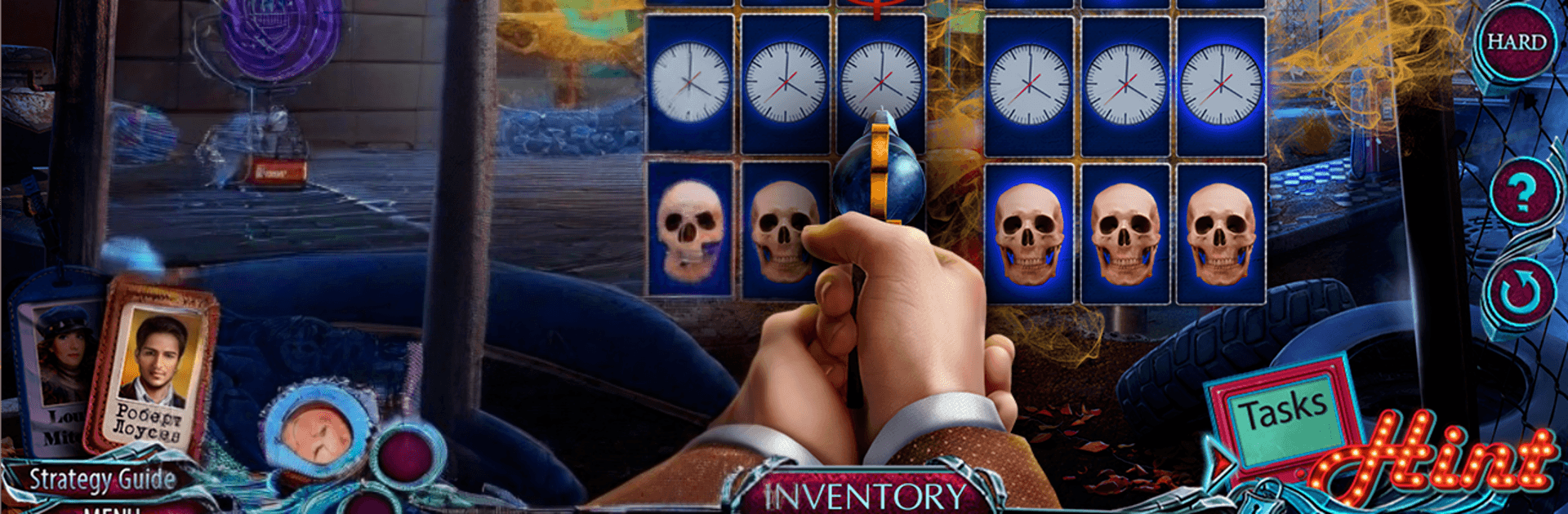
Hidden Objects - Dark Romance: Ashville

Hidden Objects - Dark Romance: Ashville

Adventure

| DominiGames

Play on PC with BlueStacks or from our cloud

  • Overview
  • Game Features
  • How to Play

Page Modified On: May 05, 2026

Play Hidden Objects - Dark Romance: Ashville on PC or Mac

Bring your A-game to Hidden Objects – Dark Romance: Ashville, the Adventure game sensation from DominiGames. Give your gameplay the much-needed boost with precise game controls, high FPS graphics, and top-tier features on your PC or Mac with BlueStacks.

About the Game

Hidden Objects – Dark Romance: Ashville is an eerie, story-driven Adventure from DominiGames where a quiet town’s past refuses to stay buried. Fifteen years after a devastating explosion, strange clues start surfacing—some of them from someone stuck in another time. Team up with a determined partner, piece together evidence across two timelines, and figure out what really happened before history repeats itself.

Game Features

  • Time-bending mystery: Follow a twisting investigation that jumps between the present day and key moments from Ashville’s past to uncover the truth behind the blast.
  • Two heroes, one case: Work alongside a capable partner; your combined discoveries shape how the story unfolds and who makes it out.
  • Handcrafted hidden-object scenes: Search beautifully detailed locations for clever item lists, silhouettes, and interactive clues that reward a sharp eye.
  • Smart mini-games and puzzles: Decode locks, assemble mechanisms, and untangle brainteasers that fit the narrative—challenging without ever feeling unfair.
  • Bonus chapter unlocked: Explore an extra storyline that digs deeper into Ashville’s history, answering questions the main case only hints at.
  • Replay and master: Revisit your favorite HOPs and puzzles, chase tough achievements, and perfect scenes you want to conquer with a better time or score.
  • Collect and investigate: Gather notes, money, and hard evidence—each find adds context to the town’s secrets and nudges the case forward.
  • Collector’s Edition extras: Browse concept art, listen to the soundtrack, rewatch key scenes, and enjoy other behind-the-scenes goodies.
  • Built-in strategy guide: Stuck on a puzzle or can’t spot that last object? Open the guide for a gentle nudge without spoiling the fun.
  • Flexible access: Try a free portion first, then unlock the full adventure with an in-app purchase. Prefer playing on a bigger screen? It runs smoothly on BlueStacks.

Start your journey now. Download the game on BlueStacks, invite your friends, and march on a new adventure.


Game Features

Enhancements

  • Macros
  • Multi Instance
  • Multi Instance Sync
  • Script
  • Enhancements
Macros

Macros

Automate the predictable in Hidden Objects - Dark Romance: Ashville and transform your gameplay with Macros. Get access to inventive Macros in the BlueStacks Macro Community
Multi Instance

Multi Instance

Play Hidden Objects - Dark Romance: Ashville on one window. And chat with your friend on the other. Press CTRL + Shift + 8 to open the Multi-Instance Manager. And start creating fresh instances or clone an existing one.
Multi Instance Sync

Multi Instance Sync

Play Hidden Objects - Dark Romance: Ashville with the power of Multi-Instance Sync. Replicate what you are doing on the main instance on all other instances. Level up faster, play more.
Script

Script

Script your way to gaming glory in Hidden Objects - Dark Romance: Ashville with BlueStacks Script. Write and run a set of commands to automate repeated tasks. Trigger the command by assigning it to any key.
Read More

How to Download and Play Hidden Objects - Dark Romance: Ashville on PC or Mac

  • Download and install BlueStacks on your PC or Mac

  • Complete Google sign-in to access the Play Store, or do it later

  • Look for Hidden Objects - Dark Romance: Ashville in the search bar at the top right corner

  • Click to install Hidden Objects - Dark Romance: Ashville from the search results

  • Complete Google sign-in (if you skipped step 2) to install Hidden Objects - Dark Romance: Ashville

  • Click the Hidden Objects - Dark Romance: Ashville icon on the home screen to start playing

video
Watch Video

Minimum System Requirements

With BlueStacks 5, you can get started on a PC that fulfills the following requirements.

  • Operating System

    Microsoft Windows 7 or above, macOS 11 (Big Sur) or above

  • Processor

    Intel, AMD or Apple Silicon Processor

  • RAM

    at least 4GB

  • HDD

    10GB Free Disk Space

Note:

* You must be an Administrator on your PC. Up to date graphics drivers from Microsoft or the chipset vendor.

Hidden Objects - Dark Romance: Ashville - FAQs

  • How to play Hidden Objects - Dark Romance: Ashville on Windows PC & Mac?

    Play Hidden Objects - Dark Romance: Ashville on your PC or Mac by following these simple steps.

    • Click on 'Play Hidden Objects - Dark Romance: Ashville on PC’ to download BlueStacks
    • Install it and log-in to Google Play Store
    • Launch and play the game.
  • Why is BlueStacks the fastest and safest platform to play games on PC?

    BlueStacks respects your privacy and is always safe and secure to use. It does not carry any malware, spyware, or any sort of additional software that could harm your PC.

    It is engineered to optimize speed and performance for a seamless gaming experience.

  • What are Hidden Objects - Dark Romance: Ashville PC requirements?

    Minimum requirement to run Hidden Objects - Dark Romance: Ashville on your PC

    • OS: Microsoft Windows 7 or above MacOS 11 (Big Sur) or above
    • Processor: Intel, AMD or Apple Silicon Processor
    • RAM: Your PC must have at least 4GB of RAM. (Note that having 4GB or more disk space is not a substitute for RAM)
    • HDD: 10GB Free Disk Space.
    • You must be an Administrator on your PC.