
Darkarta: Broken Heart's Quest

Darkarta: Broken Heart's Quest

Adventure

| Tuttifrutti Interactive

Play on PC with BlueStacks or from our cloud

  • Overview
  • Game Features
  • How to Play

Page Modified On: August 11, 2026

Play Darkarta: Broken Heart's Quest on PC or Mac

Darkarta: Broken Heart’s Quest by Tuttifrutti Interactive has plenty to keep you busy. BlueStacks lets you play it on PC or Mac with more screen space, better control, and fewer mobile limits.

About the Game

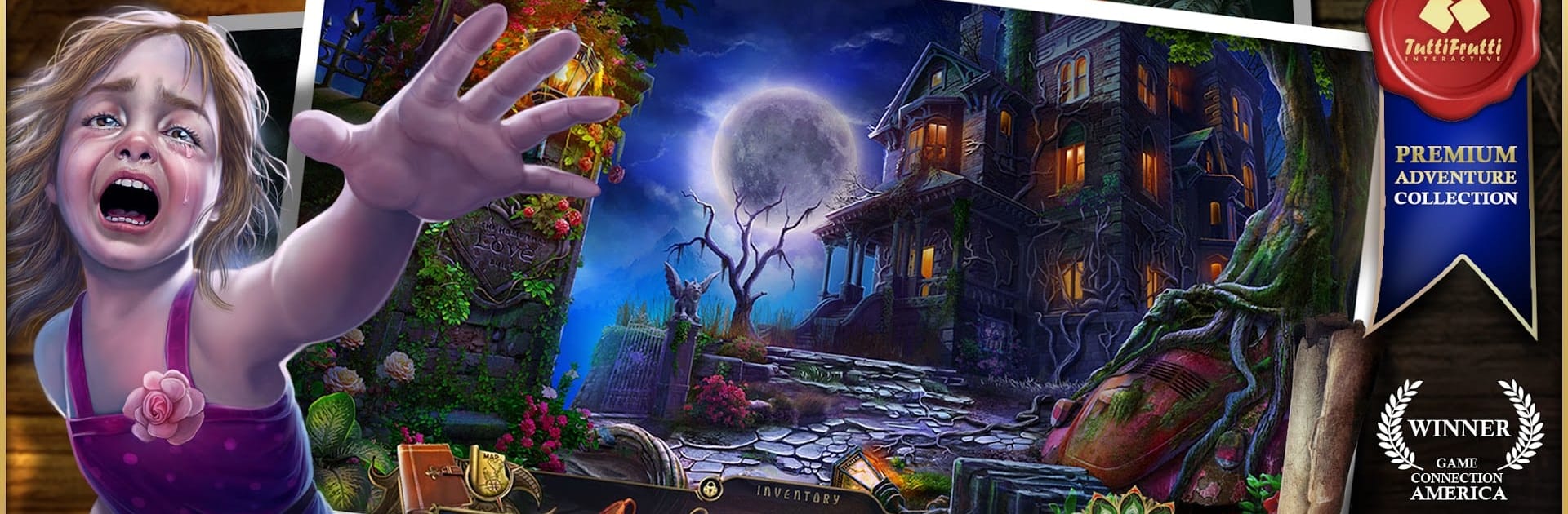
Darkarta: Broken Heart’s Quest is a story-rich Adventure where a mother fights time, curses, and her own past to find her kidnapped daughter. It blends hidden-object hunts, clever puzzles, and exploration through a myth-soaked vision of the Indus Valley and its eerie Netherworld. Prefer a bigger screen and mouse for those tricky scenes? It plays comfortably on BlueStacks too.

Game Features

  • Heart-tugging rescue: Play as Mary, a mom piecing together clues and an old family secret while tracking her daughter through a land stitched together by legend and loss.
  • Hidden-object scenes + puzzles: Search meticulously drawn locations and crack varied, non-repetitive puzzles that feel fair and satisfying.
  • Indus Valley fantasy: Wander through a lavish world inspired by ancient epics, reincarnation, and a centuries-old tragedy that still refuses to rest.
  • Atmospheric Netherworld: Cross shifting realms, face strange guardians, and follow cryptic symbols that nudge you toward the truth.
  • Bonus chapter “Rising of the Phoenix”: After the main story, jump into a special chapter where you get to flex a powerful “god” mode twist.
  • Illustrated prequel comic: Read a hand-drawn backstory that sets the stage before the abduction.
  • Mom’s diary system: Track objectives, study character notes, mark your location with a route map, and relive memories in one tidy journal.
  • Collectibles and accolades: Snag 30 memory keepsakes, 28 morphing items, and earn 36 medals; unlock concept art, wallpapers, and the soundtrack.
  • Replay-friendly: Revisit mini-games, hidden-object scenes, and cutscenes any time.
  • Focused runtime: A tight 5–6 hour journey that respects your schedule without sacrificing mood or mystery.

BlueStacks gives you more room to focus on the game and less time adjusting around mobile limitations.


Game Features

Enhancements

  • Macros
  • Multi Instance
  • Multi Instance Sync
  • Script
  • Enhancements
Macros

Macros

Automate the predictable in Darkarta: Broken Heart's Quest and transform your gameplay with Macros. Get access to inventive Macros in the BlueStacks Macro Community
Multi Instance

Multi Instance

Play Darkarta: Broken Heart's Quest on one window. And chat with your friend on the other. Press CTRL + Shift + 8 to open the Multi-Instance Manager. And start creating fresh instances or clone an existing one.
Multi Instance Sync

Multi Instance Sync

Play Darkarta: Broken Heart's Quest with the power of Multi-Instance Sync. Replicate what you are doing on the main instance on all other instances. Level up faster, play more.
Script

Script

Script your way to gaming glory in Darkarta: Broken Heart's Quest with BlueStacks Script. Write and run a set of commands to automate repeated tasks. Trigger the command by assigning it to any key.
Read More

How to Download and Play Darkarta: Broken Heart's Quest on PC or Mac

  • Download and install BlueStacks on your PC or Mac

  • Complete Google sign-in to access the Play Store, or do it later

  • Look for Darkarta: Broken Heart's Quest in the search bar at the top right corner

  • Click to install Darkarta: Broken Heart's Quest from the search results

  • Complete Google sign-in (if you skipped step 2) to install Darkarta: Broken Heart's Quest

  • Click the Darkarta: Broken Heart's Quest icon on the home screen to start playing

video
Watch Video

Minimum System Requirements

With BlueStacks 5, you can get started on a PC that fulfills the following requirements.

  • Operating System

    Microsoft Windows 7 or above, macOS 11 (Big Sur) or above

  • Processor

    Intel, AMD or Apple Silicon Processor

  • RAM

    at least 4GB

  • HDD

    10GB Free Disk Space

Note:

* You must be an Administrator on your PC. Up to date graphics drivers from Microsoft or the chipset vendor.

Darkarta: Broken Heart's Quest - FAQs

  • How to play Darkarta: Broken Heart's Quest on Windows PC & Mac?

    Play Darkarta: Broken Heart's Quest on your PC or Mac by following these simple steps.

    • Click on 'Play Darkarta: Broken Heart's Quest on PC’ to download BlueStacks
    • Install it and log-in to Google Play Store
    • Launch and play the game.
  • Why is BlueStacks the fastest and safest platform to play games on PC?

    BlueStacks respects your privacy and is always safe and secure to use. It does not carry any malware, spyware, or any sort of additional software that could harm your PC.

    It is engineered to optimize speed and performance for a seamless gaming experience.

  • What are Darkarta: Broken Heart's Quest PC requirements?

    Minimum requirement to run Darkarta: Broken Heart's Quest on your PC

    • OS: Microsoft Windows 7 or above MacOS 11 (Big Sur) or above
    • Processor: Intel, AMD or Apple Silicon Processor
    • RAM: Your PC must have at least 4GB of RAM. (Note that having 4GB or more disk space is not a substitute for RAM)
    • HDD: 10GB Free Disk Space.
    • You must be an Administrator on your PC.







