Egyptian Museum Adventure 3D

Egyptian Museum Adventure 3D

Adventure

| HKAppBond

Play on PC with BlueStacks or from our cloud

  • Overview
  • Game Features
  • How to Play

Page Modified On: January 02, 2026

Play Egyptian Museum Adventure 3D on PC or Mac

Step into the World of Egyptian Museum Adventure 3D, a thrilling Adventure game from the house of HKAppBond. Play this Android game on BlueStacks App Player and experience immersive gaming on PC or Mac.

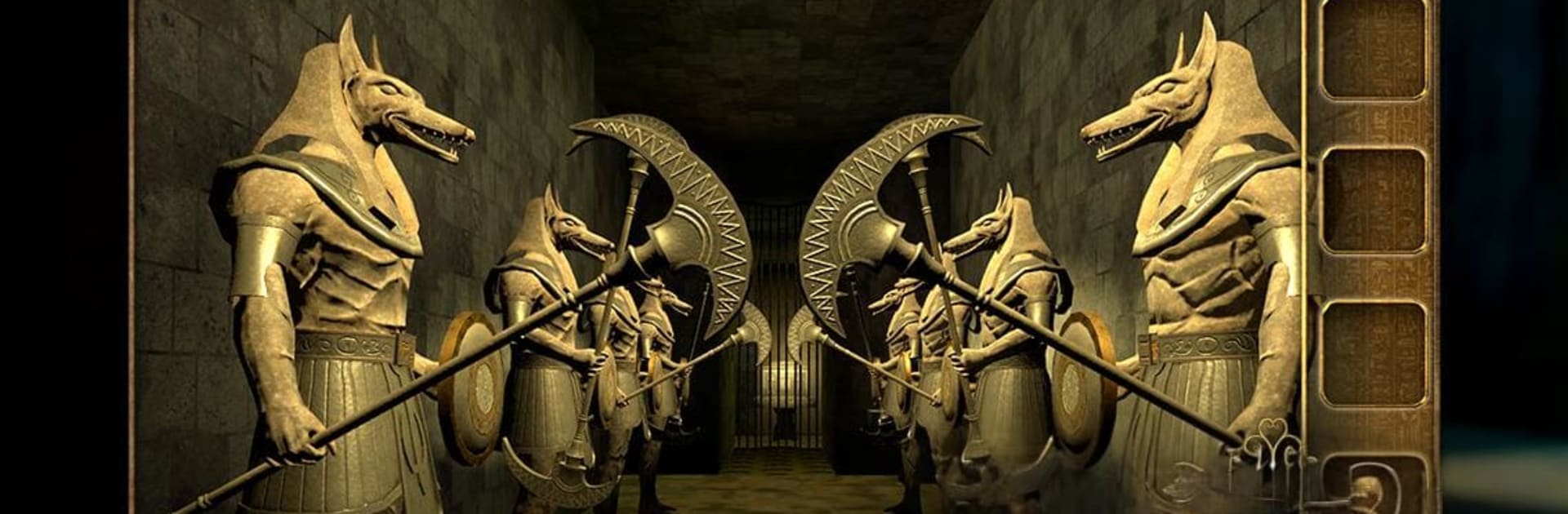
Egyptian Museum Adventure 3D feels like walking through a quiet tomb after closing hours, checking every statue, urn, and carved wall for something just a little off. It is a straight up 3D escape room: lots of locks, symbols, hidden panels, and gadgets where a tiny clue in one corner links to a device across the gallery. The difficulty climbs in a fair way. Early puzzles teach the rules, later ones expect players to observe, count, line up patterns, and do a small bit of math. Hints drop in at key moments, so it rarely becomes a wall. They nudge rather than spoil, which helps keep momentum.

The Egyptian theme is not just decoration. Puzzles lean into scarabs, obelisks, sun mirrors, rotating rings, balance scales, and creaky sarcophagi that open when the sequence finally clicks. Movement is smooth, and the 3D rooms feel like places to search, not just flat screens with buttons. On BlueStacks, the mouse helps with precise taps and the bigger monitor makes tiny markings easier to spot, which matters alot here. Sound is minimal but moody enough, and the game keeps focus on puzzle solving over story. Players who enjoy methodical chains of clues, taking notes, and that small rush when a heavy door slides aside will likely be into it. It is calm, thoughtful, and full of little aha moments without being mean about difficulty.

Slay your opponents with your epic moves. Play it your way on BlueStacks and dominate the battlefield.


Game Features

Enhancements

  • Macros
  • Multi Instance
  • Multi Instance Sync
  • Script
  • Enhancements
Macros

Macros

Automate the predictable in Egyptian Museum Adventure 3D and transform your gameplay with Macros. Get access to inventive Macros in the BlueStacks Macro Community
Multi Instance

Multi Instance

Play Egyptian Museum Adventure 3D on one window. And chat with your friend on the other. Press CTRL + Shift + 8 to open the Multi-Instance Manager. And start creating fresh instances or clone an existing one.
Multi Instance Sync

Multi Instance Sync

Play Egyptian Museum Adventure 3D with the power of Multi-Instance Sync. Replicate what you are doing on the main instance on all other instances. Level up faster, play more.
Script

Script

Script your way to gaming glory in Egyptian Museum Adventure 3D with BlueStacks Script. Write and run a set of commands to automate repeated tasks. Trigger the command by assigning it to any key.
Read More

How to Download and Play Egyptian Museum Adventure 3D on PC or Mac

  • Download and install BlueStacks on your PC or Mac

  • Complete Google sign-in to access the Play Store, or do it later

  • Look for Egyptian Museum Adventure 3D in the search bar at the top right corner

  • Click to install Egyptian Museum Adventure 3D from the search results

  • Complete Google sign-in (if you skipped step 2) to install Egyptian Museum Adventure 3D

  • Click the Egyptian Museum Adventure 3D icon on the home screen to start playing

video
Watch Video

Minimum System Requirements

With BlueStacks 5, you can get started on a PC that fulfills the following requirements.

  • Operating System

    Microsoft Windows 7 or above, macOS 11 (Big Sur) or above

  • Processor

    Intel, AMD or Apple Silicon Processor

  • RAM

    at least 4GB

  • HDD

    10GB Free Disk Space

Note:

* You must be an Administrator on your PC. Up to date graphics drivers from Microsoft or the chipset vendor.

Egyptian Museum Adventure 3D - FAQs

  • How to play Egyptian Museum Adventure 3D on Windows PC & Mac?

    Play Egyptian Museum Adventure 3D on your PC or Mac by following these simple steps.

    • Click on 'Play Egyptian Museum Adventure 3D on PC’ to download BlueStacks
    • Install it and log-in to Google Play Store
    • Launch and play the game.
  • Why is BlueStacks the fastest and safest platform to play games on PC?

    BlueStacks respects your privacy and is always safe and secure to use. It does not carry any malware, spyware, or any sort of additional software that could harm your PC.

    It is engineered to optimize speed and performance for a seamless gaming experience.

  • What are Egyptian Museum Adventure 3D PC requirements?

    Minimum requirement to run Egyptian Museum Adventure 3D on your PC

    • OS: Microsoft Windows 7 or above MacOS 11 (Big Sur) or above
    • Processor: Intel, AMD or Apple Silicon Processor
    • RAM: Your PC must have at least 4GB of RAM. (Note that having 4GB or more disk space is not a substitute for RAM)
    • HDD: 10GB Free Disk Space.
    • You must be an Administrator on your PC.