Endless Fables 2: Frozen Path

Endless Fables 2: Frozen Path

Adventure

| Artifex Mundi

Play on PC with BlueStacks or from our cloud

  • Overview
  • Game Features
  • How to Play

Page Modified On: August 24, 2026

Play Endless Fables 2: Frozen Path on PC or Mac

Play Endless Fables 2: Frozen Path by Artifex Mundi on PC or Mac with BlueStacks. Use a bigger screen, mouse and keyboard controls, and smoother performance while you play.

About the Game

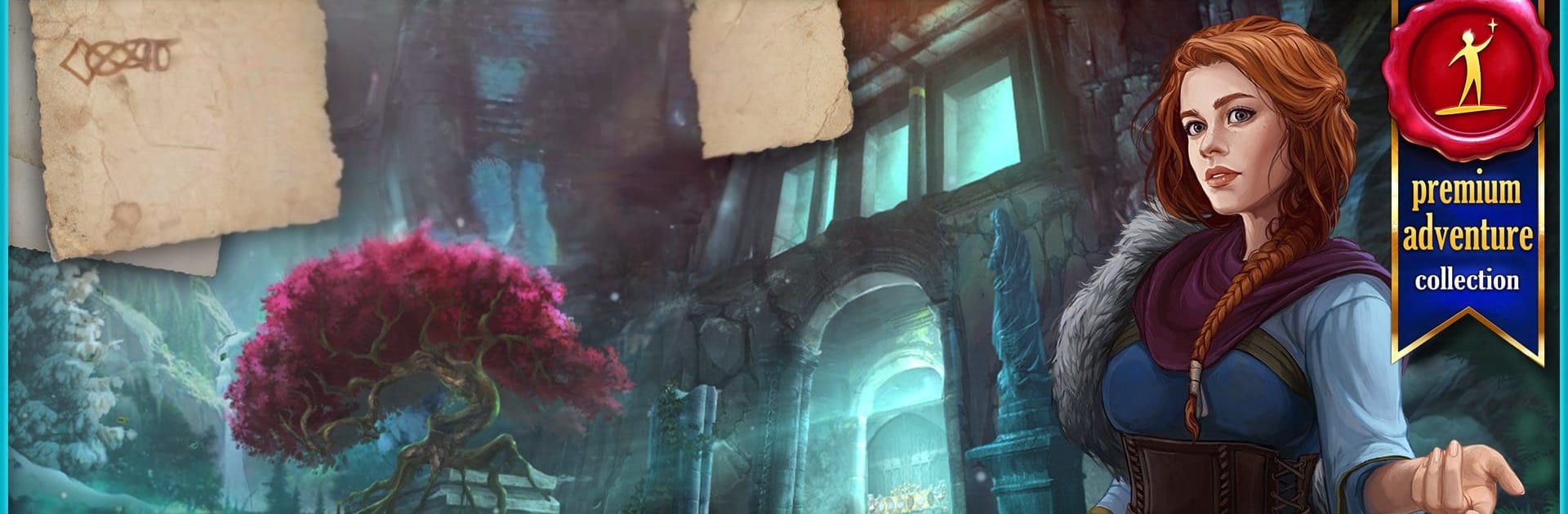
Endless Fables 2: Frozen Path is an Adventure mystery that sends you to the icy edges of Europe with anthropologist Pamela Cavendish. A friend vanishes after exploring a mine tied to legends of Loki and Hodur, and the clues left behind are equal parts history lesson and nightmare fuel. It’s a story-led hidden-object experience with clever puzzles, haunting locations, and a creeping sense that the myths might be more than stories—plays great on BlueStacks, too.

Game Features

  • Chilling mystery: Follow Pamela’s search for a missing colleague whose expedition ends with one survivor—and a terrifying account no one can fully trust.
  • Norse-inspired world: Explore 40 atmospheric locations shaped by Scandinavian folklore, from frostbitten villages to rune-carved tunnels and aurora-lit paths.
  • Puzzle-packed journey: Tackle more than 50 minigames and hidden-object scenes that keep you switching between sharp observation and smart problem-solving.
  • Legends with teeth: Piece together the tangled myths of Loki and Hodur, connecting ancient tales to very real dangers beneath the snow.
  • Hidden-object variety: Hunt for cleverly concealed items through different scene styles—lists, silhouettes, and layered interactions that reward careful eyes.
  • Smart item use: Collect tools and artifacts, combine them thoughtfully, and unlock new areas as you reconstruct what truly happened in the mine.
  • Moody presentation: Crisp art, eerie soundscapes, and snowbound vistas create a tense, immersive atmosphere that makes every discovery feel earned.
  • Mythic stakes: Uncover secrets in time to stop a looming catastrophe hinted at in prophecy—the kind that could bring on a very cold end for everyone.

Get ready for a buttery smooth, high-performance gaming action only on BlueStacks.

Game Features

Enhancements

  • Macros
  • Multi Instance
  • Multi Instance Sync
  • Script
  • Enhancements
Macros

Macros

Automate the predictable in Endless Fables 2: Frozen Path and transform your gameplay with Macros. Get access to inventive Macros in the BlueStacks Macro Community
Multi Instance

Multi Instance

Play Endless Fables 2: Frozen Path on one window. And chat with your friend on the other. Press CTRL + Shift + 8 to open the Multi-Instance Manager. And start creating fresh instances or clone an existing one.
Multi Instance Sync

Multi Instance Sync

Play Endless Fables 2: Frozen Path with the power of Multi-Instance Sync. Replicate what you are doing on the main instance on all other instances. Level up faster, play more.
Script

Script

Script your way to gaming glory in Endless Fables 2: Frozen Path with BlueStacks Script. Write and run a set of commands to automate repeated tasks. Trigger the command by assigning it to any key.
Read More

How to Download and Play Endless Fables 2: Frozen Path on PC or Mac

  • Download and install BlueStacks on your PC or Mac

  • Complete Google sign-in to access the Play Store, or do it later

  • Look for Endless Fables 2: Frozen Path in the search bar at the top right corner

  • Click to install Endless Fables 2: Frozen Path from the search results

  • Complete Google sign-in (if you skipped step 2) to install Endless Fables 2: Frozen Path

  • Click the Endless Fables 2: Frozen Path icon on the home screen to start playing

video
Watch Video

Minimum System Requirements

With BlueStacks 5, you can get started on a PC that fulfills the following requirements.

  • Operating System

    Microsoft Windows 7 or above, macOS 11 (Big Sur) or above

  • Processor

    Intel, AMD or Apple Silicon Processor

  • RAM

    at least 4GB

  • HDD

    10GB Free Disk Space

Note:

* You must be an Administrator on your PC. Up to date graphics drivers from Microsoft or the chipset vendor.

Endless Fables 2: Frozen Path - FAQs

  • How to play Endless Fables 2: Frozen Path on Windows PC & Mac?

    Play Endless Fables 2: Frozen Path on your PC or Mac by following these simple steps.

    • Click on 'Play Endless Fables 2: Frozen Path on PC’ to download BlueStacks
    • Install it and log-in to Google Play Store
    • Launch and play the game.
  • Why is BlueStacks the fastest and safest platform to play games on PC?

    BlueStacks respects your privacy and is always safe and secure to use. It does not carry any malware, spyware, or any sort of additional software that could harm your PC.

    It is engineered to optimize speed and performance for a seamless gaming experience.

  • What are Endless Fables 2: Frozen Path PC requirements?

    Minimum requirement to run Endless Fables 2: Frozen Path on your PC

    • OS: Microsoft Windows 7 or above MacOS 11 (Big Sur) or above
    • Processor: Intel, AMD or Apple Silicon Processor
    • RAM: Your PC must have at least 4GB of RAM. (Note that having 4GB or more disk space is not a substitute for RAM)
    • HDD: 10GB Free Disk Space.
    • You must be an Administrator on your PC.