Persian Nights 2
Persian Nights 2

Persian Nights 2

Adventure

| Artifex Mundi

Play on PC with BlueStacks or from our cloud

  • Overview
  • Game Features
  • How to Play

Page Modified On: June 29, 2026

Play Persian Nights 2 on PC or Mac

Bring your A-game to Persian Nights 2, the Adventure game sensation from Artifex Mundi. Give your gameplay the much-needed boost with precise game controls, high FPS graphics, and top-tier features on your PC or Mac with BlueStacks.

About the Game

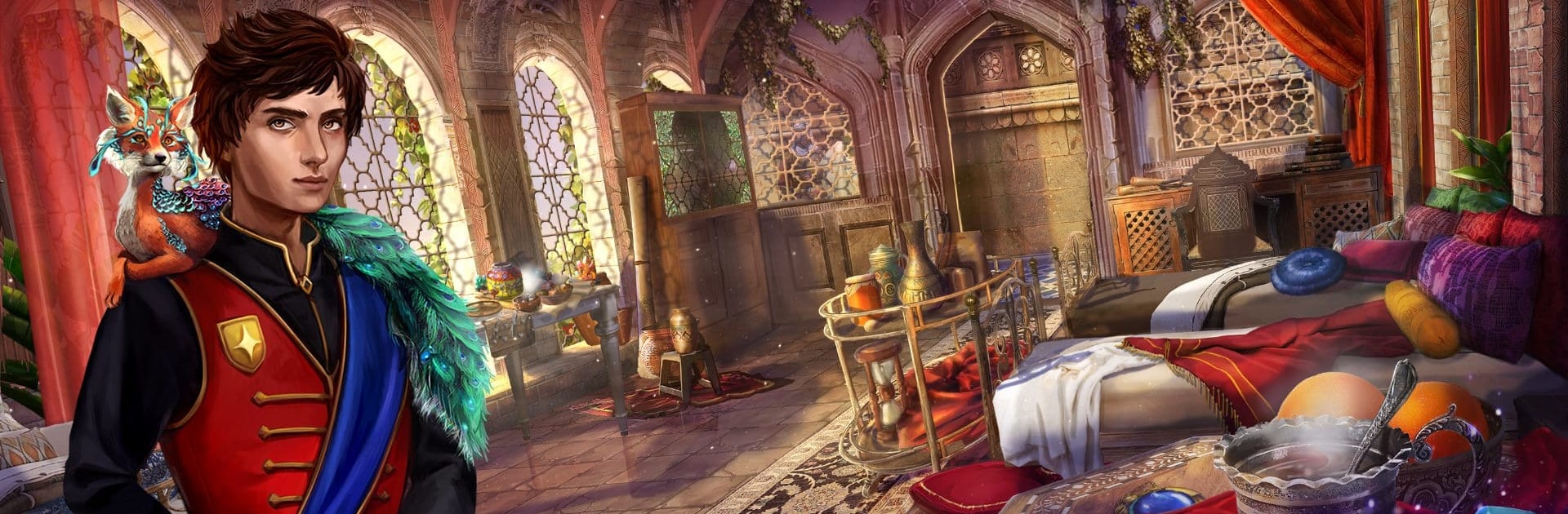
Persian Nights 2 is an Adventure hidden-object story about family, magic, and a night when spells stop working. Your sister disappears just as the twin moons bring on Mathab, a rare moment that shuts down sorcery and sends everyone scrambling for pre-charged artifacts. You’ll comb through a strange academy, chase leads across gorgeous locations, and piece together who’s really pulling the strings.

Game Features

  • Twin-moon stakes: When Mathab hits, casting’s off-limits. Rely on enchanted relics, clever workarounds, and some good old problem-solving to keep the investigation moving.
  • Hidden-object scenes with meaning: Search beautifully crafted areas for story-critical clues and tools that unlock fresh rooms, shortcuts, and secrets.
  • Puzzles and amulets: Crack intricate locks, assemble mechanisms, and experiment with magical amulets that each have a distinct, situational use.
  • Mythic allies: Befriend moonlings and cross paths with the legendary simurgh—creatures that lend a hand with abilities you’ll learn to use smartly.
  • The Academy, unmasked: Explore classrooms, archives, vaults, and rooftops, reading environmental hints and tracking suspicious movements through the halls.
  • A shadowy investigation: Trade theories with a mysterious investigator whose motives aren’t exactly clear. Trust is a resource—spend it carefully.
  • Lavish sights and sounds: Hand-painted scenes, warm lighting, and an evocative score make every discovery feel like a page from a living folktale.
  • Flexible play: Adjustable difficulty, optional hints, and replayable scenes keep things friendly whether you’re here for the story or the 100% run.
  • Smooth on PC: Playing with BlueStacks gives point-and-click searches a crisp feel with reliable performance and comfy mouse control.

Start playing Persian Nights 2 on BlueStacks and get a smoother, more comfortable PC or Mac setup.


Game Features

Enhancements

  • Macros
  • Multi Instance
  • Multi Instance Sync
  • Script
  • Enhancements
Macros

Macros

Automate the predictable in Persian Nights 2 and transform your gameplay with Macros. Get access to inventive Macros in the BlueStacks Macro Community
Multi Instance

Multi Instance

Play Persian Nights 2 on one window. And chat with your friend on the other. Press CTRL + Shift + 8 to open the Multi-Instance Manager. And start creating fresh instances or clone an existing one.
Multi Instance Sync

Multi Instance Sync

Play Persian Nights 2 with the power of Multi-Instance Sync. Replicate what you are doing on the main instance on all other instances. Level up faster, play more.
Script

Script

Script your way to gaming glory in Persian Nights 2 with BlueStacks Script. Write and run a set of commands to automate repeated tasks. Trigger the command by assigning it to any key.
Read More

How to Download and Play Persian Nights 2 on PC or Mac

  • Download and install BlueStacks on your PC or Mac

  • Complete Google sign-in to access the Play Store, or do it later

  • Look for Persian Nights 2 in the search bar at the top right corner

  • Click to install Persian Nights 2 from the search results

  • Complete Google sign-in (if you skipped step 2) to install Persian Nights 2

  • Click the Persian Nights 2 icon on the home screen to start playing

video
Watch Video

Minimum System Requirements

With BlueStacks 5, you can get started on a PC that fulfills the following requirements.

  • Operating System

    Microsoft Windows 7 or above, macOS 11 (Big Sur) or above

  • Processor

    Intel, AMD or Apple Silicon Processor

  • RAM

    at least 4GB

  • HDD

    10GB Free Disk Space

Note:

* You must be an Administrator on your PC. Up to date graphics drivers from Microsoft or the chipset vendor.

Persian Nights 2 - FAQs

  • How to play Persian Nights 2 on Windows PC & Mac?

    Play Persian Nights 2 on your PC or Mac by following these simple steps.

    • Click on 'Play Persian Nights 2 on PC’ to download BlueStacks
    • Install it and log-in to Google Play Store
    • Launch and play the game.
  • Why is BlueStacks the fastest and safest platform to play games on PC?

    BlueStacks respects your privacy and is always safe and secure to use. It does not carry any malware, spyware, or any sort of additional software that could harm your PC.

    It is engineered to optimize speed and performance for a seamless gaming experience.

  • What are Persian Nights 2 PC requirements?

    Minimum requirement to run Persian Nights 2 on your PC

    • OS: Microsoft Windows 7 or above MacOS 11 (Big Sur) or above
    • Processor: Intel, AMD or Apple Silicon Processor
    • RAM: Your PC must have at least 4GB of RAM. (Note that having 4GB or more disk space is not a substitute for RAM)
    • HDD: 10GB Free Disk Space.
    • You must be an Administrator on your PC.