Escape From Durka: Побег из дурки

Escape From Durka: Побег из дурки

Adventure

| Ztep GC

Play on PC with BlueStacks or from our cloud

  • Overview
  • Game Features
  • How to Play

Page Modified On: July 23, 2025

Play Escape From Durka: Побег из дурки on PC or Mac

Step into the World of Escape From Durka: Побег из дурки, a thrilling Adventure game from the house of Ztep GC. Play this Android game on BlueStacks App Player and experience immersive gaming on PC or Mac.

About the Game

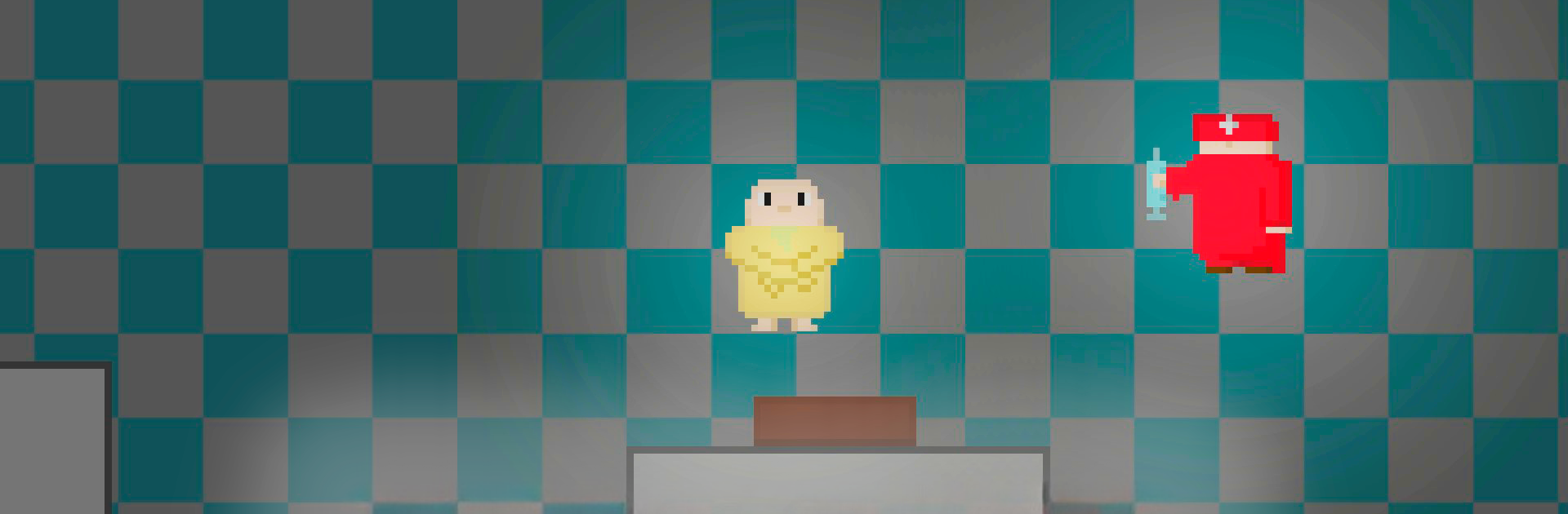
Ready for something a little offbeat? Escape From Durka: Побег из дурки plunges you into a pixelated madhouse packed with oddities and surprises. Navigate through quirky corridors, collect pills and cards, and try to outsmart the chaos in this tongue-in-cheek adventure from Ztep GC. If you enjoy games that don’t take themselves too seriously and love a little absurdity, this one’s for you.

Game Features

  • Pixel Madness: Experience wild retro visuals that intentionally feel unfinished—think pixels everywhere, with some weird and not-so-pretty art that adds to the game’s wacky charm.
  • Memes Galore: It’s packed with in-jokes and internet memes. Expect goofy references that’ll either make you laugh or leave you scratching your head.
  • Absurd Logic: Not everything here is supposed to make sense. Encounter random, illogical events and objects—perfect for curious minds who love surprises.
  • Bugs Included: Embrace the chaos—glitches aren’t just possible, they’re practically part of the experience. Some unexpected things will probably happen, but hey, that’s half the fun.
  • Collect and Escape: Hunt down all the pills and cards scattered around, if you can. Figuring out how to use them feels like a puzzle only a true escape artist could solve.
  • BlueStacks Advantage: Play Escape From Durka: Побег из дурки on bigger screens with BlueStacks for even wilder visuals (and more space to spot those sneaky bugs).

This isn’t your usual adventure—it’s a love letter to the weird, created for gamers who embrace the unexpected.

Get ready for a buttery smooth, high-performance gaming action only on BlueStacks.

Game Features

Enhancements

  • Macros
  • Multi Instance
  • Multi Instance Sync
  • Script
  • Enhancements
Macros

Macros

Automate the predictable in Escape From Durka: Побег из дурки and transform your gameplay with Macros. Get access to inventive Macros in the BlueStacks Macro Community
Multi Instance

Multi Instance

Play Escape From Durka: Побег из дурки on one window. And chat with your friend on the other. Press CTRL + Shift + 8 to open the Multi-Instance Manager. And start creating fresh instances or clone an existing one.
Multi Instance Sync

Multi Instance Sync

Play Escape From Durka: Побег из дурки with the power of Multi-Instance Sync. Replicate what you are doing on the main instance on all other instances. Level up faster, play more.
Script

Script

Script your way to gaming glory in Escape From Durka: Побег из дурки with BlueStacks Script. Write and run a set of commands to automate repeated tasks. Trigger the command by assigning it to any key.
Read More

How to Download and Play Escape From Durka: Побег из дурки on PC or Mac

  • Download and install BlueStacks on your PC or Mac

  • Complete Google sign-in to access the Play Store, or do it later

  • Look for Escape From Durka: Побег из дурки in the search bar at the top right corner

  • Click to install Escape From Durka: Побег из дурки from the search results

  • Complete Google sign-in (if you skipped step 2) to install Escape From Durka: Побег из дурки

  • Click the Escape From Durka: Побег из дурки icon on the home screen to start playing

video
Watch Video

Minimum System Requirements

With BlueStacks 5, you can get started on a PC that fulfills the following requirements.

  • Operating System

    Microsoft Windows 7 or above, macOS 11 (Big Sur) or above

  • Processor

    Intel, AMD or Apple Silicon Processor

  • RAM

    at least 4GB

  • HDD

    10GB Free Disk Space

Note:

* You must be an Administrator on your PC. Up to date graphics drivers from Microsoft or the chipset vendor.

Escape From Durka: Побег из дурки - FAQs

  • How to play Escape From Durka: Побег из дурки on Windows PC & Mac?

    Play Escape From Durka: Побег из дурки on your PC or Mac by following these simple steps.

    • Click on 'Play Escape From Durka: Побег из дурки on PC’ to download BlueStacks
    • Install it and log-in to Google Play Store
    • Launch and play the game.
  • Why is BlueStacks the fastest and safest platform to play games on PC?

    BlueStacks respects your privacy and is always safe and secure to use. It does not carry any malware, spyware, or any sort of additional software that could harm your PC.

    It is engineered to optimize speed and performance for a seamless gaming experience.

  • What are Escape From Durka: Побег из дурки PC requirements?

    Minimum requirement to run Escape From Durka: Побег из дурки on your PC

    • OS: Microsoft Windows 7 or above MacOS 11 (Big Sur) or above
    • Processor: Intel, AMD or Apple Silicon Processor
    • RAM: Your PC must have at least 4GB of RAM. (Note that having 4GB or more disk space is not a substitute for RAM)
    • HDD: 10GB Free Disk Space.
    • You must be an Administrator on your PC.