Escape From Madhouse 2

Escape From Madhouse 2

Adventure

| Ztep GC

Play on PC with BlueStacks or from our cloud

  • Overview
  • Game Features
  • How to Play

Page Modified On: August 22, 2025

Play Escape From Madhouse 2 on PC or Mac

From the innovators and creators at Ztep GC, Escape From Madhouse 2 is another fun addition to the World of Adventure games. Go beyond your mobile screen and play it bigger and better on your PC or Mac. An immersive experience awaits you.

About the Game

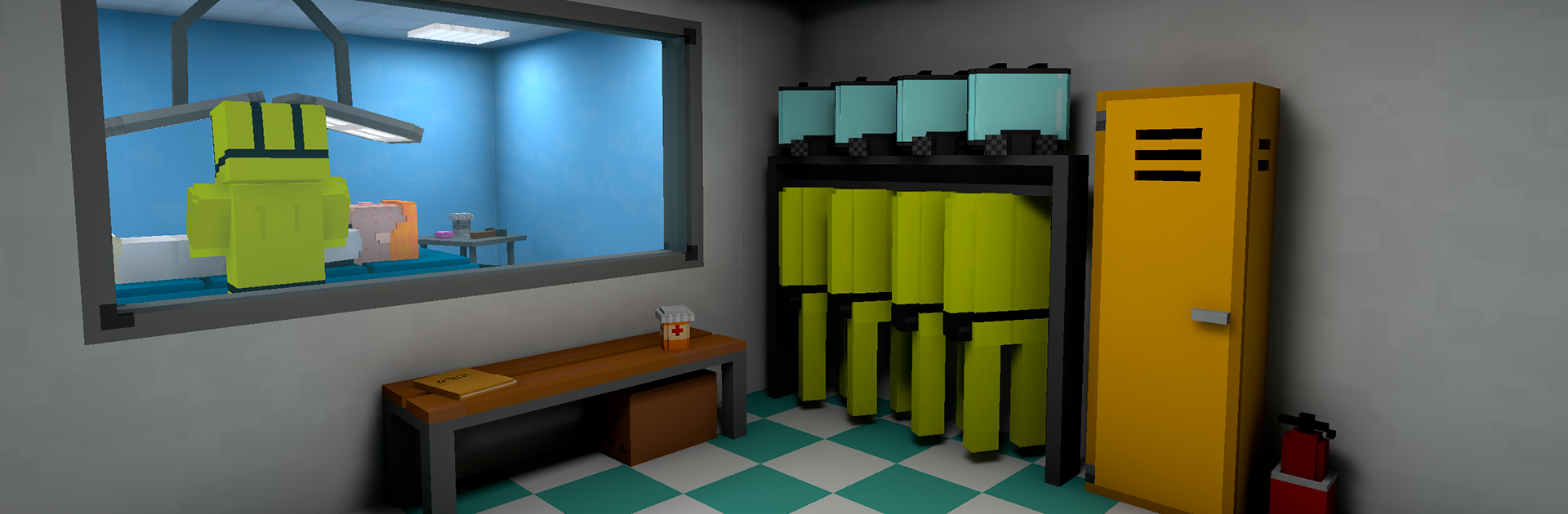
Escape From Madhouse 2 drops you in the halls of a seriously eerie psychiatric hospital, and your main goal is simple: get out—if you can. Every corner has a surprise waiting, whether it’s a locked door, a lurking orderly, or a puzzle that’ll have you scratching your head. If you like adventure games that keep you guessing, Ztep GC’s latest title brings just the right mix of challenge and suspense.

Game Features

  • Challenging Escapes:
    Every level ups the ante, tossing you into new situations where escaping isn’t just about running—sometimes, you’ll need to outsmart the guards or duck through a tricky exit.

  • Brain-Teasing Puzzles:
    Each chapter is packed with puzzles. Sure, they’re not rocket science, but they get tougher as you go. Think riddles, hidden objects, and finding keys in places you’d never expect.

  • Giants and Guards:
    Orderlies and guards won’t just leave you alone. Stay sharp, because they’re always on the lookout—and just when you think you’re safe, they’ll spice things up.

  • Progressive Difficulty:
    The difficulty curve is no joke. The deeper you go into the madhouse, the more you’ll have to think on your feet, watch out for new hazards, and keep calm under pressure.

  • Adventure on Any Screen:
    Although you can play on your phone, making your way through Escape From Madhouse 2 on BlueStacks means smoother performance and a much bigger view of the creepy corridors.

  • Unique Setting:
    Not your average escape game—the creepy hospital backdrop delivers a haunting vibe without ever turning into a horror fest. Perfect for adventure fans who want something just a little weird.

Get ready for a buttery smooth, high-performance gaming action only on BlueStacks.

Game Features

Enhancements

  • Macros
  • Multi Instance
  • Multi Instance Sync
  • Script
  • Enhancements
Macros

Macros

Automate the predictable in Escape From Madhouse 2 and transform your gameplay with Macros. Get access to inventive Macros in the BlueStacks Macro Community
Multi Instance

Multi Instance

Play Escape From Madhouse 2 on one window. And chat with your friend on the other. Press CTRL + Shift + 8 to open the Multi-Instance Manager. And start creating fresh instances or clone an existing one.
Multi Instance Sync

Multi Instance Sync

Play Escape From Madhouse 2 with the power of Multi-Instance Sync. Replicate what you are doing on the main instance on all other instances. Level up faster, play more.
Script

Script

Script your way to gaming glory in Escape From Madhouse 2 with BlueStacks Script. Write and run a set of commands to automate repeated tasks. Trigger the command by assigning it to any key.
Read More

How to Download and Play Escape From Madhouse 2 on PC or Mac

  • Download and install BlueStacks on your PC or Mac

  • Complete Google sign-in to access the Play Store, or do it later

  • Look for Escape From Madhouse 2 in the search bar at the top right corner

  • Click to install Escape From Madhouse 2 from the search results

  • Complete Google sign-in (if you skipped step 2) to install Escape From Madhouse 2

  • Click the Escape From Madhouse 2 icon on the home screen to start playing

video
Watch Video

Minimum System Requirements

With BlueStacks 5, you can get started on a PC that fulfills the following requirements.

  • Operating System

    Microsoft Windows 7 or above, macOS 11 (Big Sur) or above

  • Processor

    Intel, AMD or Apple Silicon Processor

  • RAM

    at least 4GB

  • HDD

    10GB Free Disk Space

Note:

* You must be an Administrator on your PC. Up to date graphics drivers from Microsoft or the chipset vendor.

Escape From Madhouse 2 - FAQs

  • How to play Escape From Madhouse 2 on Windows PC & Mac?

    Play Escape From Madhouse 2 on your PC or Mac by following these simple steps.

    • Click on 'Play Escape From Madhouse 2 on PC’ to download BlueStacks
    • Install it and log-in to Google Play Store
    • Launch and play the game.
  • Why is BlueStacks the fastest and safest platform to play games on PC?

    BlueStacks respects your privacy and is always safe and secure to use. It does not carry any malware, spyware, or any sort of additional software that could harm your PC.

    It is engineered to optimize speed and performance for a seamless gaming experience.

  • What are Escape From Madhouse 2 PC requirements?

    Minimum requirement to run Escape From Madhouse 2 on your PC

    • OS: Microsoft Windows 7 or above MacOS 11 (Big Sur) or above
    • Processor: Intel, AMD or Apple Silicon Processor
    • RAM: Your PC must have at least 4GB of RAM. (Note that having 4GB or more disk space is not a substitute for RAM)
    • HDD: 10GB Free Disk Space.
    • You must be an Administrator on your PC.